
Participant
July 8, 2024
Answered

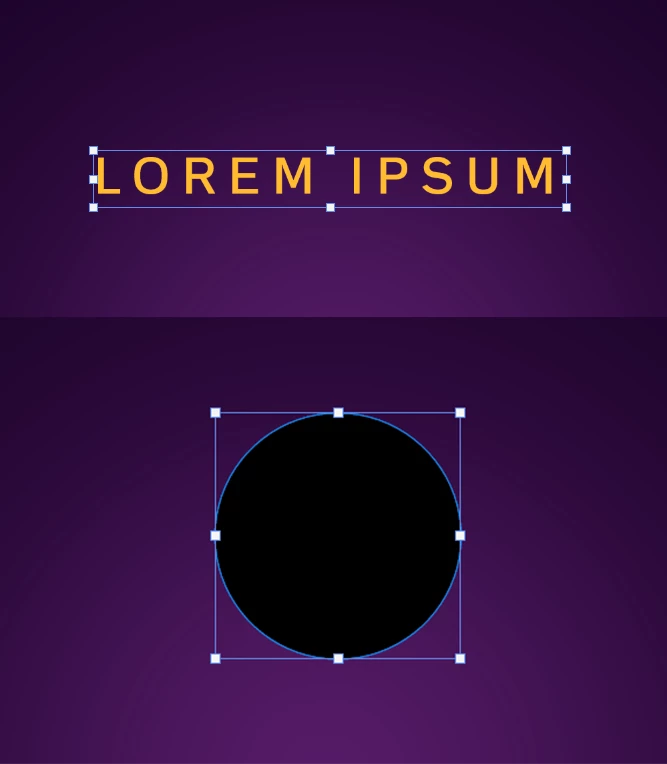
Annoying bounding box appears in every single thing I create on Photoshop

  • July 8, 2024
  • 2 replies
  • 6219 views

Can anyone help me disable this type of selection that appears in every single thing I create on Photoshop? It does not help me at all. When I disable "Extras", it disappears from the selected layer but then I have to do that in every other layer that keeps showing it. Is there any way to eliminate this once and for all?


Correct answer Bojan Živković11378569

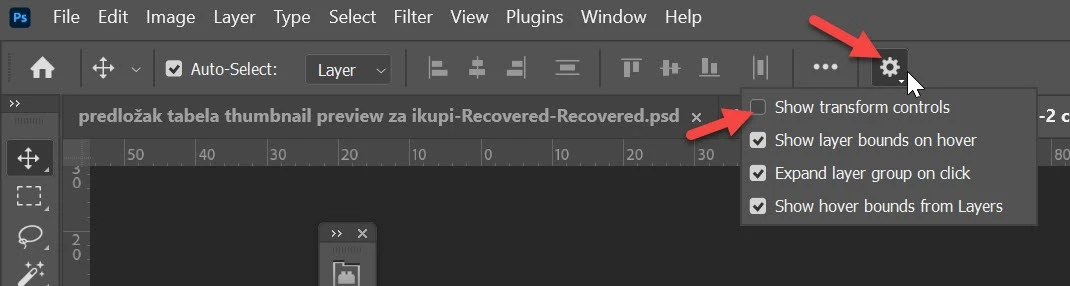
With the Move tool active, click on the gear icon and uncheck Show transform controls, as illustrated in the screenshot.

2 replies

Participant
July 25, 2024

Bojan... I have been trying for days. It is annoying to see the "view extra" everytime I bring an object in. And everytime I uncheck and it ends up showing up again next. THANK YOU!!! you were the only one with the right answer!!! Cheers

Bojan Živković11378569
Community Expert
Community Expert
July 8, 2024

With the Move tool active, click on the gear icon and uncheck Show transform controls, as illustrated in the screenshot.

Known Participant
October 23, 2024

hello Sir, could you help me this? I'm using 24.7.2 version and there's no gear there


Stephen Marsh
Community Expert
Community Expert
October 23, 2024

@Zipser31550168t845 


Select the move tool. You may also find things easier with a standard workspace such as essentials.