
Participating Frequently
May 20, 2022
Answered

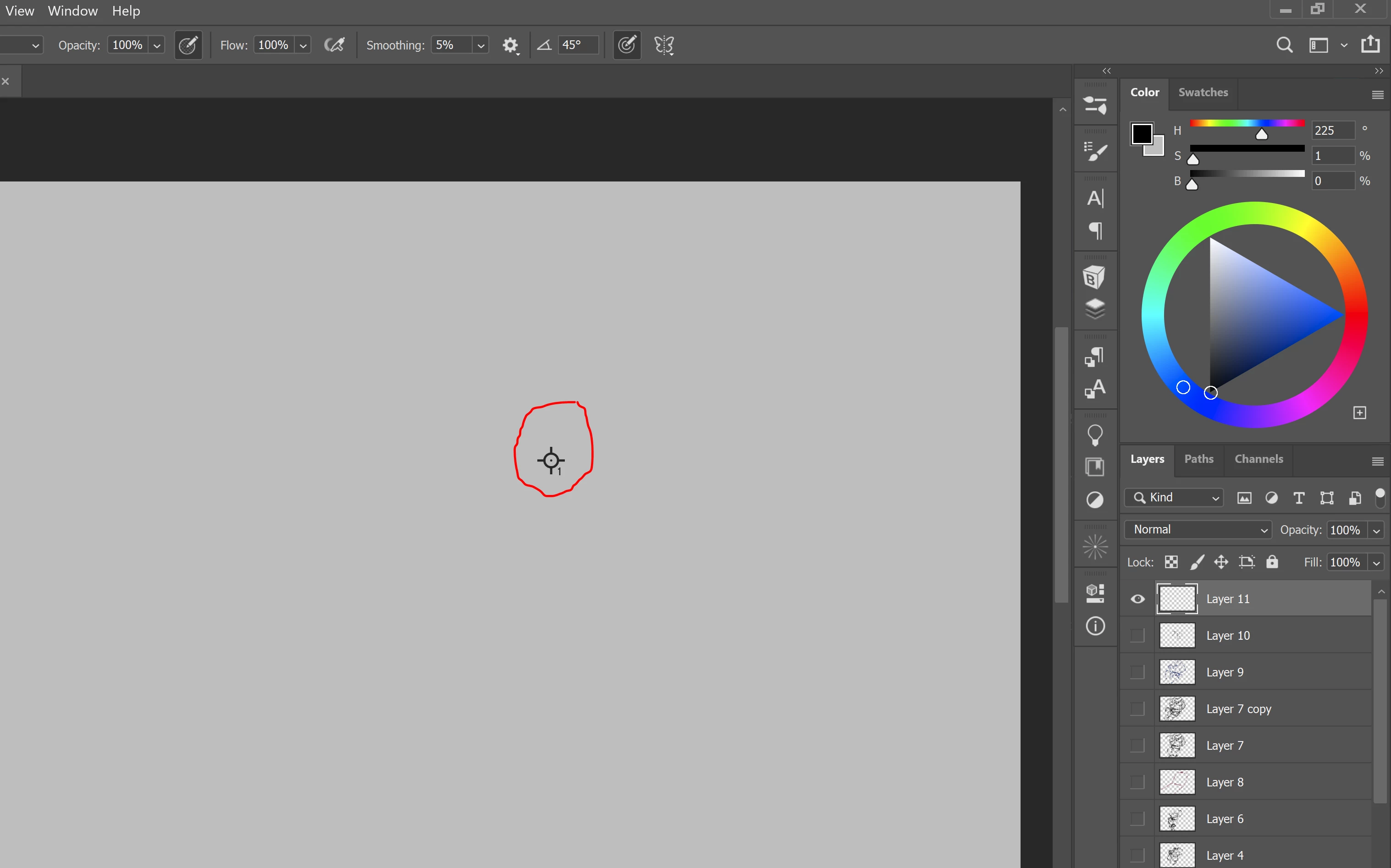
Any idea what this thing is and how to remove it?
  • May 20, 2022
  • 1 reply
  • 322 views


I honestly have no clue how to describethis thing, and I'm not sure how it appeared. It goes away when I use the transform, move, or select tool, but reappears if I try to use a brush on a layer. Any help would be greatly appreciated! 

This topic has been closed for replies.
Correct answer jane-e

Hi @mvs94 


It's called the Color Sampler tool and it shares space with the Eyedropper tool.


Select the tool again, then:

  • Alt+Click on it to delete it
  • Remove all in the options bar
  • Drag it out off the canvas


The keyboard shortcut is Shift + Eyedropper + Click, which may be how you got it accidentally. It does not print.


https://jkost.com/blog/2018/03/the-eyedropper-color-samplers-and-info-panel-in-photoshop-cc.html

Scroll to "The Color Sampler Tool" heading.


Jane


1 reply

jane-e
Community Expert
jane-eCommunity ExpertCorrect answer
Community Expert
May 20, 2022

Hi @mvs94 


It's called the Color Sampler tool and it shares space with the Eyedropper tool.


Select the tool again, then:

  • Alt+Click on it to delete it
  • Remove all in the options bar
  • Drag it out off the canvas


The keyboard shortcut is Shift + Eyedropper + Click, which may be how you got it accidentally. It does not print.


https://jkost.com/blog/2018/03/the-eyedropper-color-samplers-and-info-panel-in-photoshop-cc.html

Scroll to "The Color Sampler Tool" heading.


Jane


mvs94Author
Participating Frequently
May 21, 2022

Thank you so much! I'd never seen it before and it threw me for a loop!

jane-e
Community Expert
Community Expert
May 21, 2022

You're welcome, @mvs94 , I can see that it could be baffling!

~ Jane