Participant
February 2, 2017
Answered

Any ideas on how to achieve this effect?

  • February 2, 2017
  • 4 replies
  • 1085 views

Hi

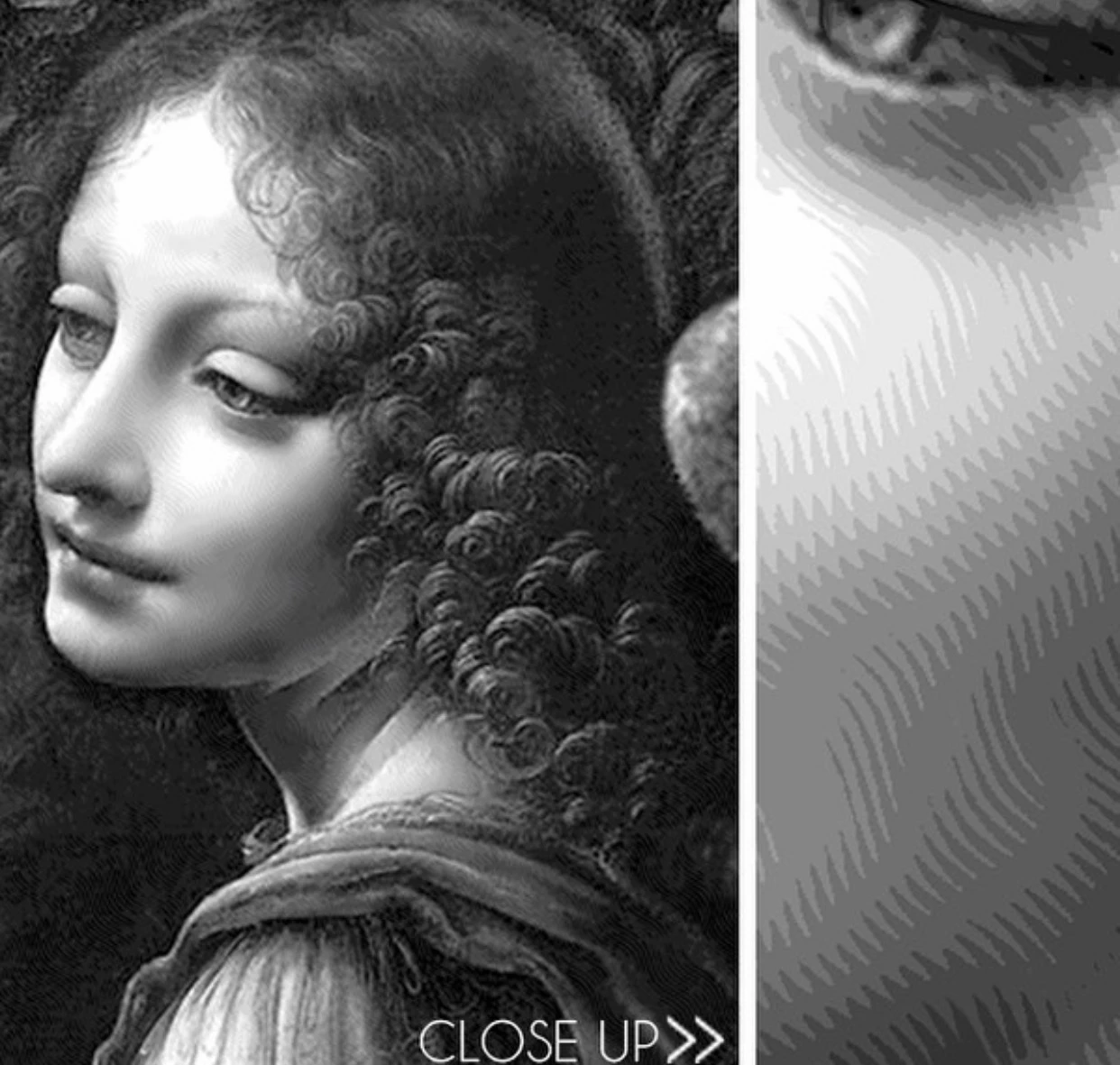
Does anyone know how I would go about achieving this effect?

I pretty much want to emulate it exactly on to any black and white image.

I am unsure of how to create that 'zig zag' effect between the shades of gray, which when viewed from further back, make a smooth transition between shades.

Hope you can help!

Many thanks

    This topic has been closed for replies.
    Correct answer Derek Cross

    Andromeda have a number of Photoshop plugins, such a Cutline Filter that may have something similar:

    Cutline Photoshop Plug-in - Andromeda

    4 replies

    S_Gans
    Community Expert
    Community Expert
    February 3, 2017

    I think I've gotten close to the idea. You'll see, I started with a gradient - black to white. I then added a Posterize Adjustment Layer. Turned it into a Smart Object, and ran a Ripple Filter on that. It may not show great on the video - but to me, it looks close, I think you'd just want to tweak image resolutions, posterize sizes and ripple distances to get the ripples straighter. You'll also have to do it in parts, with the top image of the lady's face - but this might get you started. I love what you make, BTW...

    Adobe Community Expert / Adobe Certified Instructor
    ArranHillAuthor
    Participant
    February 2, 2017

    Thanks for the input guys.

    After creating these images in Photoshop I print them out as stencils and then spray paint them into a painting.

    So I am really after exactly replicating the effect to make the shading on my stencils better.

    Here is one of the paintings so you can see what I hope to achieve which the new effect:

    postrophe
    Inspiring
    February 3, 2017

    Hi

    You might also search Google for : Photoshop CC, engrave or Etching plugin. There's also some script/action.

    Pierre

    Derek Cross
    Community Expert
    Derek CrossCommunity ExpertCorrect answer
    Community Expert
    February 2, 2017

    Andromeda have a number of Photoshop plugins, such a Cutline Filter that may have something similar:

    Cutline Photoshop Plug-in - Andromeda

    JJMack
    Community Expert
    Community Expert
    February 2, 2017

    IMO the was most likely created using a Plug-in on a high resolution image.

    JJMack
    ArranHillAuthor
    Participant
    February 2, 2017

    I can create the image below using some software called Ink Scape.

    But I really need to try and get the zig zag style of shading between the shades so it blends much better.

    Have you ever seen a plug in of this sort?

    This is the Ink Scape image:

    Trevor.Dennis
    Community Expert
    Community Expert
    February 2, 2017

    The closest I can think to give you a similar pattern would be the Oil Pint filter