Answered
Apostrophe changes to greater than symbol
Hi everyone!
So sometimes in photoshop my apostrophe key creates a greater than symbol.
Any thoughts on how to fix this?

Hi everyone!
So sometimes in photoshop my apostrophe key creates a greater than symbol.
Any thoughts on how to fix this?
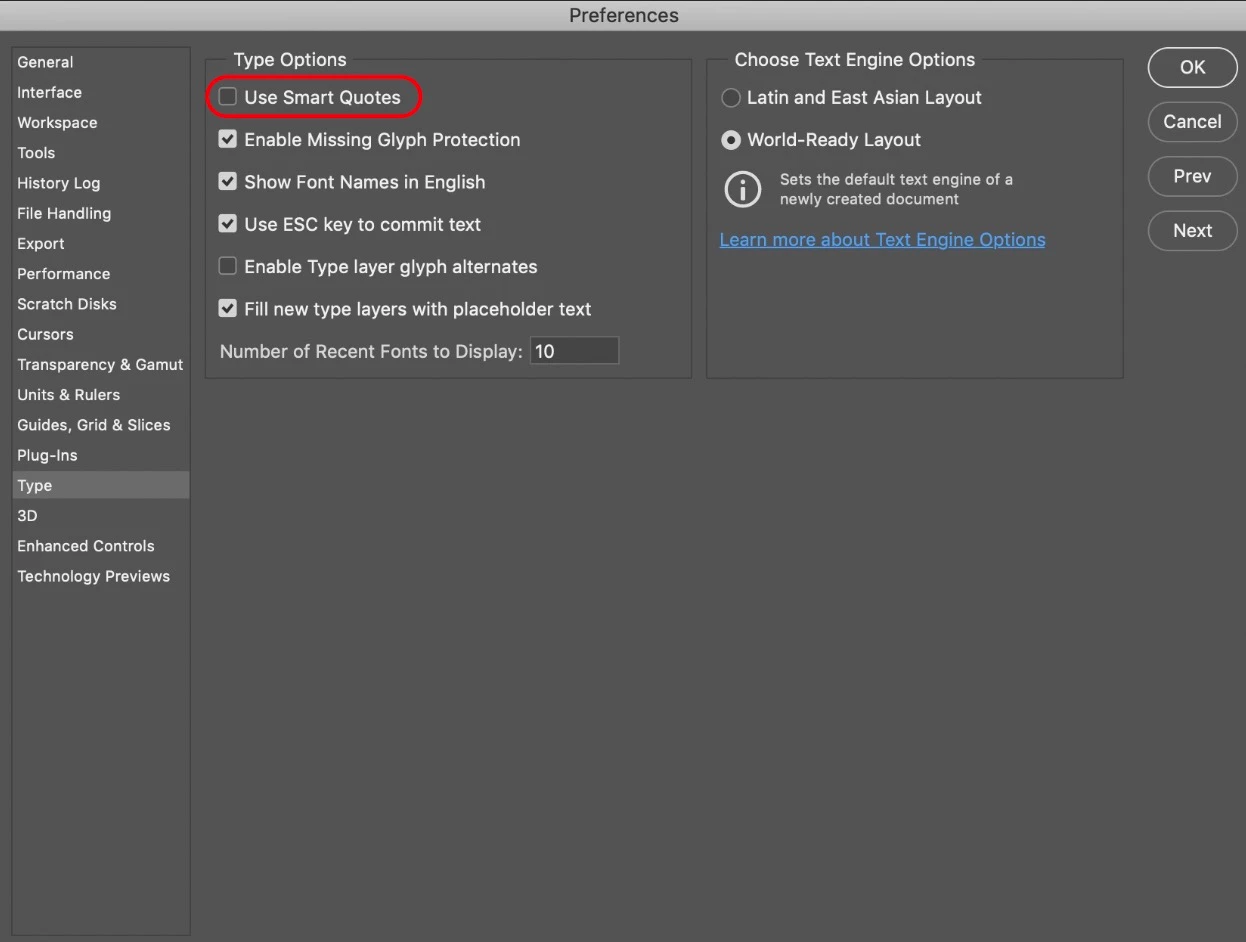
In Photoshop, go to: Preferences > Type, and untick “Use Smart Quotes”.
Already have an account? Login
Enter your E-mail address. We'll send you an e-mail with instructions to reset your password.
 AdChoices