Inspiring
September 18, 2022
Question

App for Adobe CR3 Files to open

  • September 18, 2022
  • 4 replies
  • 3721 views

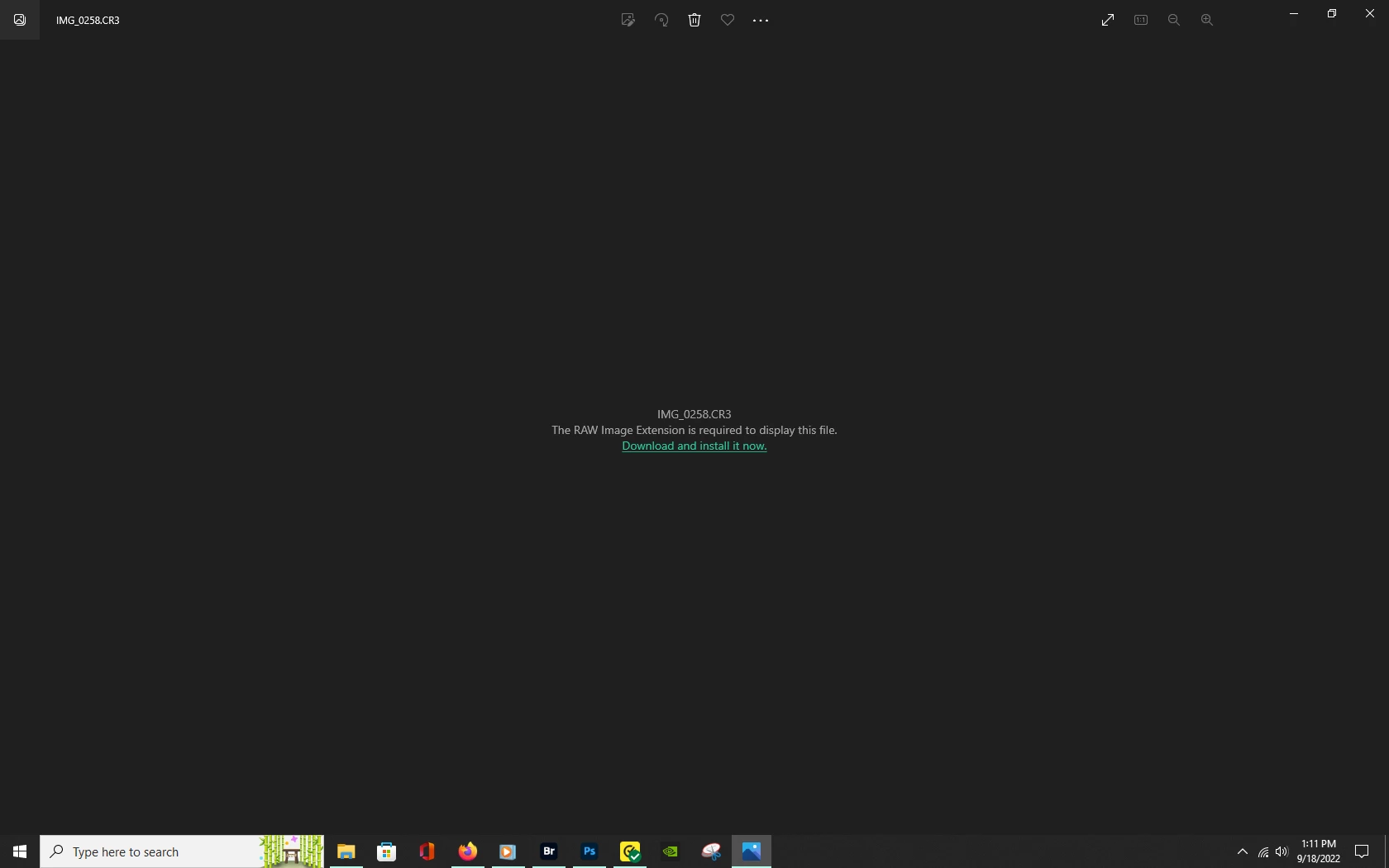
I cannot find the Adobe CR3 app to associate the Win10 file so it will OPEN.

Help?

This topic has been closed for replies.

4 replies

TheDigitalDog
Inspiring
September 18, 2022

Here are all the cameras supported by Adobe Camera Raw and Lightroom:

https://helpx.adobe.com/camera-raw/kb/camera-raw-plug-supported-cameras.html

IF your undefined camera is listed, either can render ('open') the raws. 

Author “Color Management for Photographers" & "Photoshop CC Color Management/pluralsight"
Inspiring
September 19, 2022

My camera is listed! And he Adobe Downloader has NO issues dowbloading the files.

It is within Windows10!

The files show the Windows Photo icon to open the image.


I want Adobe Bridge to open the file.

D Fosse
Community Expert
Community Expert
September 19, 2022

Sounds like your file associations are broken. This can happen if you uninstall older versions after a new version is installed. The outgoing version may take file associations with it, leaving them orphaned.


Try to reassign associations, either in Bridge, or in Windows Settings:


If that still doesn't stick, uninstall/reinstall Photoshop.


@mj
Community Expert
Community Expert
September 18, 2022

Hi @DanPBPhoto14053041 ,

Have you tried Adobe Bridge?

mj

Inspiring
September 19, 2022

Works fine BUT the problem is that when the files are displayed in W10, the icon to open them shows Windows Photo and when I search for an Adobe Bridge App there is none.

When I try to select Bridge to open Windows will not.

D Fosse
Community Expert
Community Expert
September 18, 2022

You're trying to download a codec to display raw files in Windows Photos and Windows Explorer. While that can have its uses, it has nothing to do with Adobe or Photoshop and it won't help you there.


It's important to understand that such a codec will not open raw files. It just lets you see the embedded jpeg preview built into the file by the camera. That's not the raw data.


To process a raw file in Adobe Camera Raw, you need to be on an ACR version that supports files from that particular camera model. .cr3 is the general file format container for Canon raw files, but each camera model produces unique files within that general file format. So you need specific camera support in ACR.


ACR support is added in new ACR versions as the new cameras are released - with a little time span to allow the Adobe engineers to deconstruct the files, build profiles and so on. Most often, a new camera is supported in the next ACR release.


If you tell us what camera model and what Photoshop version you're using, we can be more specific. In the meantime, that codec you're trying to download won't do anything for you.

Inspiring
September 19, 2022

That is NOT the issue.

The issue is that the icon next to the raw file is for Windows Photo NOT Adobe CC. There is NO option to open with ACR because there is NO Bridge App in Windows 10

Inspiring
September 18, 2022

I did download and install as shown on Screen Shot....Still nothing