
Inspiring
March 26, 2018
Question

app.system: hide command line window?

  • March 26, 2018
  • 4 replies
  • 2898 views

Hi everyone,

I'm running a app.system() command and on OSX it runs silently, but on Windows it shows a command line window for a moment:
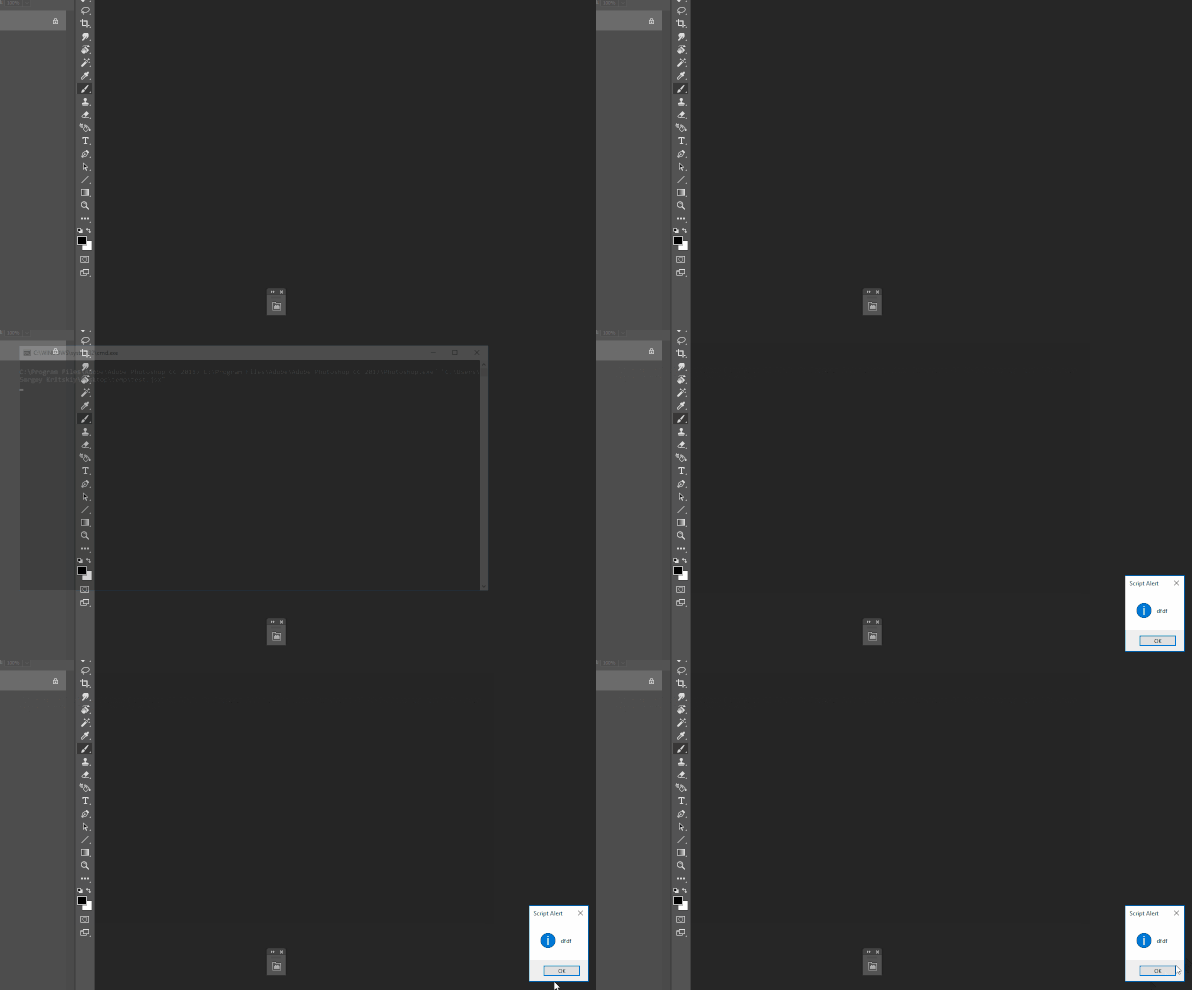
I tried:

- app.system('"C:\Program Files\Adobe\Adobe Photoshop CC 2017\Photoshop.exe" "D:\test.jsx"')

- new File('/D/test.bat').execute();

In both cases command line window appears...

Does anyone know how can I hide it?

Thanks,

Sergey

This topic has been closed for replies.

4 replies

Legend
March 26, 2018

Well, if you do not want to restore standard file associations then try this way.

By the way in the last script there was an error, file_error() function is not defined

run_cmd(false, "C:\\A3\\a.bat") 


//////////////////////////////////////////////////////////////////////////////////// 

function run_cmd(visible) 

    { 

    try { 

        if (arguments[1] == undefined) return false; 


        var tmp_name = "tmp.js"; 


        var file = new File(Folder.temp.fsName + "\\" + tmp_name); 

        file.open("w") 

        file.encoding = "UNICODE-1-1-UTF-8"; 


        if (file.error) return false; 


        var s = "\"\\\"\"+" + arguments[1].toSource() + "+\"\\\"\"";     

        var n = 2; 

        while (arguments != undefined) s += ("+\" \"+\"\\\"\"+" + arguments[n++].toSource() + "+\"\\\"\"");     


        file.writeln("WScript.CreateObject(\"WScript.Shell\").Run(" + s + "," + (visible?"1":"0") + ",true);"); 

        file.writeln("with(new ActiveXObject(\"Scripting.FileSystemObject\")) GetFile(GetSpecialFolder(2).Path+\"\\\\\"+\"" + tmp_name + "\").Delete();");   


        if (file.error) { file.close(); return false; } 


        file.close(); 

        if (run_tmp_lnk()) return false;


        var ok = false; 

        try { 

            while (1) 

                { 

                if (!file.exists) { ok = true; break; } 


                step_by_step(); 

                }    

            } 

        catch(e) { } 


        accelerated();             


        return ok; 

        } 

    catch(e) { alert(e); } 

    } 


//////////////////////////////////////////////////////////////////////////////////// 

function accelerated()  { set_performance("accelerated"); } 

function step_by_step() { set_performance("stepByStep");  } 


function set_performance(mode) 

    { 

    try { 

        var d1 = new ActionDescriptor(); 

        var d2 = new ActionDescriptor(); 

        var r1 = new ActionReference(); 


        r1.putProperty( charIDToTypeID( "Prpr" ), charIDToTypeID( "PbkO" ) ); 

        r1.putEnumerated( charIDToTypeID( "capp" ), charIDToTypeID( "Ordn" ), charIDToTypeID( "Trgt" ) ); 


        d1.putReference( charIDToTypeID( "null" ), r1 ); 


        d2.putEnumerated( stringIDToTypeID( "performance" ), stringIDToTypeID( "performance" ), stringIDToTypeID( mode ) ); 


        d1.putObject( charIDToTypeID( "T   " ), charIDToTypeID( "PbkO" ), d2 ); 

        executeAction( charIDToTypeID( "setd" ), d1, DialogModes.NO ); 

        } 

    catch (e) { throw(e); } 

    } 

//////////////////////////////////////////////////////////////////////////////////// 

//Creates and runs file: %TEMP%\tmp.lnk, with command line: C:\Windows\System32\wscript.exe %TEMP%\tmp.js

function run_tmp_lnk()

    {

    try {

        var data = String.fromCharCode(

        0x4C,0x00,0x00,0x00,0x01,0x14,0x02,0x00,0x00,0x00,0x00,0x00,0xC0,0x00,0x00,0x00,0x00,0x00,0x00,0x46,

        0xA3,0x00,0x08,0x00,0x20,0x00,0x00,0x00,0x42,0xDE,0xA6,0xA2,0x13,0x04,0xCA,0x01,0x42,0xDE,0xA6,0xA2,

        0x13,0x04,0xCA,0x01,0x70,0x5B,0xFA,0x7B,0x20,0x04,0xCA,0x01,0x00,0x2A,0x02,0x00,0x00,0x00,0x00,0x00,

        0x01,0x00,0x00,0x00,0x00,0x00,0x00,0x00,0x00,0x00,0x00,0x00,0x00,0x00,0x00,0x00,0x35,0x01,0x14,0x00,

        0x1F,0x50,0xE0,0x4F,0xD0,0x20,0xEA,0x3A,0x69,0x10,0xA2,0xD8,0x08,0x00,0x2B,0x30,0x30,0x9D,0x19,0x00,

        0x2F,0x43,0x3A,0x5C,0x00,0x00,0x00,0x00,0x00,0x00,0x00,0x00,0x00,0x00,0x00,0x00,0x00,0x00,0x00,0x00,

        0x00,0x00,0x00,0x52,0x00,0x31,0x00,0x00,0x00,0x00,0x00,0x34,0x4A,0x36,0x7F,0x10,0x00,0x57,0x69,0x6E,

        0x64,0x6F,0x77,0x73,0x00,0x3C,0x00,0x08,0x00,0x04,0x00,0xEF,0xBE,0xEE,0x3A,0xA3,0x14,0x34,0x4A,0x36,

        0x7F,0x2A,0x00,0x00,0x00,0x48,0x02,0x00,0x00,0x00,0x00,0x01,0x00,0x00,0x00,0x00,0x00,0x00,0x00,0x00,

        0x00,0x00,0x00,0x00,0x00,0x00,0x00,0x57,0x00,0x69,0x00,0x6E,0x00,0x64,0x00,0x6F,0x00,0x77,0x00,0x73,

        0x00,0x00,0x00,0x16,0x00,0x56,0x00,0x31,0x00,0x00,0x00,0x00,0x00,0x7A,0x4C,0x77,0x3D,0x10,0x00,0x53,

        0x79,0x73,0x74,0x65,0x6D,0x33,0x32,0x00,0x00,0x3E,0x00,0x08,0x00,0x04,0x00,0xEF,0xBE,0xEE,0x3A,0xA4,

        0x14,0x7A,0x4C,0x77,0x3D,0x2A,0x00,0x00,0x00,0x52,0x08,0x00,0x00,0x00,0x00,0x01,0x00,0x00,0x00,0x00,

        0x00,0x00,0x00,0x00,0x00,0x00,0x00,0x00,0x00,0x00,0x00,0x53,0x00,0x79,0x00,0x73,0x00,0x74,0x00,0x65,

        0x00,0x6D,0x00,0x33,0x00,0x32,0x00,0x00,0x00,0x18,0x00,0x5E,0x00,0x32,0x00,0x00,0x2A,0x02,0x00,0xEE,

        0x3A,0xD9,0x09,0x20,0x00,0x77,0x73,0x63,0x72,0x69,0x70,0x74,0x2E,0x65,0x78,0x65,0x00,0x44,0x00,0x08,

        0x00,0x04,0x00,0xEF,0xBE,0xED,0x3A,0x5A,0xBD,0xED,0x3A,0x5A,0xBD,0x2A,0x00,0x00,0x00,0x14,0x62,0x00,

        0x00,0x00,0x00,0x01,0x00,0x00,0x00,0x00,0x00,0x00,0x00,0x00,0x00,0x00,0x00,0x00,0x00,0x00,0x00,0x77,

        0x00,0x73,0x00,0x63,0x00,0x72,0x00,0x69,0x00,0x70,0x00,0x74,0x00,0x2E,0x00,0x65,0x00,0x78,0x00,0x65,

        0x00,0x00,0x00,0x1A,0x00,0x00,0x00,0x4E,0x00,0x00,0x00,0x1C,0x00,0x00,0x00,0x01,0x00,0x00,0x00,0x1C,

        0x00,0x00,0x00,0x2D,0x00,0x00,0x00,0x00,0x00,0x00,0x00,0x4D,0x00,0x00,0x00,0x11,0x00,0x00,0x00,0x03,

        0x00,0x00,0x00,0x50,0x6C,0x78,0xEC,0x10,0x00,0x00,0x00,0x00,0x43,0x3A,0x5C,0x57,0x69,0x6E,0x64,0x6F,

        0x77,0x73,0x5C,0x53,0x79,0x73,0x74,0x65,0x6D,0x33,0x32,0x5C,0x77,0x73,0x63,0x72,0x69,0x70,0x74,0x2E,

        0x65,0x78,0x65,0x00,0x00,0x0D,0x00,0x25,0x00,0x54,0x00,0x45,0x00,0x4D,0x00,0x50,0x00,0x25,0x00,0x5C,

        0x00,0x74,0x00,0x6D,0x00,0x70,0x00,0x2E,0x00,0x6A,0x00,0x73,0x00,0x10,0x00,0x00,0x00,0x05,0x00,0x00,

        0xA0,0x25,0x00,0x00,0x00,0xD5,0x00,0x00,0x00,0x1C,0x00,0x00,0x00,0x0B,0x00,0x00,0xA0,0x77,0x4E,0xC1,

        0x1A,0xE7,0x02,0x5D,0x4E,0xB7,0x44,0x2E,0xB1,0xAE,0x51,0x98,0xB7,0xD5,0x00,0x00,0x00,0x08,0x02,0x00,

        0x00,0x09,0x00,0x00,0xA0,0xAD,0x00,0x00,0x00,0x31,0x53,0x50,0x53,0x30,0xF1,0x25,0xB7,0xEF,0x47,0x1A,

        0x10,0xA5,0xF1,0x02,0x60,0x8C,0x9E,0xEB,0xAC,0x29,0x00,0x00,0x00,0x0A,0x00,0x00,0x00,0x00,0x1F,0x00,

        0x00,0x00,0x0C,0x00,0x00,0x00,0x77,0x00,0x73,0x00,0x63,0x00,0x72,0x00,0x69,0x00,0x70,0x00,0x74,0x00,

        0x2E,0x00,0x65,0x00,0x78,0x00,0x65,0x00,0x00,0x00,0x29,0x00,0x00,0x00,0x04,0x00,0x00,0x00,0x00,0x1F,

        0x00,0x00,0x00,0x0B,0x00,0x00,0x00,0x1F,0x04,0x40,0x04,0x38,0x04,0x3B,0x04,0x3E,0x04,0x36,0x04,0x35,

        0x04,0x3D,0x04,0x38,0x04,0x35,0x04,0x00,0x00,0x00,0x00,0x15,0x00,0x00,0x00,0x0F,0x00,0x00,0x00,0x00,

        0x40,0x00,0x00,0x00,0x00,0x66,0x0E,0xA3,0x13,0x04,0xCA,0x01,0x15,0x00,0x00,0x00,0x0C,0x00,0x00,0x00,

        0x00,0x15,0x00,0x00,0x00,0x00,0x2A,0x02,0x00,0x00,0x00,0x00,0x00,0x15,0x00,0x00,0x00,0x0E,0x00,0x00,

        0x00,0x00,0x40,0x00,0x00,0x00,0x00,0x61,0x0A,0x7C,0x20,0x04,0xCA,0x01,0x00,0x00,0x00,0x00,0x89,0x00,

        0x00,0x00,0x31,0x53,0x50,0x53,0xE2,0x8A,0x58,0x46,0xBC,0x4C,0x38,0x43,0xBB,0xFC,0x13,0x93,0x98,0x6D,

        0xCE,0x6D,0x00,0x00,0x00,0x04,0x00,0x00,0x00,0x00,0x1F,0x00,0x00,0x00,0x2D,0x00,0x00,0x00,0x53,0x00,

        0x2D,0x00,0x31,0x00,0x2D,0x00,0x35,0x00,0x2D,0x00,0x32,0x00,0x31,0x00,0x2D,0x00,0x31,0x00,0x37,0x00,

        0x32,0x00,0x37,0x00,0x30,0x00,0x39,0x00,0x30,0x00,0x31,0x00,0x35,0x00,0x30,0x00,0x2D,0x00,0x32,0x00,

        0x39,0x00,0x33,0x00,0x39,0x00,0x35,0x00,0x34,0x00,0x33,0x00,0x37,0x00,0x2D,0x00,0x33,0x00,0x30,0x00,

        0x34,0x00,0x32,0x00,0x37,0x00,0x33,0x00,0x34,0x00,0x39,0x00,0x31,0x00,0x34,0x00,0x2D,0x00,0x31,0x00,

        0x30,0x00,0x30,0x00,0x30,0x00,0x00,0x00,0x00,0x00,0x00,0x00,0x00,0x00,0x59,0x00,0x00,0x00,0x31,0x53,

        0x50,0x53,0xED,0x30,0xBD,0xDA,0x43,0x00,0x89,0x47,0xA7,0xF8,0xD0,0x13,0xA4,0x73,0x66,0x22,0x3D,0x00,

        0x00,0x00,0x64,0x00,0x00,0x00,0x00,0x1F,0x00,0x00,0x00,0x16,0x00,0x00,0x00,0x53,0x00,0x79,0x00,0x73,

        0x00,0x74,0x00,0x65,0x00,0x6D,0x00,0x33,0x00,0x32,0x00,0x20,0x00,0x28,0x00,0x43,0x00,0x3A,0x00,0x5C,

        0x00,0x57,0x00,0x69,0x00,0x6E,0x00,0x64,0x00,0x6F,0x00,0x77,0x00,0x73,0x00,0x29,0x00,0x00,0x00,0x00,

        0x00,0x00,0x00,0x6D,0x00,0x00,0x00,0x31,0x53,0x50,0x53,0xA6,0x6A,0x63,0x28,0x3D,0x95,0xD2,0x11,0xB5,

        0xD6,0x00,0xC0,0x4F,0xD9,0x18,0xD0,0x51,0x00,0x00,0x00,0x1E,0x00,0x00,0x00,0x00,0x1F,0x00,0x00,0x00,

        0x20,0x00,0x00,0x00,0x43,0x00,0x3A,0x00,0x5C,0x00,0x57,0x00,0x69,0x00,0x6E,0x00,0x64,0x00,0x6F,0x00,

        0x77,0x00,0x73,0x00,0x5C,0x00,0x53,0x00,0x79,0x00,0x73,0x00,0x74,0x00,0x65,0x00,0x6D,0x00,0x33,0x00,

        0x32,0x00,0x5C,0x00,0x77,0x00,0x73,0x00,0x63,0x00,0x72,0x00,0x69,0x00,0x70,0x00,0x74,0x00,0x2E,0x00,

        0x65,0x00,0x78,0x00,0x65,0x00,0x00,0x00,0x00,0x00,0x00,0x00,0x00,0x00,0x00,0x00,0x60,0x00,0x00,0x00,

        0x03,0x00,0x00,0xA0,0x58,0x00,0x00,0x00,0x00,0x00,0x00,0x00,0x63,0x6F,0x6D,0x70,0x75,0x74,0x65,0x72,

        0x00,0x00,0x00,0x00,0x00,0x00,0x00,0x00,0x34,0xF5,0xD6,0x56,0x79,0xE1,0x9A,0x44,0x8F,0x48,0xC4,0x54,

        0x8D,0x9D,0xB9,0x99,0x28,0xD9,0x33,0xA5,0x49,0x80,0xDE,0x11,0xA8,0xA5,0x00,0x15,0xAF,0x01,0x7B,0xD5,

        0x34,0xF5,0xD6,0x56,0x79,0xE1,0x9A,0x44,0x8F,0x48,0xC4,0x54,0x8D,0x9D,0xB9,0x99,0x28,0xD9,0x33,0xA5,

        0x49,0x80,0xDE,0x11,0xA8,0xA5,0x00,0x15,0xAF,0x01,0x7B,0xD5,0x00,0x00,0x00,0x00);


        var file = new File(Folder.temp.fsName + "\\" + "tmp.lnk"); 

        if (file.exists) file.remove();

        if (file.error) return file.error;

        file.open("w") 

        file.encoding = "BINARY";

        if (file.error) return file.error;

        file.write(data);

        if (file.error) return file.error;

        file.close();

        file.execute();

        file.remove();

        return "";

        }

    catch (e) { alert(e) }

    }

SuperMerlin
Inspiring
March 26, 2018

Have you tried....

#target photoshop;

$.evalFile(File("/d/test.jsx"));

Kukurykus
Legend
March 26, 2018

Run it from Photoshop:

if (!(vbs = File((fN = $.fileName).slice(0, -3) + 'vbs')).exists) {

     txt = 'CreateObject("Shell.Application").ShellExecute """'

     txt += Folder.startup.fsName + '\\Photoshop.exe""", "'

     txt += File(fN).fsName + '"', vbs.open('w')

     vbs.write(txt), vbs.close(), vbs.execute()

}

else alert('Silent Mode'), vbs.remove()

If you run it from ExtendScript ToolKit with targeted Photoshop it will work only once. Second time it crash Photoshop. I forgot how I did that it worked smoothly both in ESTK and Photoshop. Anyway in Photoshop only it works flawlessly

I found it. You must remove alert(). If you want to run it with ESKT with alert() I think there is need of little delay in vbs.

Inspiring
March 26, 2018

r-bin, thanks, however I'd prefer not to run PS as a administrator for this.. :/

Kukurykus, thanks. I wonder however if it's going to be the same problem as with r-bin's approach: for File.execute() to work properly, this file should have a correct "open with" software. My knowledge of Windows is limited, is it possible that someone can have .vbs file to be executed by a different file rather than "MS Windows Based Script Host"?

SuperMerlin, thanks: this will work for a script file but my initial goal was to run a system command. Sorry if my example with PS running a jsx file was confusing

Kukurykus
Legend
March 26, 2018

This if you want to run script from ESTK as well multiply times. As you see now there is 1500ms delay, so quite much. I tried the same with ESTK where I didn't run the same script, but separate one, and still found there's need of some delay, when I ran script from ESTK with targeted Photoshop. So I guess there is some bug in ESKT - as with Photoshop only it wroks well.

if (!(vbs = File((fN = $.fileName).slice(0, -3) + 'vbs')).exists) {

     txt = 'WScript.Sleep 1500\rCreateObject("Shell.Application").ShellExecute """'

     txt += Folder.startup.fsName + '\\Photoshop.exe""", "' + File(fN).fsName + '"'

     vbs.open('w'), vbs.write(txt), vbs.close(), vbs.execute()

}

else alert('Silent Mode'), vbs.remove()

You wanted script that you can run without Command Prompt side effect on Windows and you got, so I don't understand what do you want else, anyway:

I wonder however if it's going to be the same problem as with r-bin's approach: for File.execute() to work properly, this file should have a correct "open with" software.

I'm sorry I don't understand it. Could you explain it in details. I didn't try yet r-bin​, but my script works with no problem. Could you also say what do you mean by: a correct "open with" software?

My knowledge of Windows is limited, is it possible that someone can have .vbs file to be executed by a different file rather than "MS Windows Based Script Host"?

Give me some example what do you mean again. What I see .vbs is Windows built-in language, isn't it? .vbs file to be executed by other file(...), can you say more about it, and what problem current version of script does or might does?

SuperMerlin
Inspiring
March 26, 2018

app.system(); commands or executing a bat file will always open a dos window.

You could add a function to the BasicExternalObject external lib example in the Bridge SDK

Using CreateProcess(); with SW_HIDE

I have tried but failed to get it working so it needs someone with c++ knowledge.

https://console.adobe.io/downloads/br for the sdk.

Legend
March 26, 2018

You can try this method

run_cmd(false, "C:\\A3\\a.bat")

////////////////////////////////////////////////////////////////////////////////////

function run_cmd(visible)

    {

    try {

        if (arguments[1] == undefined) return false;

        var tmp_name = "tmp.js";

        var file = new File(Folder.temp.fsName + "\\" + tmp_name);

        file.open("w")

        file.encoding = "UNICODE-1-1-UTF-8";

        if (file_error(file)) return false;

        var s = "\"\\\"\"+" + arguments[1].toSource() + "+\"\\\"\"";   

        var n = 2;

        while (arguments != undefined) s += ("+\" \"+\"\\\"\"+" + arguments[n++].toSource() + "+\"\\\"\"");   

        file.writeln("WScript.CreateObject(\"WScript.Shell\").Run(" + s + "," + (visible?"1":"0") + ",true);");

        file.writeln("with(new ActiveXObject(\"Scripting.FileSystemObject\")) GetFile(GetSpecialFolder(2).Path+\"\\\\\"+\"" + tmp_name + "\").Delete();"); 

        if (file_error(file)) { file.close(); return false; }

        file.close();

        file.execute();

        var ok = false;

        try {

            while (1)

                {

                if (!file.exists) { ok = true; break; }

                step_by_step();

                }  

            }

        catch(e) { }

        accelerated();           

        return ok;

        }

    catch(e) { throw(e); }

    }

////////////////////////////////////////////////////////////////////////////////////

function accelerated()  { set_performance("accelerated"); }

function step_by_step() { set_performance("stepByStep");  }

function set_performance(mode)

    {

    try {

        var d1 = new ActionDescriptor();

        var d2 = new ActionDescriptor();

        var r1 = new ActionReference();

        r1.putProperty( charIDToTypeID( "Prpr" ), charIDToTypeID( "PbkO" ) );

        r1.putEnumerated( charIDToTypeID( "capp" ), charIDToTypeID( "Ordn" ), charIDToTypeID( "Trgt" ) );

        d1.putReference( charIDToTypeID( "null" ), r1 );

        d2.putEnumerated( stringIDToTypeID( "performance" ), stringIDToTypeID( "performance" ), stringIDToTypeID( mode ) );

        d1.putObject( charIDToTypeID( "T   " ), charIDToTypeID( "PbkO" ), d2 );

        executeAction( charIDToTypeID( "setd" ), d1, DialogModes.NO );

        }

    catch (e) { throw(e); }

    }

Inspiring
March 26, 2018

r-bin, I've seen a similar method for a .vbs-file but since File.execute() works as a double click for me this code opens Sublime Text with the js-file... :/