Answered
Application size on CS5
the toolbar and menu are too small to read on my new laptop. How can I make them a readable size as on my desktop please?

the toolbar and menu are too small to read on my new laptop. How can I make them a readable size as on my desktop please?
OK
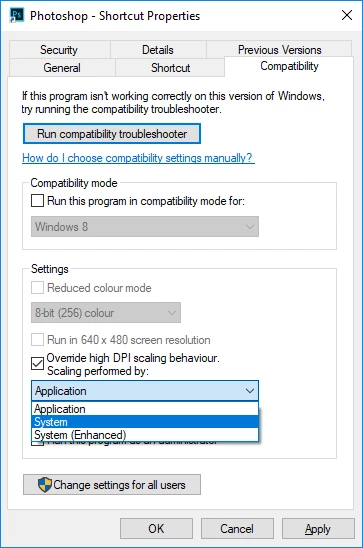
Try this, right click on the Photoshop shortcut and click on the Compatibility tab, put a check mark in the Override high DPI and select System from the drop down menu
Already have an account? Login
Enter your E-mail address. We'll send you an e-mail with instructions to reset your password.
 AdChoices