
pedropeteiro97
Participant
March 30, 2020
Question

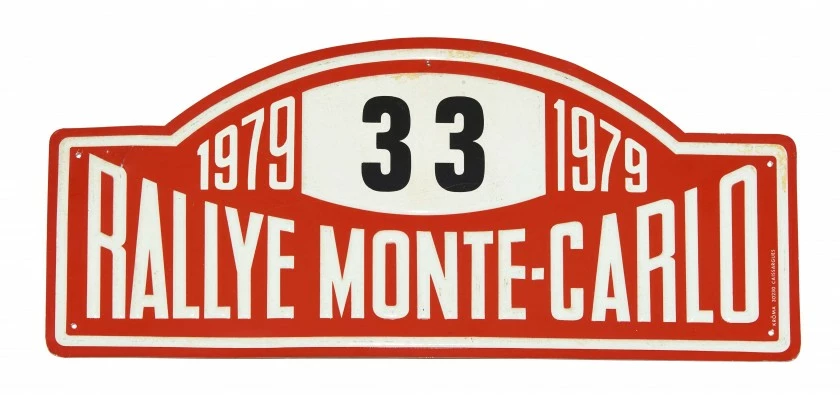
Arc-shaped text but aligned with the ground.
  • March 30, 2020
  • 2 replies
  • 829 views

I'm trying to do something like this but i don't know how to do the arc-shaped text. I know that with the warp text tool you can do something similar but what i want is to fix the text aligned to the ground just like in the image. How can i do this? I've been searching for how to do this and i can't find a solution. Thank you very much.

This topic has been closed for replies.

2 replies

Marja de Klerk
Inspiring
March 30, 2020

Here's one way to do this in Photoshop: 

- Rasterize the layer,  or better like c_pfaffenbichler mentioned,  convert it to a Smart Object

- Choose Edit > Transform > Warp

- Drag the upper left and right handle to get the effect.

Good luck!

pedropeteiro97
Participant
March 30, 2020

Marja_de_Klerk Thank you for your quick and clear answer. It worked for me.

Marja de Klerk
Inspiring
March 30, 2020

You're welcome!

c.pfaffenbichler
Community Expert
Community Expert
March 30, 2020

If you need vector output you should try Illustrator, otherwise convert to a Smart Object and apply Warp »Arc Upper«.