
Answered
Are bristle brushes going away?
Bristle brushes have been relegated to 'Legacy' status (and can be restored), but they're no longer available by default, right? As in, Adobe won't support this kind of brush approach in future versions?

Bristle brushes have been relegated to 'Legacy' status (and can be restored), but they're no longer available by default, right? As in, Adobe won't support this kind of brush approach in future versions?
Hi David. I don't have a definitive answer for you, but I might be able to help, if only a tiny bit. We do still have access to, and control of the 'bristle' brushes, but you are right in that they seem to have been pushed into the background.
If you start with just the Legacy folder (not a bad starting place when trying to sort out your brushes) and right click to open the brush presets panel, and then on the cog icon, chose the Converted Legacy Tool Presets
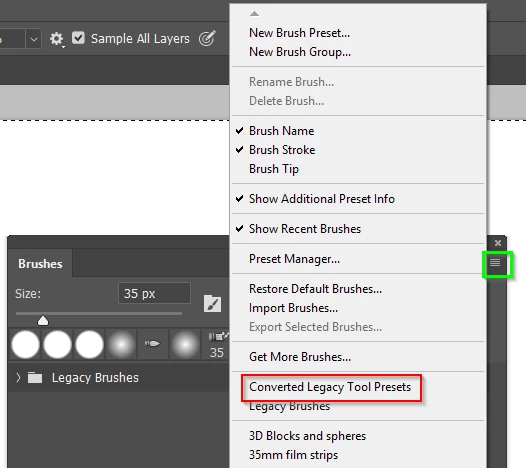
Twirl that open, and then chose and twirl open the Artists Brushes folder.
There are all our bristle brushes.
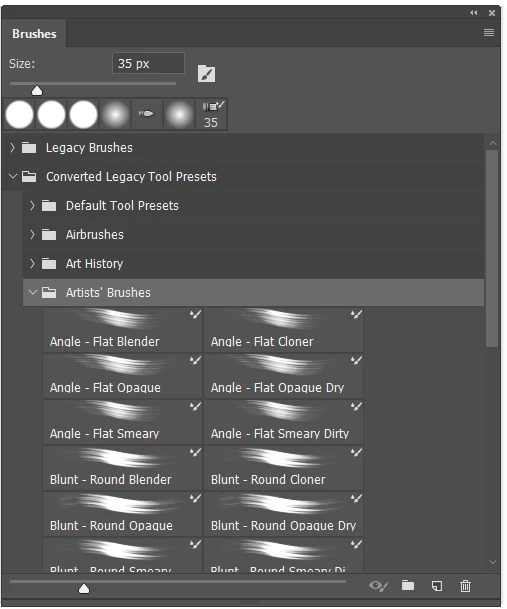
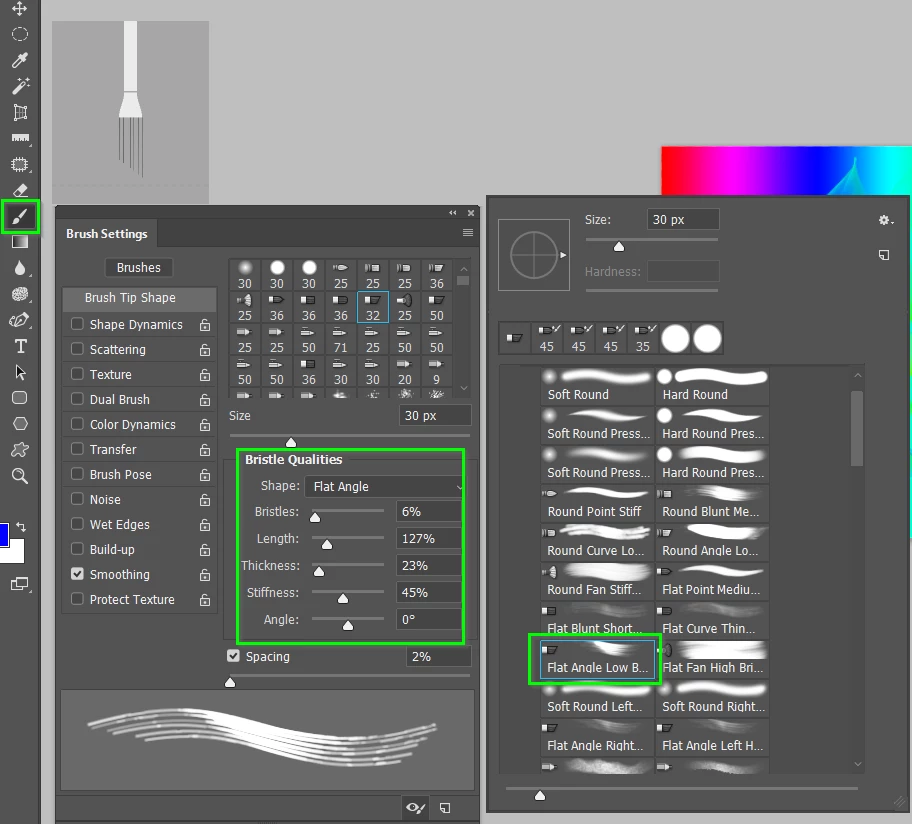
Select any of those presets, and open the Brush Settings panel, and select Brush Tip Shapes
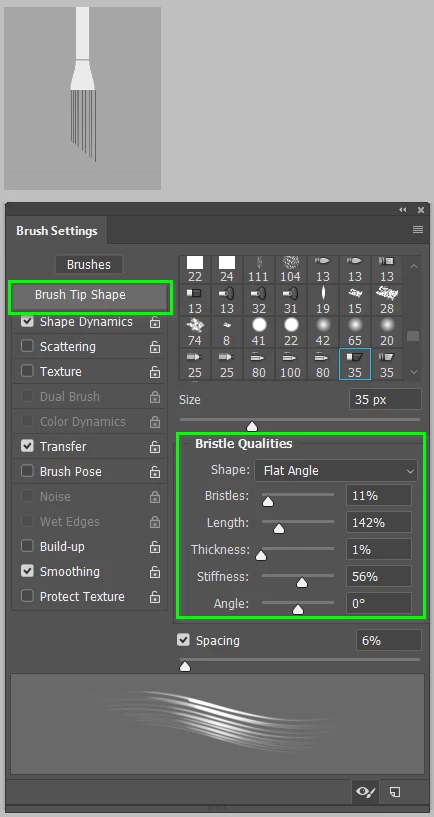
From here you can design your own preset by starting with one of the ten brush shapes.
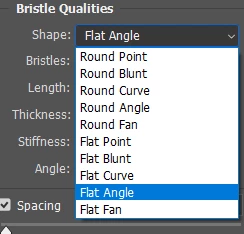
And adjusting the preset's other properties
I've just gone crazy changing the preset from two screen shots back, to a very long, extremely thin preset that has interesting effect.
Note I also changed the default settings in the Options bar for the Mixer brush.
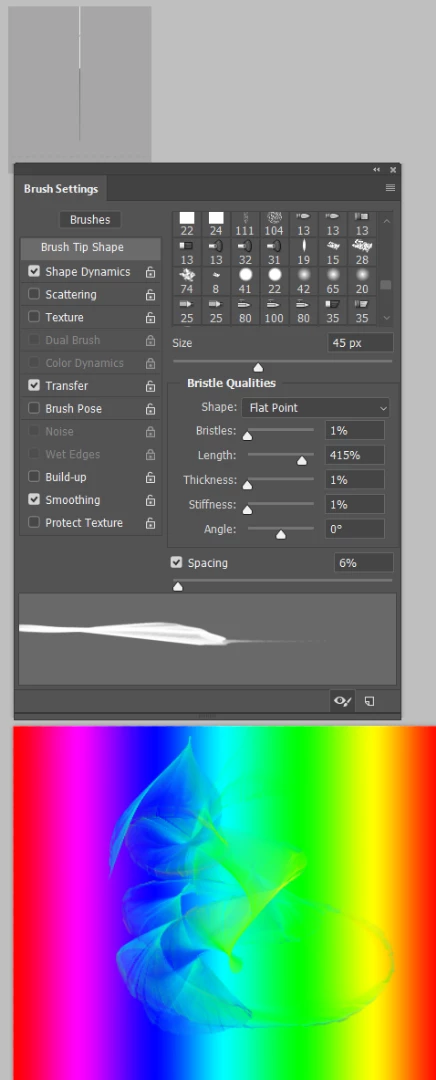
So now I just need to click on the New Preset icon, give it a name, and make sure that Include Tool Settings is checked.
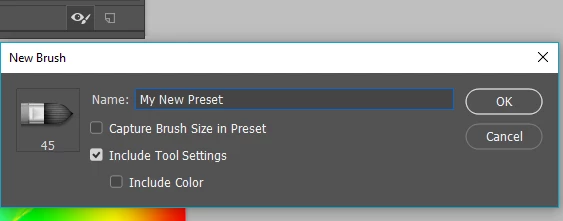
The Artist brushes are all Mixer brush presets, but you can do the same thing with the bristle brushes in the Legacy folder that use the plain vanilla Brush tool.
Good luck
Already have an account? Login
Enter your E-mail address. We'll send you an e-mail with instructions to reset your password.
 AdChoices