

NM MSDK
Inspiring
November 4, 2024
Question

Arrow/Line behaves very strange

  • November 4, 2024
  • 1 reply
  • 605 views

Hello all,


I use the line tool a lot, combined with the added function to add a arrowhead its one of my ideal tools.


But now since a few days its no longer a line wich i can decide how it behaves, but i insert all my parameters, click to draw a line, and it get's huge in size, it looks absolutely ridiculous.
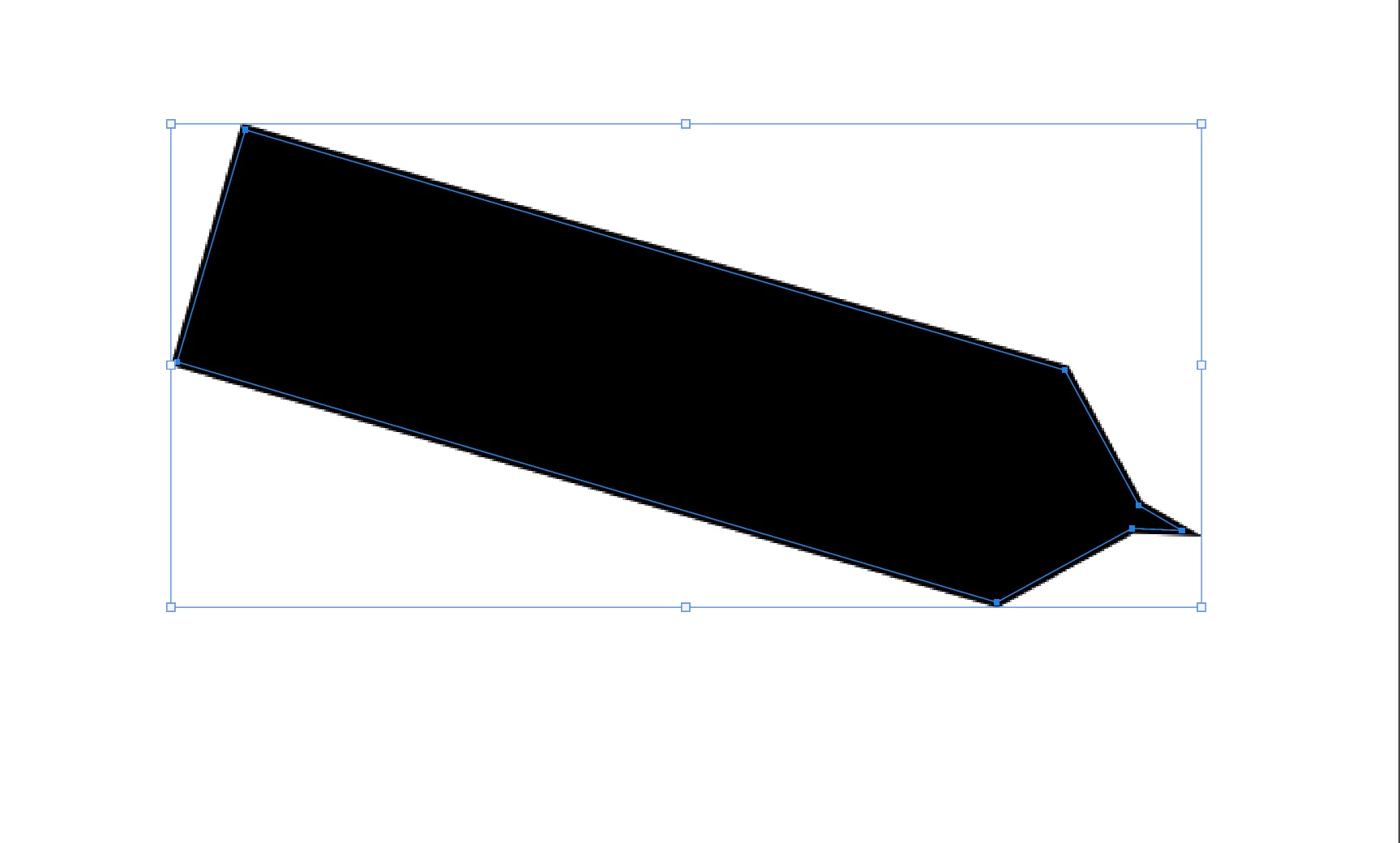
Then the parameters are all of a sudden all over the place and when i finally turn them down again yhe whole interactiveness of the line/ arrow is long gone.

Ignore the language, but these are the parameters.


Does anyone know the cause of this? It was never this strange before.


-Nick


This topic has been closed for replies.

1 reply

jane-e
Community Expert
Community Expert
November 4, 2024

@NM MSDK 


Try resetting the Line tool. Right-click the tool on the far left of the options bar (not Tools panel) and Reset tool. 


Jane


NM MSDK
NM MSDKAuthor
Inspiring
November 6, 2024

Hi Jane,


I cant seem to find it after 30 min of searching, do you have a screenshot perchance?


Thanks


-Nick

Participant
December 12, 2024

Hi Jane, you have any idea's left?


Hi Nick,


I expect you may have found a solution to this already, but, in case you haven't (and in case it's helpful for anyone else who happens upon this thread in the future), I wanted to chime in with a bit of follow-up help. 🙂


To find the Reset Tool option for your line tool, once you have clicked on, and selected, the line tool, over in the main toolbar on the left, do the following (The #s here are reflected in the marked-up screenshot that follows the outlined steps)*:


  1.  Look up in the top-right corner of your Photoshop window, for the line tool icon, just to the right of the home/house icon, and click on the down-arrow, just to the right of the line tool icon.

  2. That will pop up a small settings/selection modal window. Click on the Settings Gear icon, in the top-right corner of that little settings modal.

  3. That will open up a list-based context-menu, with a bunch of different options. Click on Reset Tool in that context-menu, and you should be all set. (One thing to note, unless you're hoping to reset all of your tools, make sure to click on Reset Tool, rather than the Reset All Tools option, which is just below it!)


* Note: This is all assuming that your tools are set up as they come, by default (which, it looks like they are, in your case, Nick - but, adding this note in, for anyone else who happens upon this thread, in the future). If you've moved things around a bunch in your UI, you may need to look in slightly different places for these options, but the icons and such should all be consistent; so, just look for the relevant icons, if you're working in a customized UI.


Ok, hope this helps! LMK if any of it is unclear, or if you are up against anything else you need some help with.


Will