MahaB82A
June 6, 2025
Answered

Artboard without Margin

  • June 6, 2025
  • 3 replies
  • 312 views

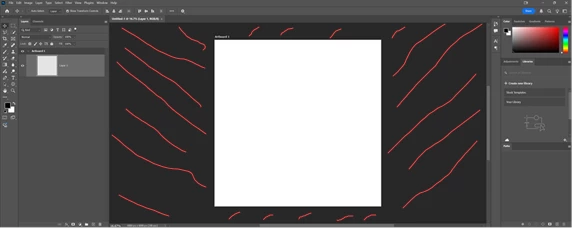
Is it possible to have an boder-less artboard? That means if I placed an image bigger than the artboard dimension, it will automatically increase it's dimension.     
 

Correct answer Stephen Marsh

For what it's worth, the following script will resize the parent artboard to the size of the selected layer bounds. This could be added to the Script Events Manager for automated triggering via a suitable event.


/*
Set the Parent Artboard Bounds to the Active Layer Bounds.jsx
Stephen Marsh
v1.0 - 9th June 2025
https://community.adobe.com/t5/photoshop-ecosystem-discussions/artboard-without-margin/m-p/15360958
*/

(function () {

    if (app.documents.length === 0) {
        alert("No document is open!");
        return;
    }

    if (!hasActiveLayer()) {
        alert("No active layer selected!");
        return;
    }

    if (isInvalidLayerType(app.activeDocument.activeLayer)) {
        alert("Script aborted: The active layer isn't supported!");
        return;
    }

    var savedRuler = app.preferences.rulerUnits;
    app.preferences.rulerUnits = Units.PIXELS;
    var doc = app.activeDocument;
    var layer = doc.activeLayer;
    var left = layer.bounds[0];
    var top = layer.bounds[1];
    var right = layer.bounds[2];
    var bottom = layer.bounds[3];
    var originalLayer = doc.activeLayer;

    // Find the final artboard parent
    var finalParentArtboard = findParentArtboard(layer);

    if (!finalParentArtboard) {
        doc.activeLayer = originalLayer;
        alert("No Artboard found as the final parent!");
        app.preferences.rulerUnits = savedRuler;
        return;
    }

    // Select the found artboard
    doc.activeLayer = finalParentArtboard;

    // Change the artboard bounds to match the active layer bounds
    var s2t = function (s) { return app.stringIDToTypeID(s); };
    var descriptor = new ActionDescriptor();
    var descriptor2 = new ActionDescriptor();
    var descriptor3 = new ActionDescriptor();
    var reference = new ActionReference();
    reference.putEnumerated(s2t("layer"), s2t("ordinal"), s2t("targetEnum"));
    descriptor.putReference(s2t("null"), reference);
    descriptor3.putDouble(s2t("top"), top);
    descriptor3.putDouble(s2t("left"), left);
    descriptor3.putDouble(s2t("bottom"), bottom);
    descriptor3.putDouble(s2t("right"), right);
    descriptor2.putObject(s2t("artboardRect"), s2t("classFloatRect"), descriptor3);
    descriptor.putObject(s2t("artboard"), s2t("artboard"), descriptor2);
    descriptor.putInteger(s2t("changeSizes"), 1);
    executeAction(s2t("editArtboardEvent"), descriptor, DialogModes.NO);

    // Restore the original ruler units
    app.preferences.rulerUnits = savedRuler;

})();


///// Functions /////

function isArtboard() {
    try {
        var r = new ActionReference();
        r.putEnumerated(stringIDToTypeID('layer'), stringIDToTypeID('ordinal'), stringIDToTypeID('targetEnum'));
        var options = executeActionGet(r);
        return options.hasKey(stringIDToTypeID('artboard'));
    } catch (e) {
        return false;
    }
}

function findParentArtboard(layer) {
    var currentLayer = layer;
    while (currentLayer.parent !== app.activeDocument) {
        app.activeDocument.activeLayer = currentLayer;
        if (isArtboard()) {
            return currentLayer;
        }
        currentLayer = currentLayer.parent;
    }
    app.activeDocument.activeLayer = currentLayer;
    if (isArtboard()) {
        return currentLayer;
    }
    return null;
}

function hasActiveLayer() {
    try {
        // selected layer check by jazz-y
        var s2t = stringIDToTypeID;
        var r = new ActionReference();
        r.putProperty(s2t('property'), s2t('targetLayers'));
        r.putEnumerated(s2t("document"), s2t("ordinal"), s2t("targetEnum"));
        var desc = executeActionGet(r);
        var targetLayers = desc.getList(s2t('targetLayers'));
        return targetLayers.count > 0;
    } catch (e) {
        return false;
    }
}

function isInvalidLayerType() {
    /*
    https://community.adobe.com/t5/photoshop-ecosystem-discussions/how-to-check-layer-kind-using-javascript/m-p/13174707
    */
    s2t = stringIDToTypeID;
    (r = new ActionReference()).putProperty(s2t('property'), p = s2t('layerKind'));
    r.putEnumerated(s2t('layer'), s2t('ordinal'), s2t('targetEnum'));
    var layerKind = executeActionGet(r).getInteger(p);
    if (layerKind == 2 || layerKind == 9 || layerKind == 10 || layerKind == 11) {
        return true;
    }
}


  1. Copy the code text to the clipboard
  2. Open a new blank file in a plain-text editor (not in a word processor)
  3. Paste the code in
  4. Save as a plain text format file – .txt
  5. Rename the saved file extension from .txt to .jsx
  6. Install or browse to the .jsx file to run (see below)

https://prepression.blogspot.com/2017/11/downloading-and-installing-adobe-scripts.html

3 replies

Stephen Marsh
Community Expert
Stephen MarshCommunity ExpertCorrect answer
Community Expert
June 9, 2025

For what it's worth, the following script will resize the parent artboard to the size of the selected layer bounds. This could be added to the Script Events Manager for automated triggering via a suitable event.


/*
Set the Parent Artboard Bounds to the Active Layer Bounds.jsx
Stephen Marsh
v1.0 - 9th June 2025
https://community.adobe.com/t5/photoshop-ecosystem-discussions/artboard-without-margin/m-p/15360958
*/

(function () {

    if (app.documents.length === 0) {
        alert("No document is open!");
        return;
    }

    if (!hasActiveLayer()) {
        alert("No active layer selected!");
        return;
    }

    if (isInvalidLayerType(app.activeDocument.activeLayer)) {
        alert("Script aborted: The active layer isn't supported!");
        return;
    }

    var savedRuler = app.preferences.rulerUnits;
    app.preferences.rulerUnits = Units.PIXELS;
    var doc = app.activeDocument;
    var layer = doc.activeLayer;
    var left = layer.bounds[0];
    var top = layer.bounds[1];
    var right = layer.bounds[2];
    var bottom = layer.bounds[3];
    var originalLayer = doc.activeLayer;

    // Find the final artboard parent
    var finalParentArtboard = findParentArtboard(layer);

    if (!finalParentArtboard) {
        doc.activeLayer = originalLayer;
        alert("No Artboard found as the final parent!");
        app.preferences.rulerUnits = savedRuler;
        return;
    }

    // Select the found artboard
    doc.activeLayer = finalParentArtboard;

    // Change the artboard bounds to match the active layer bounds
    var s2t = function (s) { return app.stringIDToTypeID(s); };
    var descriptor = new ActionDescriptor();
    var descriptor2 = new ActionDescriptor();
    var descriptor3 = new ActionDescriptor();
    var reference = new ActionReference();
    reference.putEnumerated(s2t("layer"), s2t("ordinal"), s2t("targetEnum"));
    descriptor.putReference(s2t("null"), reference);
    descriptor3.putDouble(s2t("top"), top);
    descriptor3.putDouble(s2t("left"), left);
    descriptor3.putDouble(s2t("bottom"), bottom);
    descriptor3.putDouble(s2t("right"), right);
    descriptor2.putObject(s2t("artboardRect"), s2t("classFloatRect"), descriptor3);
    descriptor.putObject(s2t("artboard"), s2t("artboard"), descriptor2);
    descriptor.putInteger(s2t("changeSizes"), 1);
    executeAction(s2t("editArtboardEvent"), descriptor, DialogModes.NO);

    // Restore the original ruler units
    app.preferences.rulerUnits = savedRuler;

})();


///// Functions /////

function isArtboard() {
    try {
        var r = new ActionReference();
        r.putEnumerated(stringIDToTypeID('layer'), stringIDToTypeID('ordinal'), stringIDToTypeID('targetEnum'));
        var options = executeActionGet(r);
        return options.hasKey(stringIDToTypeID('artboard'));
    } catch (e) {
        return false;
    }
}

function findParentArtboard(layer) {
    var currentLayer = layer;
    while (currentLayer.parent !== app.activeDocument) {
        app.activeDocument.activeLayer = currentLayer;
        if (isArtboard()) {
            return currentLayer;
        }
        currentLayer = currentLayer.parent;
    }
    app.activeDocument.activeLayer = currentLayer;
    if (isArtboard()) {
        return currentLayer;
    }
    return null;
}

function hasActiveLayer() {
    try {
        // selected layer check by jazz-y
        var s2t = stringIDToTypeID;
        var r = new ActionReference();
        r.putProperty(s2t('property'), s2t('targetLayers'));
        r.putEnumerated(s2t("document"), s2t("ordinal"), s2t("targetEnum"));
        var desc = executeActionGet(r);
        var targetLayers = desc.getList(s2t('targetLayers'));
        return targetLayers.count > 0;
    } catch (e) {
        return false;
    }
}

function isInvalidLayerType() {
    /*
    https://community.adobe.com/t5/photoshop-ecosystem-discussions/how-to-check-layer-kind-using-javascript/m-p/13174707
    */
    s2t = stringIDToTypeID;
    (r = new ActionReference()).putProperty(s2t('property'), p = s2t('layerKind'));
    r.putEnumerated(s2t('layer'), s2t('ordinal'), s2t('targetEnum'));
    var layerKind = executeActionGet(r).getInteger(p);
    if (layerKind == 2 || layerKind == 9 || layerKind == 10 || layerKind == 11) {
        return true;
    }
}


  1. Copy the code text to the clipboard
  2. Open a new blank file in a plain-text editor (not in a word processor)
  3. Paste the code in
  4. Save as a plain text format file – .txt
  5. Rename the saved file extension from .txt to .jsx
  6. Install or browse to the .jsx file to run (see below)

https://prepression.blogspot.com/2017/11/downloading-and-installing-adobe-scripts.html

c.pfaffenbichler
Community Expert
Community Expert
June 8, 2025

Please post screenshots (obviously including the Layers Panel and not downsampled) to illustrate what happens as opposed to what you want to happen. 


What role do Artboards play in the process to begin with? 

Why do you need the Artboard to change dimensions accoring to a placed image (and what if you place more than one image)? 

Stephen Marsh
Community Expert
Community Expert
June 6, 2025

You can change the Artboard dimensions using the Artboard Tool, click and hold the Move tool to access.
