
Fuzzbass2000
Known Participant
November 27, 2024
Question

Artifacts when flattening images in PS

  • November 27, 2024
  • 1 reply
  • 404 views

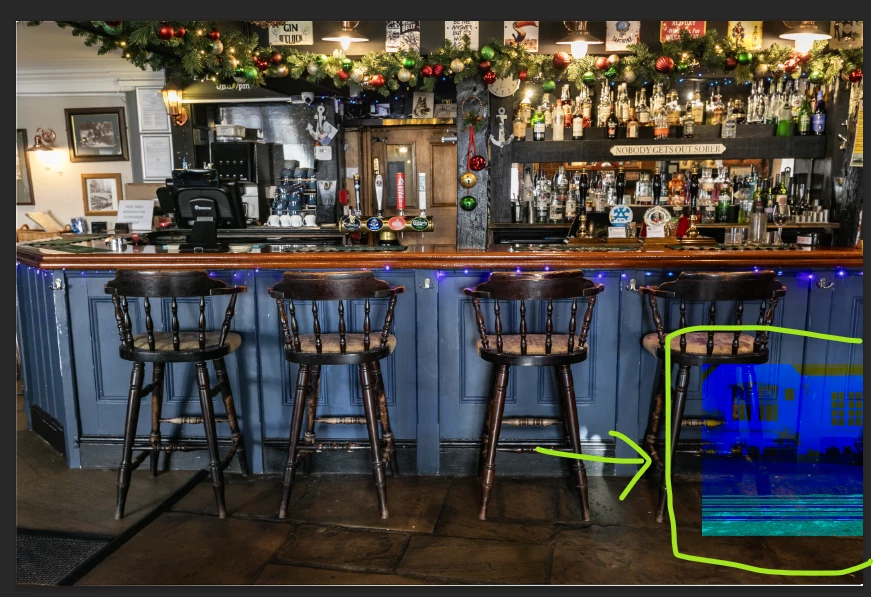
Every so often when working with images in PS I experience weird artifacts that are generated in the image when flattening.  

I'm up to date with the latest versions of PS, LRC, and my various drivers.

I run Windows 11 with i7 and Nvidia RTX 4060 Ti (w/ latest studio drivers).

My workflow is typically LrC edits > PS fixes / cleanup > LrC for crop & export

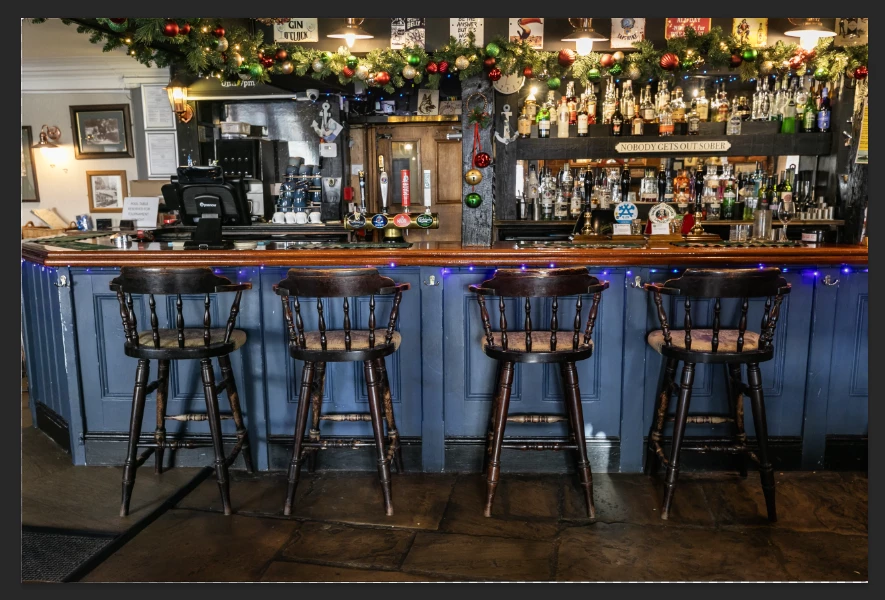
Images attached show the flattened image with the artifacts and the unflattened original.

Any ideas what they are and how to fix them?
This topic has been closed for replies.

1 reply

Sameer K
Community Manager
Community Manager
November 27, 2024

Hey, @Fuzzbass2000. Welcome to the Photoshop community. I'll need more info to help you figure this out.


Does this happen with specific documents? Are the documents stored on an external drive? Have you tried moving a few documents to the internal drive and opening them from the internal drive?


Does this happen when you send the file back without Flattening the image? Please record your workflow & share it with us. 


Awaiting to hear from you. Thanks!

Sameer K

(Use '@mention' to tag me when you reply)

Fuzzbass2000
Known Participant
November 28, 2024

This is my very typical work flow:
LrC edits > PS fixes (layers / bracketed shots / cleanup) > LrC for final crop & export
Everything is stored on internal drives (NVME drives)
I notice most often when flattening files before finalising edits in LrC, but then that's because that is an operation I might peform many time in a photo session edit. I may have noticed the same issue when zooming (enlarging) the displayed image in PS.

Can you tell me what you think the artifacts are before we drill down to far into the rabbit hole of how exactly I use the software.

Cheers

Trevor.Dennis
Community Expert
Community Expert
November 28, 2024

Well they look like video card glitches.

If you save out to JPG and reopen the file, are the artefacts still there?  I am guessing they aren't.

What GPU are you using, and what driver?
If Nvidea, are you using Studio or Game Ready driver?  The studio driver tends to work best with Photoshop.

Do you have multiple GPUs?  Photoshop does not always play nicely with more than one GPU.


Glitches can occure when flattening, but they don't tend to look like your example.  In any case, a workaround that I find usually works is to add a copy merged layer to the top of the stack before flattening (Shift Ctrl Alt E).  But I don't think is an issue here.