Inspiring
July 16, 2024
Answered

Artifacts with Gaussian Blur

  • July 16, 2024
  • 1 reply
  • 587 views

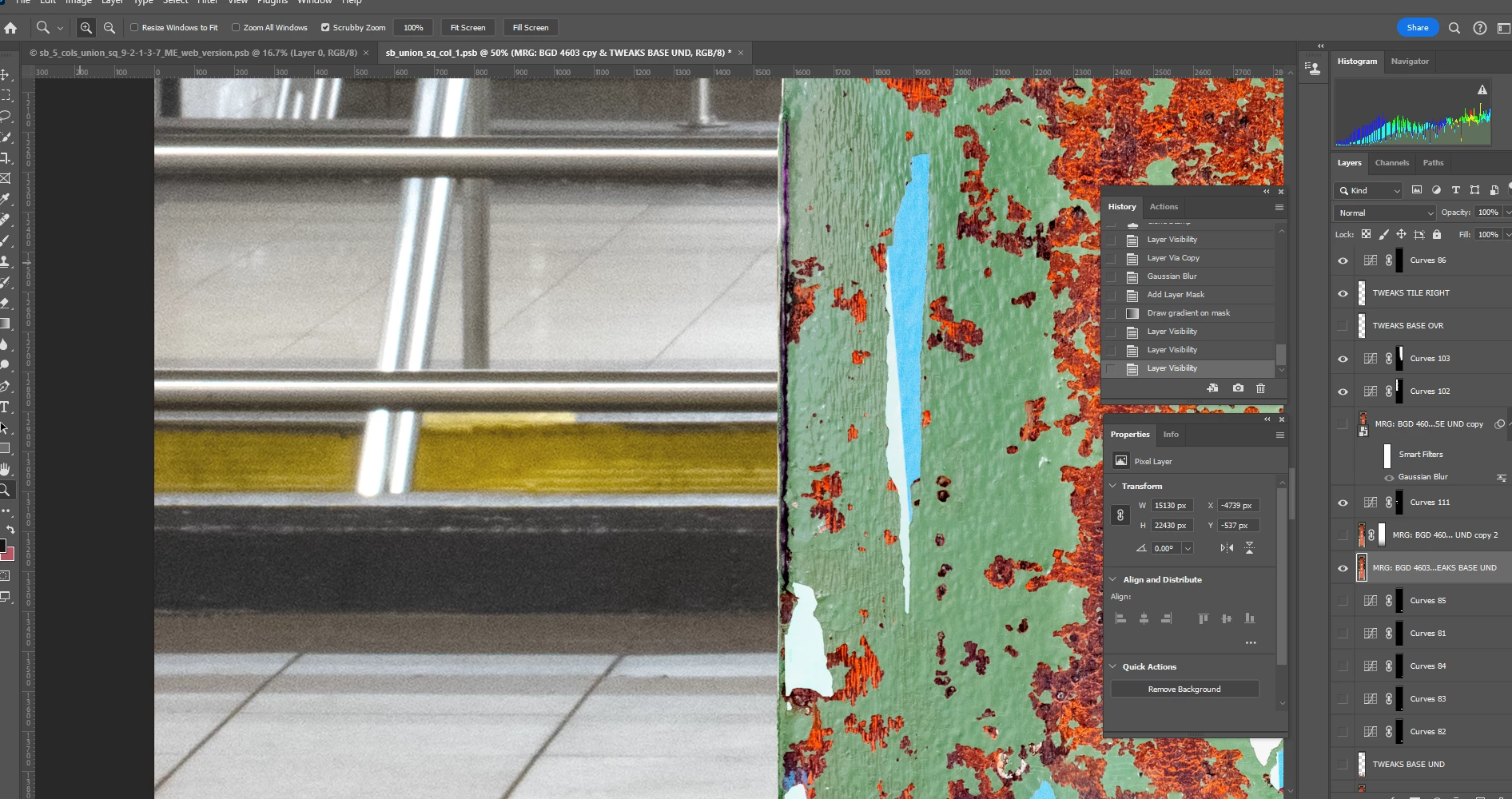
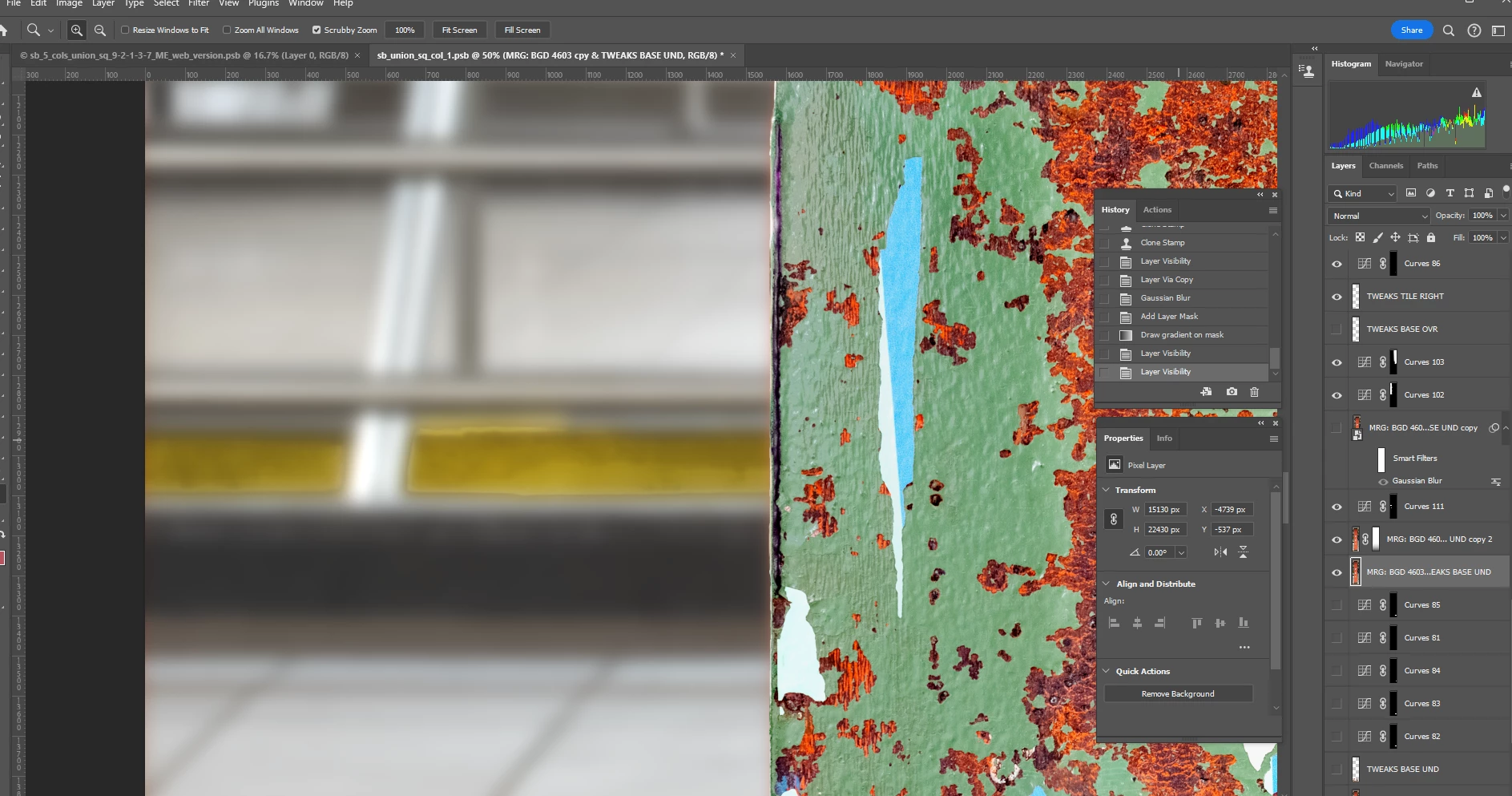
In the 1st screen shot below, I have a background layer which is selected and a copy of that layer above it.  The copy has a Gaussian Blur applied with a linear gradient.  The yellow areas are risers to a staircase that have a strange outline around them, as if the Gaussian Blur is not taking effect.  The 2d screen shot shows the original layer with the copy with the Blur turned off.  Why is this happening and what can be done about it?  Thanks.  


This topic has been closed for replies.
Correct answer Trevor.Dennis

You have a lot of layers there.  Have you tried isolating the layer to make sure the artefact is not on another layer?  Alt click the layers eye icon to turn all other layers off, and again to turn them back on again.  If you get out of sync and they other layers don't respond to Alt click, select the other layers and Ctrl , (comma) to toggle those layers on or off.


Ctrl click the layer to load its contents as a selection to see if there are any holes, or hit the Q key to turn on Quickmask.

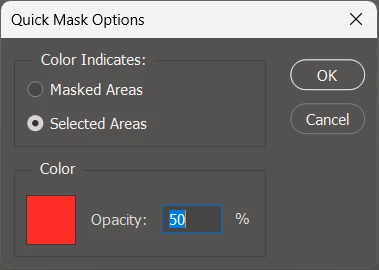
That works best if Quickmask is set to Selected Areas


If it is definitely all happening on the one layer, then we'll look closer.

1 reply

Trevor.Dennis
Community Expert
Trevor.DennisCommunity ExpertCorrect answer
Community Expert
July 16, 2024

You have a lot of layers there.  Have you tried isolating the layer to make sure the artefact is not on another layer?  Alt click the layers eye icon to turn all other layers off, and again to turn them back on again.  If you get out of sync and they other layers don't respond to Alt click, select the other layers and Ctrl , (comma) to toggle those layers on or off.


Ctrl click the layer to load its contents as a selection to see if there are any holes, or hit the Q key to turn on Quickmask.

That works best if Quickmask is set to Selected Areas


If it is definitely all happening on the one layer, then we'll look closer.

Inspiring
July 16, 2024

Yep, that was it.  I had made a selection of the yellow step risers to lighten them - it was the layer above the copied backgrounsd layer with the blur - and when I toggled it off, the artifacts disappeared.  Thanks!!