
November 25, 2017
Question

Artwork is affected by another layer

  • November 25, 2017
  • 1 reply
  • 418 views

Hi

I am using a photoshop t-shirt mock up template. But the layer that is meant for putting the artwork is being "covered" by other layers.

Please see:

This is the original color of the artwork:
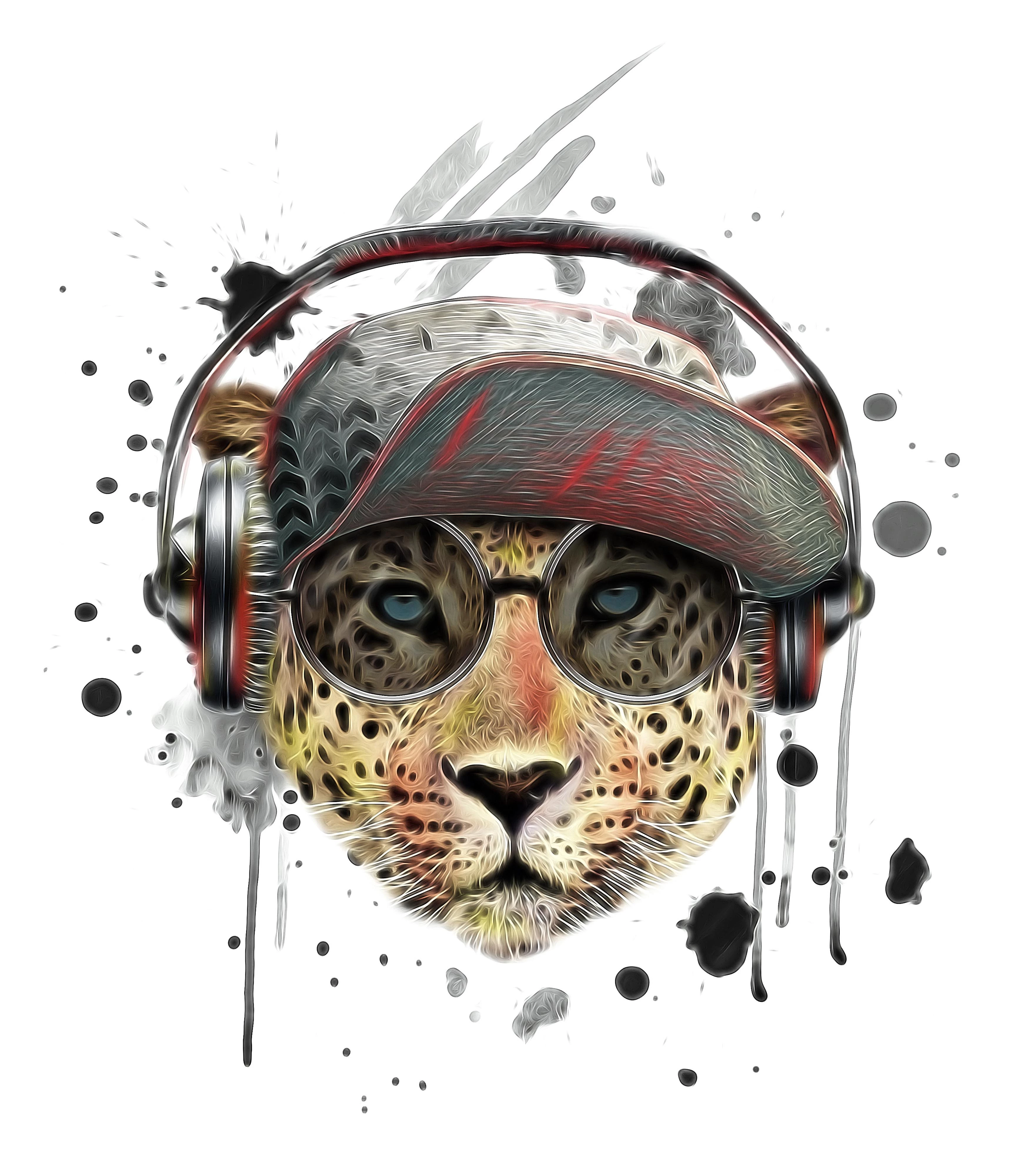
When I mock i up using the template, it become like this:
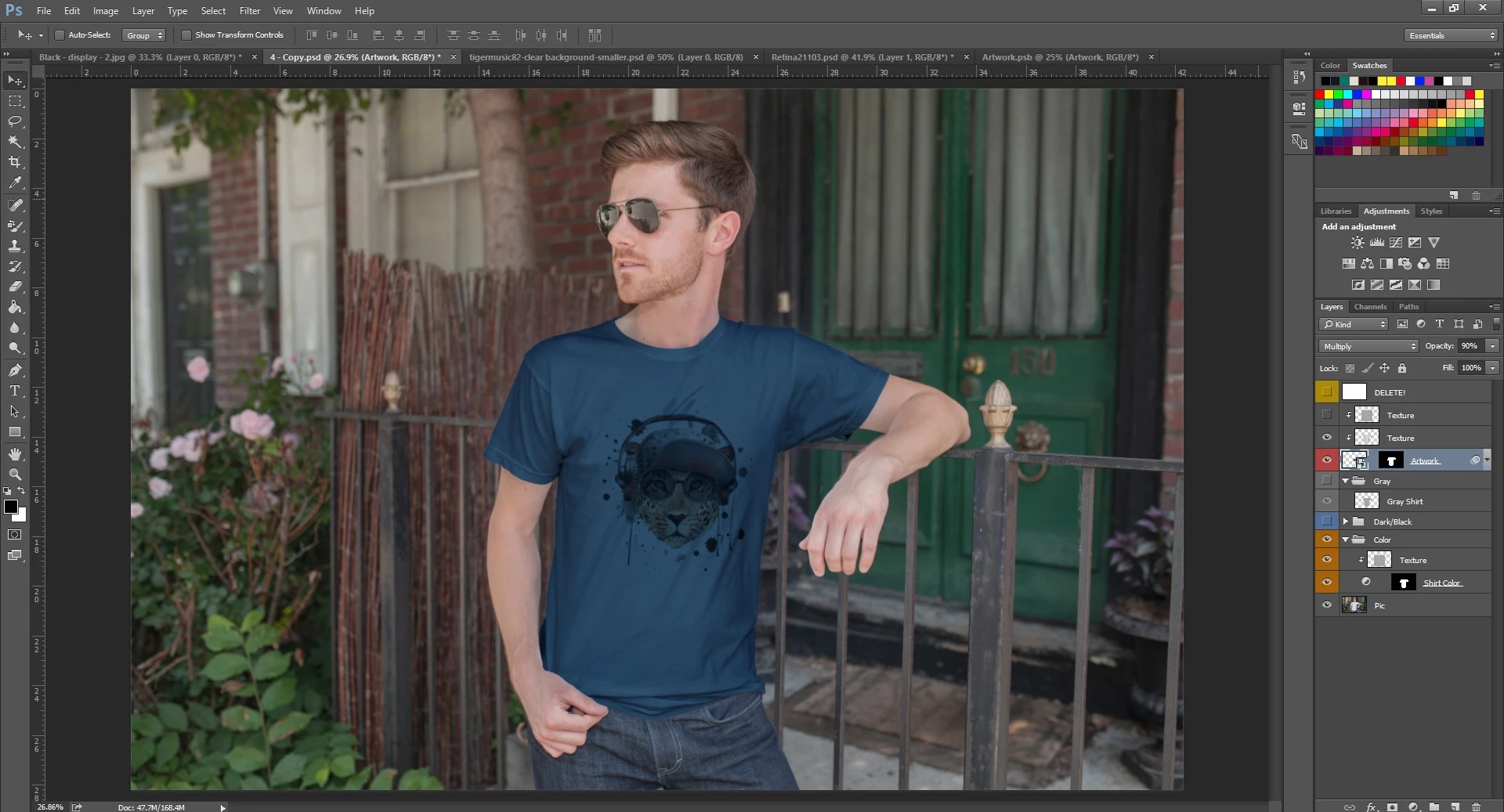
I've tried a few methods, but the problem persist. Please help. Thank you!

This topic has been closed for replies.

1 reply

davescm
Community Expert
Community Expert
November 25, 2017

Try an alternative blending mode.

Currently the blending mode of your artwork layer is set to multiply - which means it will darken the underling layer(s). With an already dark T shirt you end up with very dark colours.

See below for an explanation of how different blending modes work:

Blending modes in Adobe Photoshop

A quick way to flick through blending modes is to pick one then use the mouse wheel to scroll through them and watch the changes on screen.

Dave

November 25, 2017

Hi Dave

Thank you very much for your help!!

davescm
Community Expert
Community Expert
November 25, 2017

You're welcome

Dave