
Answered
Audio controls not showing Photoshop 2020 video editor
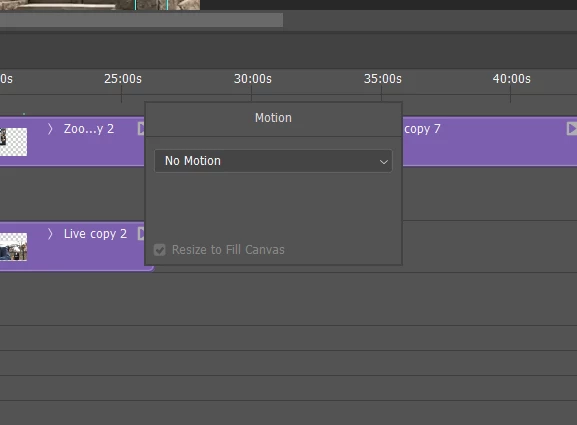
I'm editing a video using Photoshop 2020 and am trying to change some audio properties of the clips. All help topics I've seen say to click on the triangle at the top right of each clip to open the audio properties but all that shows up is a motion dialogue box- no audio or video settings. Any idea what the fix is?
Thanks.
 AdChoices