
Auto-Blend Not Creating Stacked Image
- May 24, 2025
- 2 replies
- 637 views
I've been doing focus stacks for a while now. I can't remember if the last one I did was before this most recent release or not.
I import the ARW images (sony RAW files) into Lightroom.
I select the set of images and Open as Layers in Photoshop
Photoshop opens all the files, each its own layer.
I select all the layers and Select Auto-Align Layers. Using the default, which is Auto
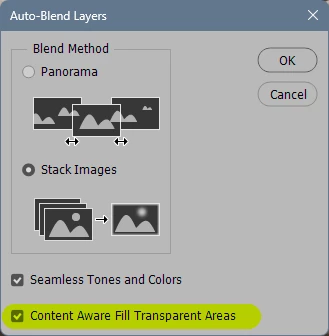
When it completes I select Auto-Blend Layers. Using the default, which is Stack Images
PS churns for a while. NORMALLY it creates a new layer with the blend of all the other layers.
Now suddenly its not creating this new layer.
I can't simply Save As all the layers as a TIFF file, its far too large
I noticed as I was clicking through things to make sure I typed the correct verbiage up above, when I selected Auto-Blend a second time, I brought up the dialog box I'd expect, but its also got a Progress Bar behind that and its just sitting at the same point.
The original stack was 24 60mb files. I tried to just 12 of them as a test and I'm getting the same result. I've done this successfully with 16 images as recently as last week, on the same laptop
as I've typed this, that progress bar completed. PS creates all the ling snippets of each layer (sorry, don't know what they are called - included screenshot of the layers for reference)
 AdChoices