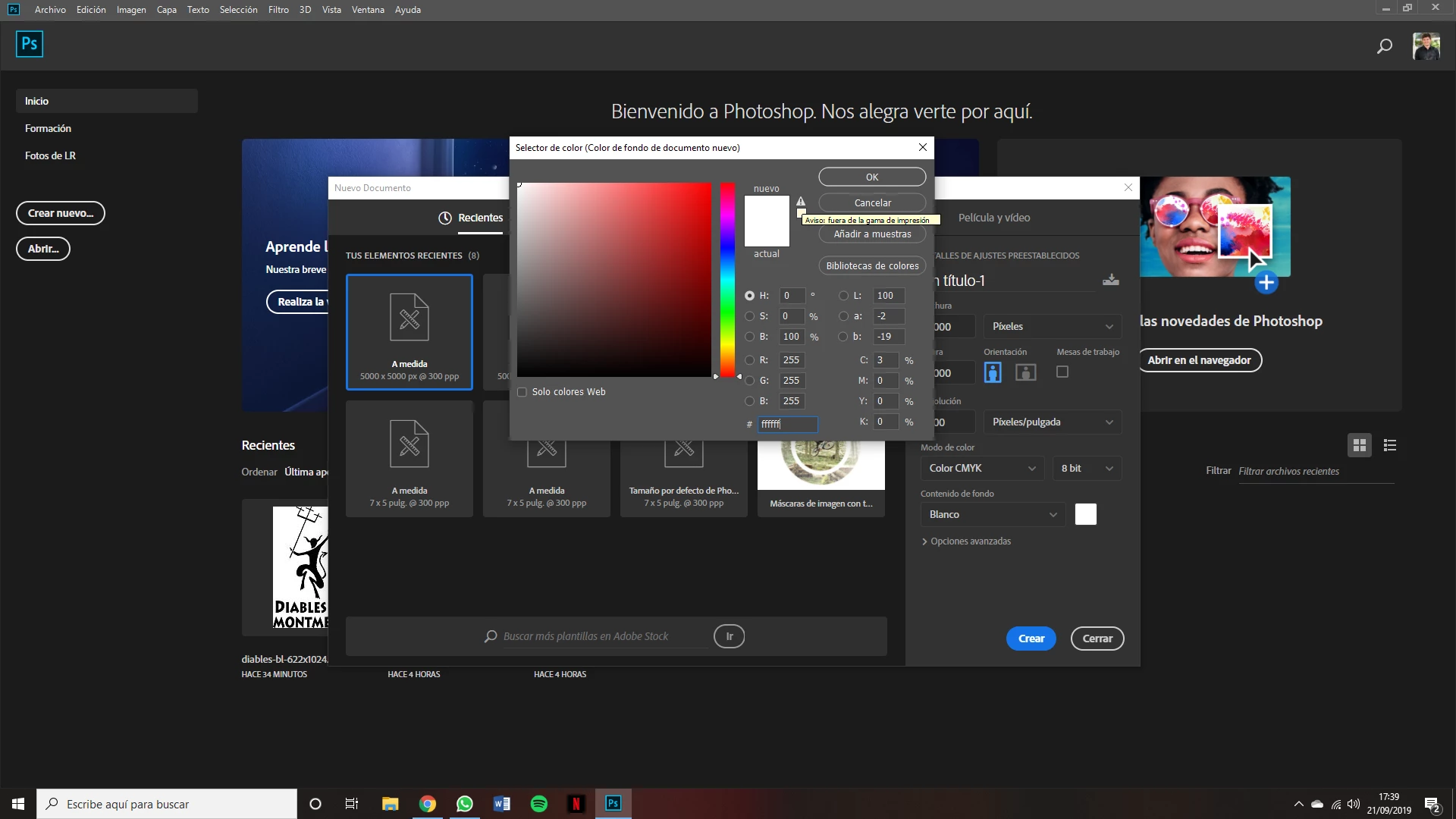
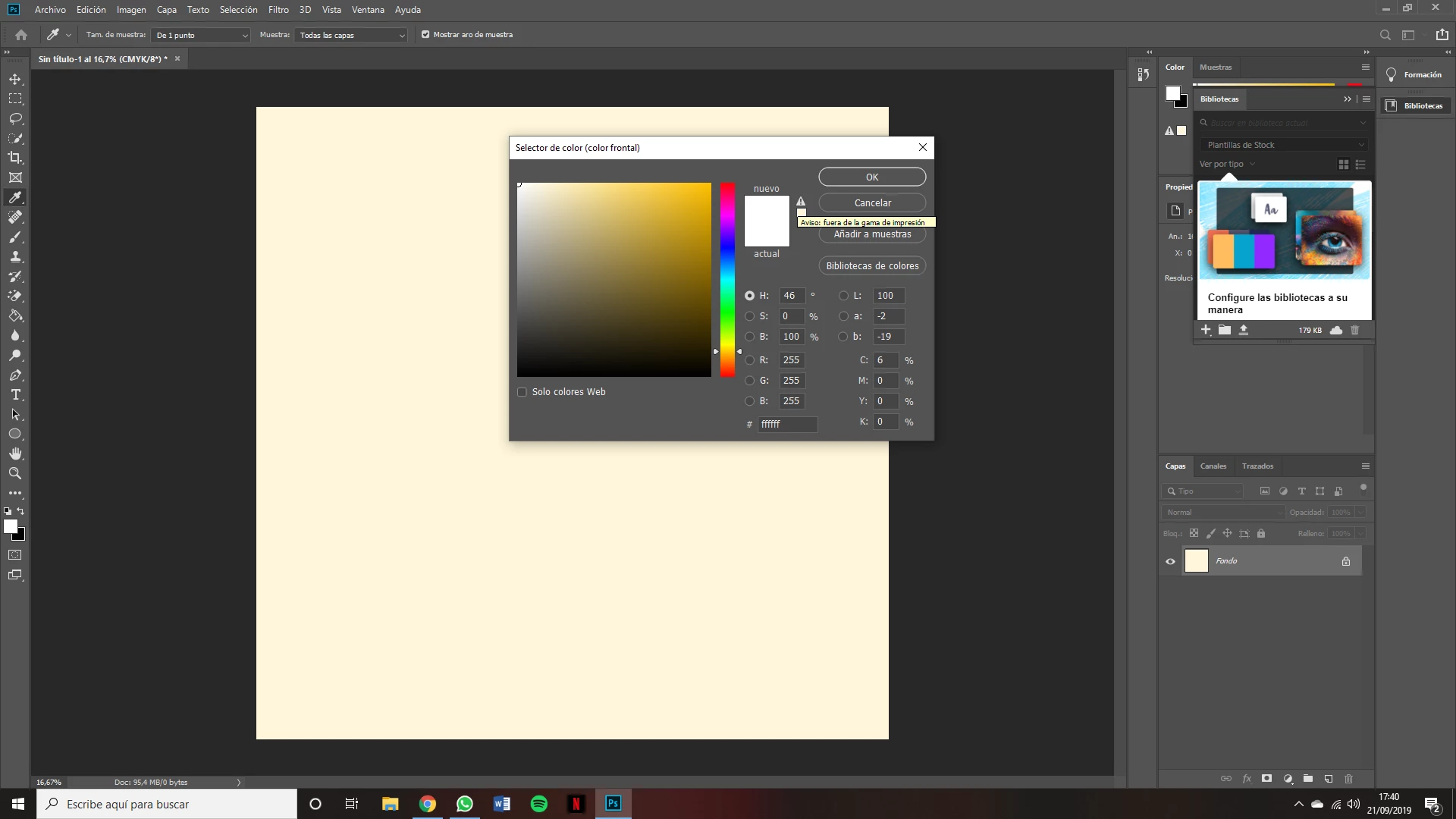
I just installed Photoshop on my new PC and the white background has been transformed into cream color. As much as I put on the #ffffff, I'm still yellow. Does anyone have this problem?
This is caused by a defective or incompatible monitor profile.
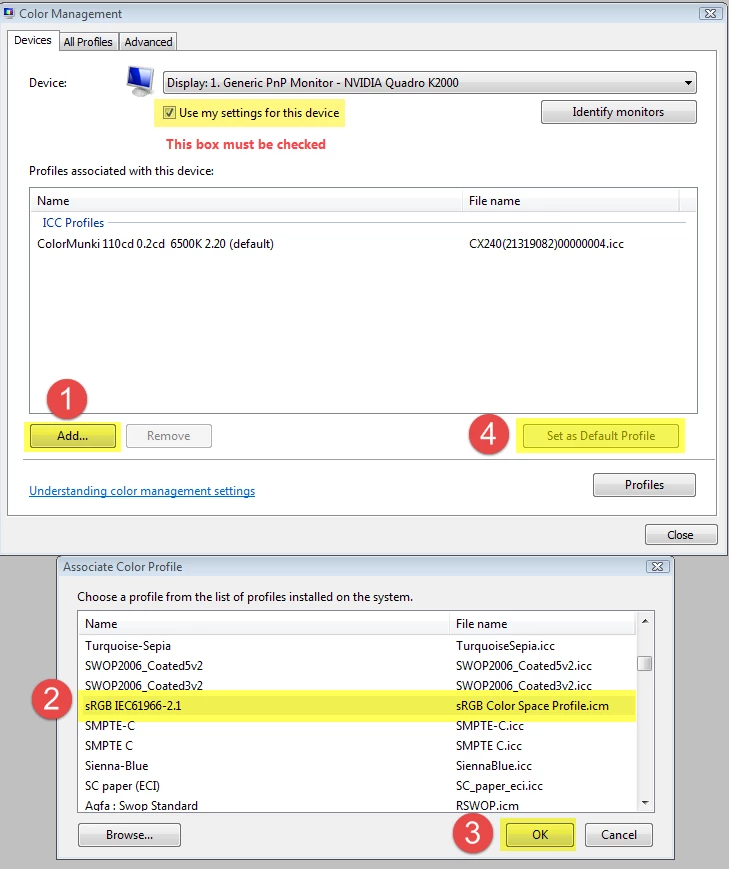
Go to Control panel > Color management, and try setting the monitor profile to sRGB (use Adobe RGB if you have a wide gamut monitor).
You will need to restart Photoshop after changing the profile.
If this fixes the issue, you should ideally calibrate the monitor with a hardware calibrator, which will also create a custom monitor profile that accurately describes your monitor.

 AdChoices