Participant
September 12, 2021
Question

barra de herramientas

  • September 12, 2021
  • 3 replies
  • 404 views

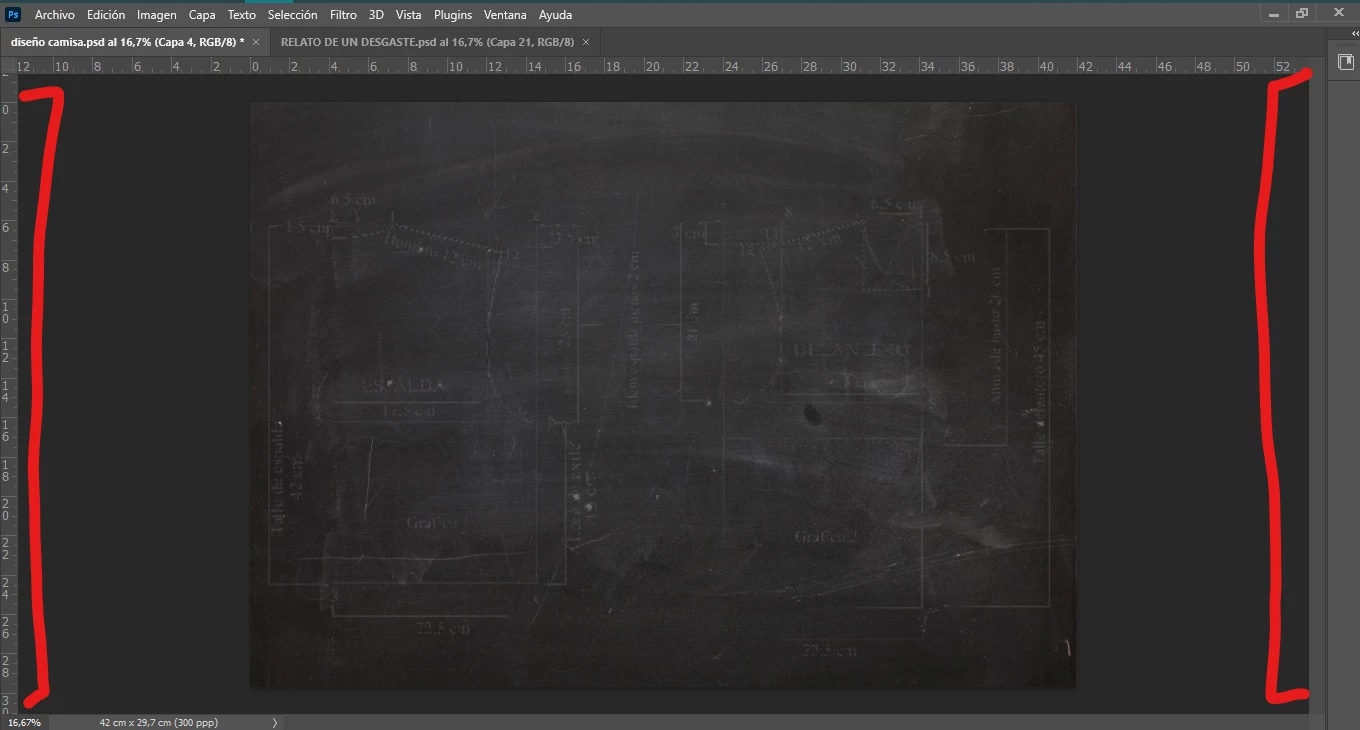
hola! me desaparecio la barra de herramientas, las capas todo. alguien sabe como colocarlo denuevo?

This topic has been closed for replies.

3 replies

jane-e
Community Expert
Community Expert
September 12, 2021


@jota.jota wrote:

hola! me desaparecio la barra de herramientas, las capas todo. alguien sabe como colocarlo denuevo?

Hello! I disappeared the toolbar, the layers all. anyone know how to place it again?


@jota.jota wrote:

hola! me desaparecio la configuracion de pinceles que se encontraba arriba para modificar el flujo, la opacidad, etc. como puedo recuperarlo? en photoshop

Hello! I disappeared the brush configuration that was above to modify the flow, opacity, etc. how can I recover it? in photoshop 


Hi


Your two separate questions appear to have been merged into one post. Dave has answered your second question. I'll answer the first.


The most likely reason the Toolbar and Panels disappeared is that you that pressed the Tab key when you were not typing text and were not navigating through a panel or dialog. To get them back, simply press Tab again. Alternatively, you can reset your current Workspace from Window > Workspace > Reset [Current Workspace].


~ Jane


jota.jotaAuthor
Participant
September 12, 2021

hola! me desaparecio la configuracion de pinceles que se encontraba arriba para modificar el flujo, la opacidad, etc. como puedo recuperarlo? en photoshop


davescm
Community Expert
Community Expert
September 12, 2021

Hi

Check menu Window > Options


Dave

John T Smith
Community Expert
Community Expert
September 12, 2021

There are MANY programs in a full subscription, plus other non-subscription programs
Please post the exact name of the Adobe program you use so a Moderator may move this message to that forum

jota.jotaAuthor
Participant
September 12, 2021

photoshop