Participant
August 30, 2025
Answered

Basic shapes

  • August 30, 2025
  • 5 replies
  • 307 views

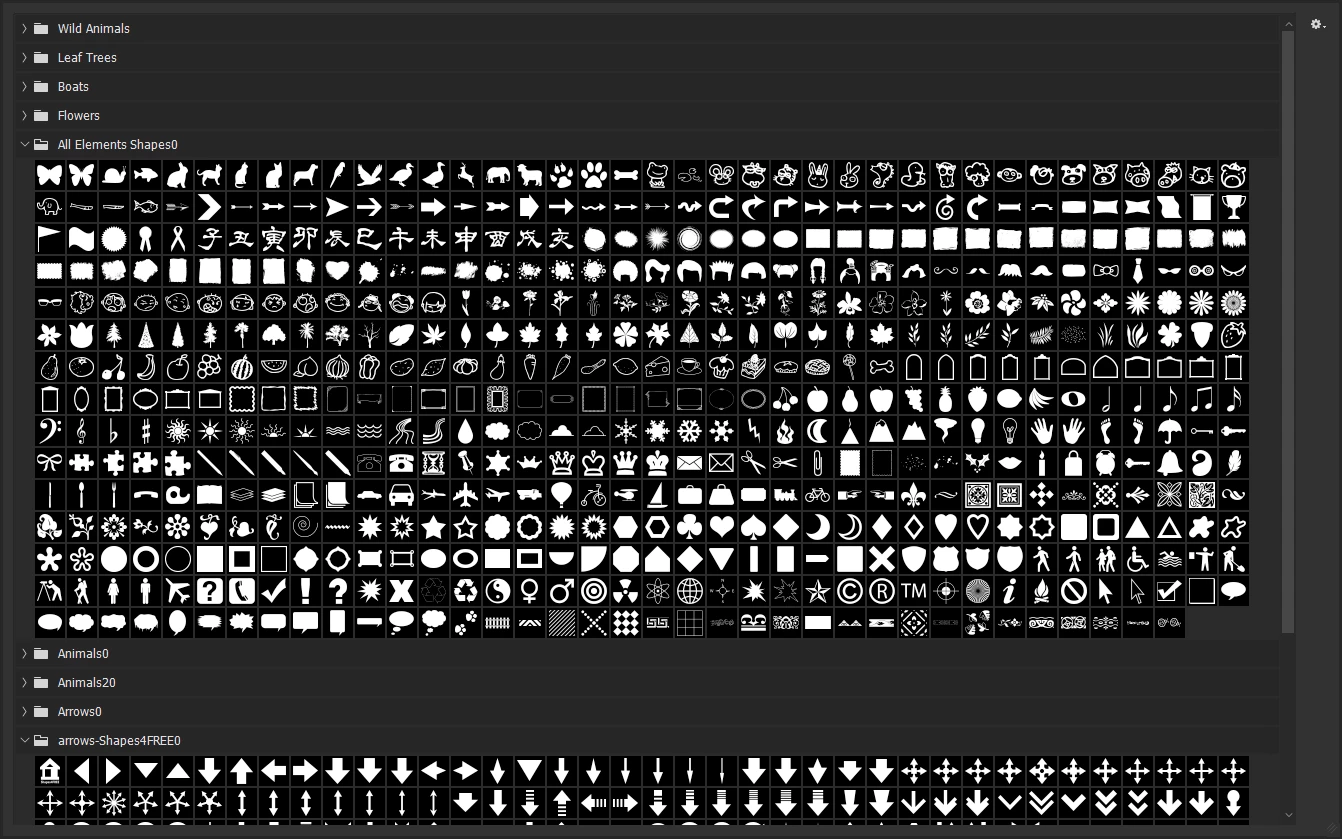
I want a heart shape. The only options in the menu are Wild animals, Leaf trees, Boats and Flowers. Who came up with that menu?????

 

Correct answer Glenn 8675309

Just find some csh file with hearts in em.  
 save em to someplace you can find.

I find that I just import each CSH file that works better than manually putting them here:

C:\Users\User\AppData\Roaming\Adobe\Adobe Photoshop 2025\Presets\Custom Shapes
5 replies

creative explorer
Community Expert
Community Expert
August 31, 2025

@b.k.pottery everyone nailed it... I actually went a different way! I used a 'Glyph' in the tet field. Or you can also do a search on a heart and download the SVG or PNG and imprt that inot Photoshop! 

m
Trevor.Dennis
Community Expert
Community Expert
August 31, 2025
quote

I used a 'Glyph' in the tet field. 


By @creative explorer

Hey, that's a good idea.  The windows Alt code is 'Alt 3' for

My favourite Alt codes are:

Alt 64 @ 

Alt 0128 € (Euro)

Alt 0151 — (em dash)

Alt 0163 £ (UK pound/sterling)

Alt 0169 © (copyright_

Alt 0176 ° (degrees)

Alt 0188 ¼ (quarter)

Alt 0189 ½ (half)

Alt 0190 ¾ (three quarters)

Alt 241 ± (plus/minus)


Glenn 8675309
Glenn 8675309Correct answer
Legend
August 31, 2025

Just find some csh file with hearts in em.  
 save em to someplace you can find.

I find that I just import each CSH file that works better than manually putting them here:

C:\Users\User\AppData\Roaming\Adobe\Adobe Photoshop 2025\Presets\Custom Shapes

Trevor.Dennis
Community Expert
Community Expert
August 30, 2025

Find a heart you like and paste into Photoshop.

Center it and drag the Grid axis to the center and line up the heart image.

Turn on the grid.  This can help get you nicer curves.

Make a path for one side of the heart.

Copy it (drag to new path icon)

select the copy and flip it horizontally around its left edge.

Select its points, and paste to the original path. Join them together.  (Much easier with Illustrator, but still doable with Photoshop)

Make the path a new shape.  Layer > New Fill Layer > Solid Color

Trevor.Dennis
Community Expert
Community Expert
August 30, 2025

If you have a steady hand, you can use the brush with Symmetry turned on.

Turning Smoothing wqay up will help.

Note: I don't have a steady hand so I stroked the path I made.

This will make a raster heart 0of course.

Trevor.Dennis
Community Expert
Community Expert
August 30, 2025

Open the Shapes panel.

Click on the pop-out menu and choose Legacy Shapes and More (if you don't already have it).

Use the search bar to look for Heart.