

Batch Action not working like the regular action does.
- March 29, 2022
- 2 replies
- 1026 views
Hi, I'm relatively new to posting here so if you require any more information than I provide please let me know!
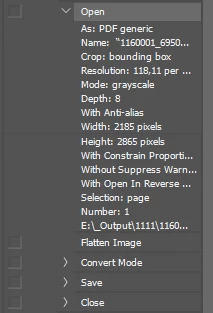
So I currently have an action command set up in Photoshop (Windows 10, Photoshop version 22.5.1). The action is designed to take an image, make it smaller, turn the canvas into a square and save it out again into a different folder. The action does this with individual files; I have tested them and they have worked.
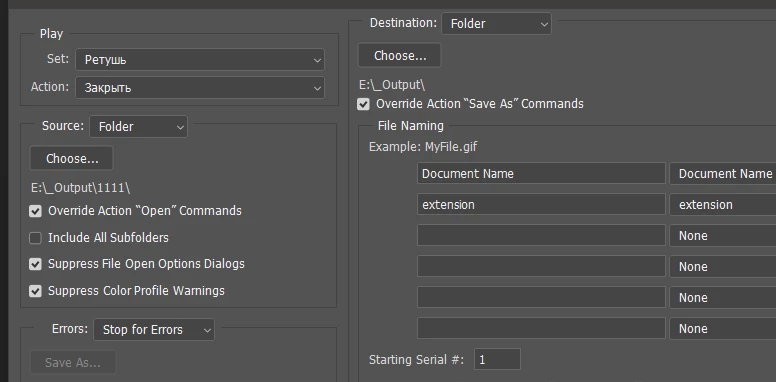
The issue comes in when I try to automate the process using a batch action. What happens, instead of running the action as it should, the program will open up every single file sequentially, leave them open, do nothing to them, and then spit out an error message that says "There were no source files that could be opened by photoshop". I've seen a few people in the forums who have encountered this error before, but none of their answers worked for me. I've included screen shots of my action command, my batch settings, and the error message. Hopefully we can find a solution that works!
 AdChoices