Let's make a Action we will call 300 ppi It will work for both1200 and 44000 images.
1. Open a 1200 ppi image in Photoshop.
2. Open the Actions Panel. Window > Actions
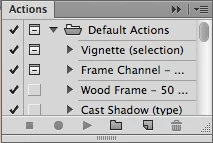
3. Click "New Action" ^ (curled paper icon)
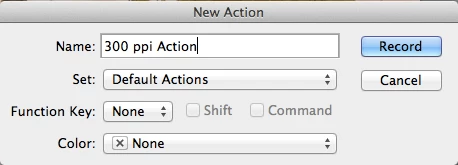
4. This dialog shows up, give your action a name...Press Record
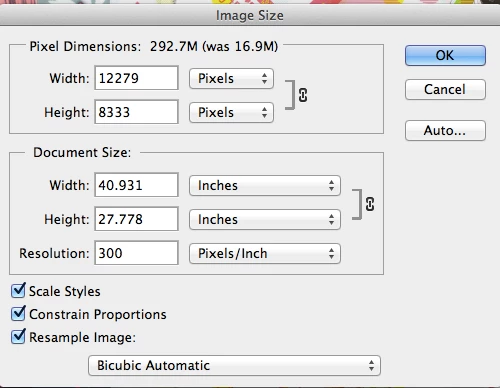
4. Image > Image Size Enter 300 ppi Press OK
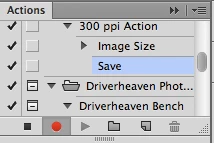
5. Stop Recording. Press the black square to the left of the red button and you are done!
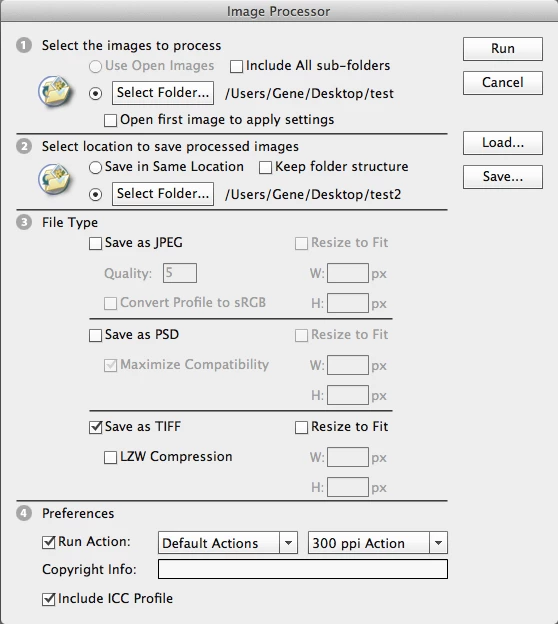
Your very first action. It will be stored under Default Actions and can be called up in the Image Processor.
That's it!
Note: I left out the "Save File" part when recording the Action, the Image Processor will handle that.
You can either Cancel or Save As... the original file you opened to create the action.
Now run it in the Image Processor: Set up two folders: Test= your originals and Test 2 = Where your finished files will go.
I selected Tiff, but select the File format you want.
Click Run and the Image Processor will do the rest. (I've checked it and it works)

 AdChoices