


- Home
- Photoshop ecosystem
- Discussions
- Re: Batch PSD to PNG action not saving to PNG (nee...
- Re: Batch PSD to PNG action not saving to PNG (nee...
Batch PSD to PNG action not saving to PNG (need help)

Copy link to clipboard
Copied
when I record an action: open PSD, save as PNG, close
then run it in batch, it still saves the files as PSD
it seems like it doesn't record the "save as png" action
any ideas?



Explore related tutorials & articles
 11
Replies
11
11
Replies
11




Copy link to clipboard
Copied
Please post meaningful screenshots (the fully expanded Action in the Actions Panel etc.).
Have you tried Image Processor Pro instead of Batch-ing?
https://sourceforge.net/projects/ps-scripts/files/Image%20Processor%20Pro/v3_2%20betas/
Copy link to clipboard
Copied
i cant install the extention : https://prnt.sc/uvbotj
my PS info : Adobe Photoshop Version: 21.2.4 20200922.r.323 2020/09/22: 8e8e91e8543 x64
Copy link to clipboard
Copied
Please post meaningful a screenshot of the fully expanded Action in the Actions Pane?
Try this link
https://blogs.adobe.com/jnack/2011/05/new-image-processor-pro-script-for-cs5.html
Copy link to clipboard
Copied

Copy link to clipboard
Copied
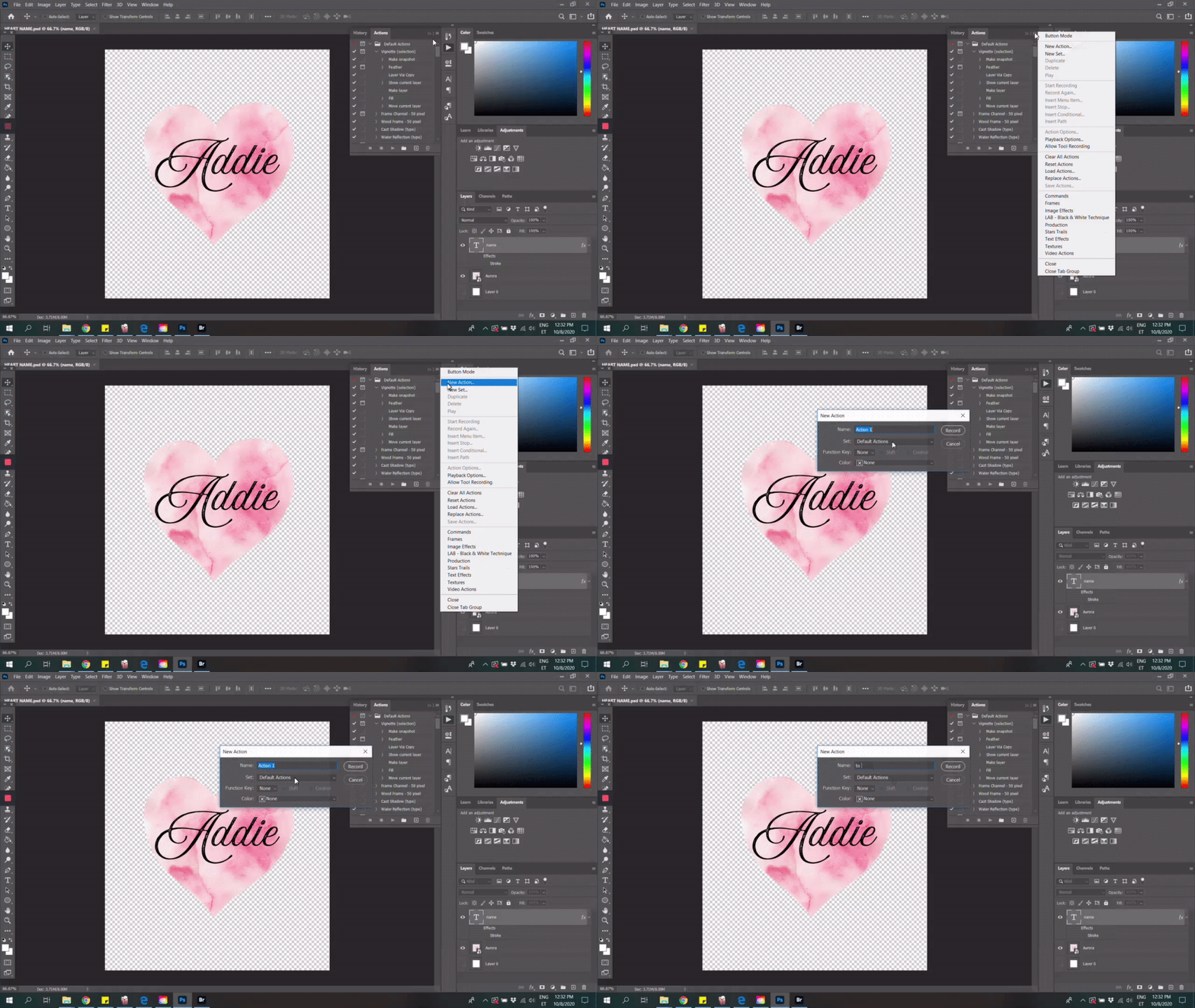
It would be best to post your action a video is not going to show you action steps step by step.

Copy link to clipboard
Copied
Tested with Photoshop 21.2.4 on Win.
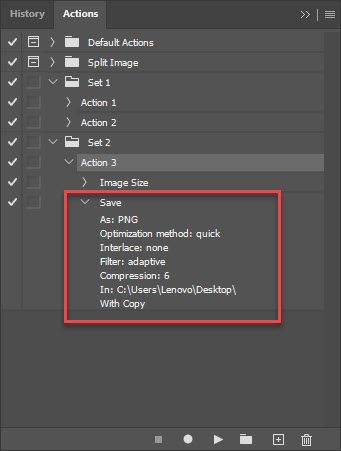
Everything works fine. We need more info like action steps and configuration in Batch dialogue although that should be easy to set up, just check Override Action Save As command.
here are exported files in my batch, just as expected

And here is simple action recorded for testing purpose

Copy link to clipboard
Copied
I'm also having this problem. =( Saved a "save copy as PNG" recording three different times. Finally caught the script saving once as a PNG, then overwriting the new files as PSDs again somehow. It was super bizarre. "Include subfolders" was specifically turned off during the batch action.
Have not found a resolution yet.
Copy link to clipboard
Copied
"Finally caught the script saving once as a PNG, then overwriting the new files as PSDs again somehow. "
This is strange because PSD should not overwrite PNG file. You can overwrite PNG but not using file with PSD extension. Something else is going on there. Can you post screenshot of batch dialogue and action expanded so we can see action steps?
Copy link to clipboard
Copied
Figured out the problem. The "save as PNG" action forces me to define the folder PNGs are saved to. Correct configuration for batch-saving a PNG was as follows:
- Start recording new action
- File > "Save a Copy"
- Save as file type: PNG
- Save to a folder you don't mind being your permanent PNG deposit folder for batches
- Stop recording action.
When USING the batch record, VERY IMPORANT:
- Select the folder full of PSDs
- Tell it to run the PNG action
- Pick "SAVE AND CLOSE". Do NOT tell the batch option to save to a new folder, or it will generate a ton of duplicate PSD files with weird name extensions.
- After the batch runs, gather your PNGs and move them to the correct folder.
I was accidentally overwriting the PNGs because my destination folder was nested inside the PSD-holding folder, and I told the batch to include sub-folders, and I told the batch to "save as" instead of save and close. I just didn't understand the logic the computer was using. Took half an hour of troubleshooting.
Hope this helps someone else!
- Laura

Copy link to clipboard
Copied
When I create an action, it is not registered.
I’ve talked to a few friends about it, they all have the same concern.
I called your services several times, they are unable to solve the problem.
I need to convert PSD files into PNG file at 400x40 PX for my site.
Actions are essential to me.
Thank you for resolving this bug as soon as possible.
You can reach me at 06 14 39 12 95.
I don’t speak English, just French.
Looking forward to reading you.
Cordially
Dominique CHADEFAUX
Copy link to clipboard
Copied
When I want to create a new action, nothing is saved.This operation was called scrip in the past, it worked very well, thank you for fixing this bug and helping me.
Admit that there is a problem and you cannot solve it.
Looking forward to reading you,
Sincerely.
Dominique CHADEFAUX


Find more inspiration, events, and resources on the new Adobe Community
Explore Now
 AdChoices