
Known Participant
July 2, 2024
Answered

Batch replace letters in file name

  • July 2, 2024
  • 2 replies
  • 1569 views

Hi all. I have named 250 tiff images in Bridge but have mistakenly added a letter in the file name. Is it possible to batch remove the erroneous letter without affecting the original name ?

with thanks. (Windows 11. Photoshop CC)
This topic has been closed for replies.
Correct answer Chuck Uebele

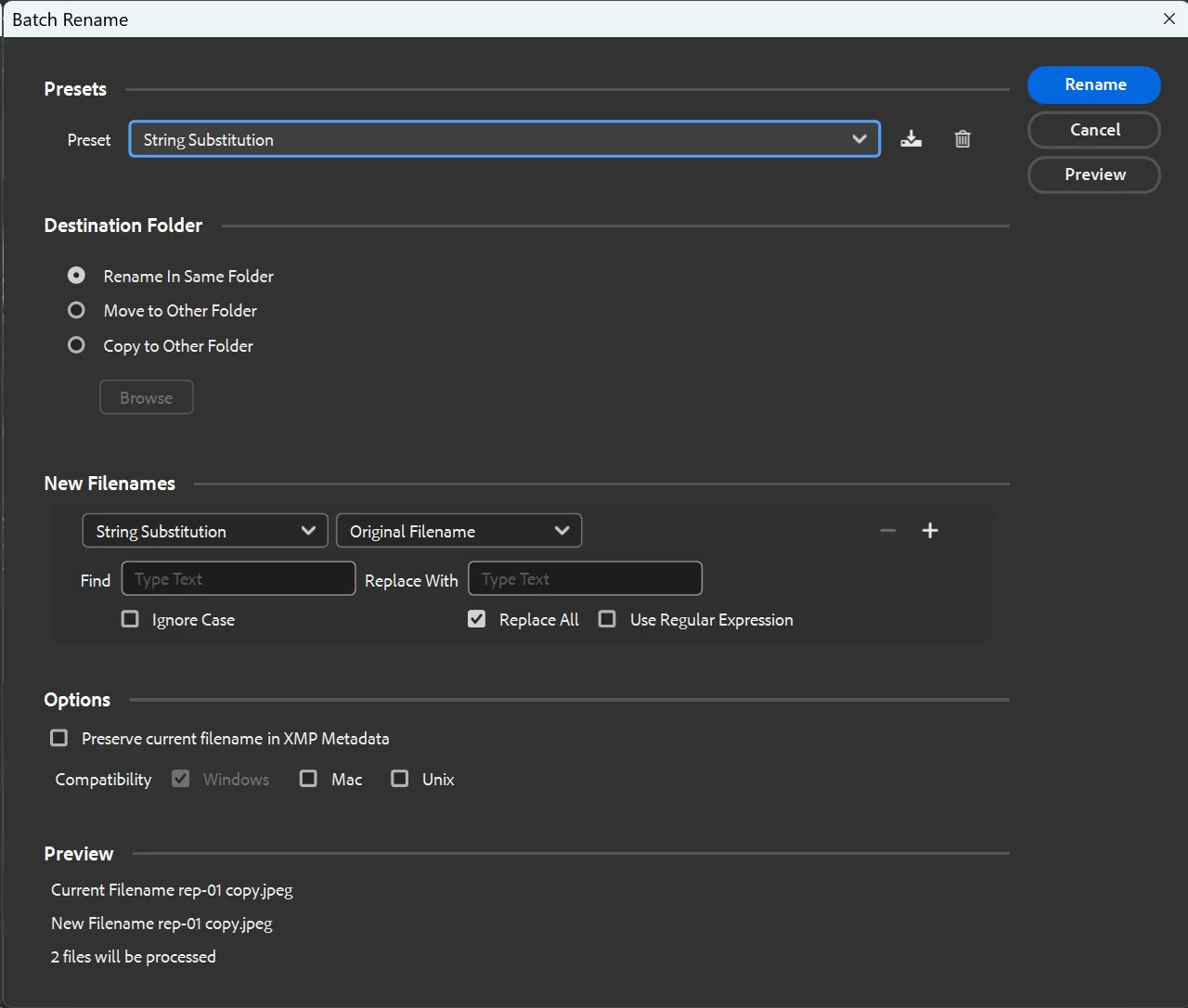
Yes, use batch rename and select "String Subsitution." Then just enter what you accidently put in with what you want to be there: nothing, to just remove the character.

2 replies

Chuck Uebele
Community Expert
Chuck UebeleCommunity ExpertCorrect answer
Community Expert
July 3, 2024

Yes, use batch rename and select "String Subsitution." Then just enter what you accidently put in with what you want to be there: nothing, to just remove the character.

Known Participant
July 3, 2024

Chuck you are a genius. Thank you so much. All corrected in seconds.

Chuck Uebele
Community Expert
Community Expert
July 3, 2024

Glad it worked for you.

Stephen Marsh
Community Expert
Community Expert
July 2, 2024

@ivork49482256 


Probably yes, but without before and after examples it's hard to comment.


Please post screenshots and or copy/paste the filenames as text with 3 before/after examples and any other specific details to allow us to help you.

Known Participant
July 3, 2024

Many thanks. Examples attached. The prefix BM. was a mistake and shouldn't be part of the filename. I have 200 different images all the ame so am looking for a shortcut to remove this prefix so it reads as the second image.