
Batching -> Content Aware Fill (Custom Sampling)
Hi,
I've been trying to get this to work, and I'm at a loss, at this point. Any help is welcome.
I have a ton of files I resized to leave space around the center, and I want to use the Content Aware Fill function for full bleed printing.
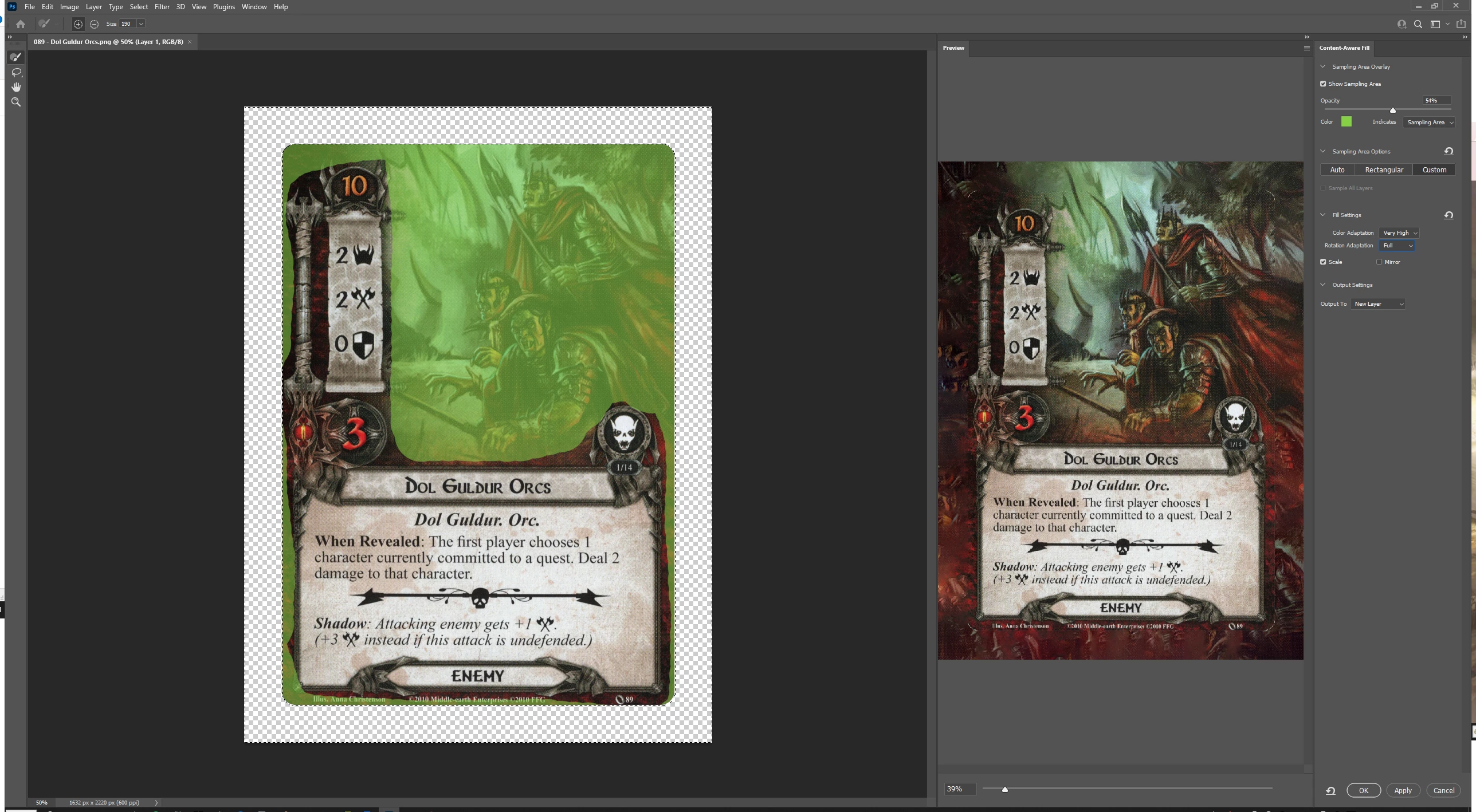
I've managed to create this action, which works fine. It runs, and it does what I want...mostly. However, Autosamplijng & Rectangular options for Content-Aware Fill don't let me leave out certain parts of the frame from the Content-Aware Fill process. I'd like to have this run, but with Custom Sampling, using a fixed shape.
If I do it manually, one image at a time, Custom Sampling works perfectly (see below), but it takes a LOT more time (5000~ images to modify manually). Is there a way to use the same Custom Sampling area for tons of images during the Batching process? Or is Autosampling/Rectangular the only way to make this work?
 AdChoices