

amym7624871
Participant
October 21, 2018
Answered

Best way to change black to colour with adobe software

  • October 21, 2018
  • 3 replies
  • 499 views

Hey guys,

what is the best way to change black to a colour in Photoshop without losing quality?

Is it better to do it in illustrator instead?

This topic has been closed for replies.
Correct answer Trevor.Dennis

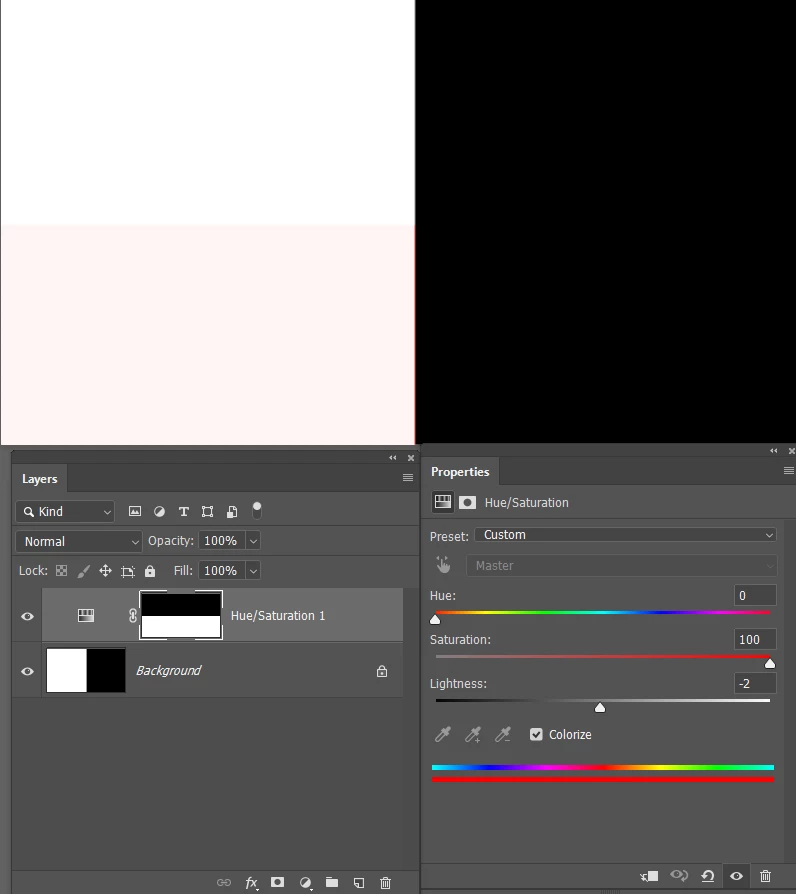
Full black, and full white, will neither take a colour.  The screen shot below shows a Hue/Sat layer set to Colorize, and with the saturation slider moved all the way right, the white has become slightly pink, but the black is still black. Note I have masked out half the Hue/Sat layer to demonstrate the before and after.
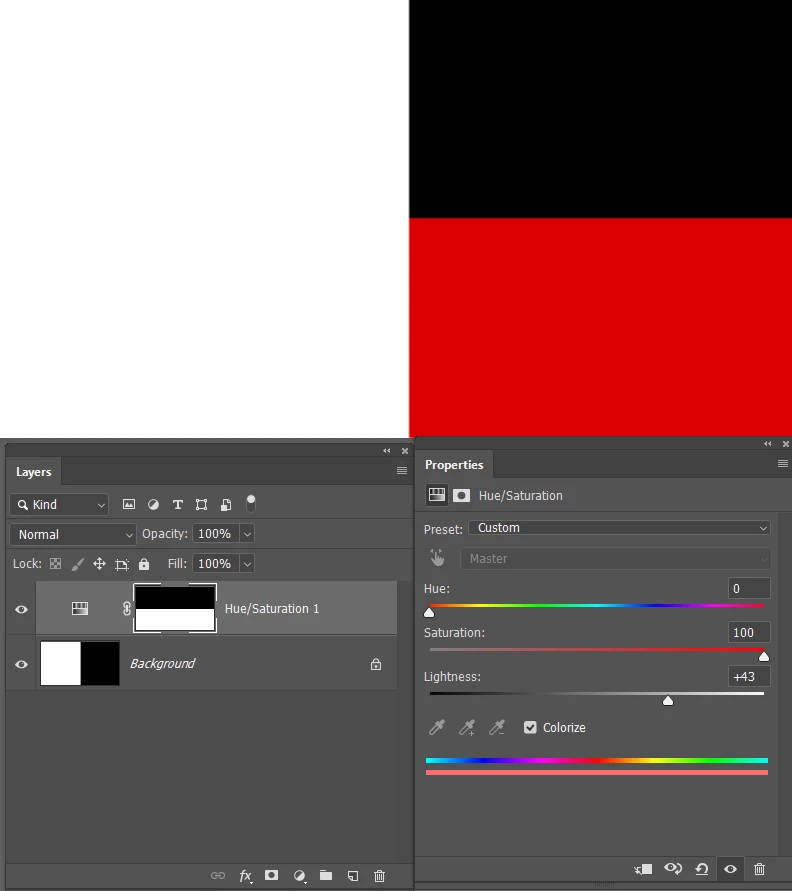
If I move the Lightness slider half way to the right, to make the black become grey, it takes the colour.
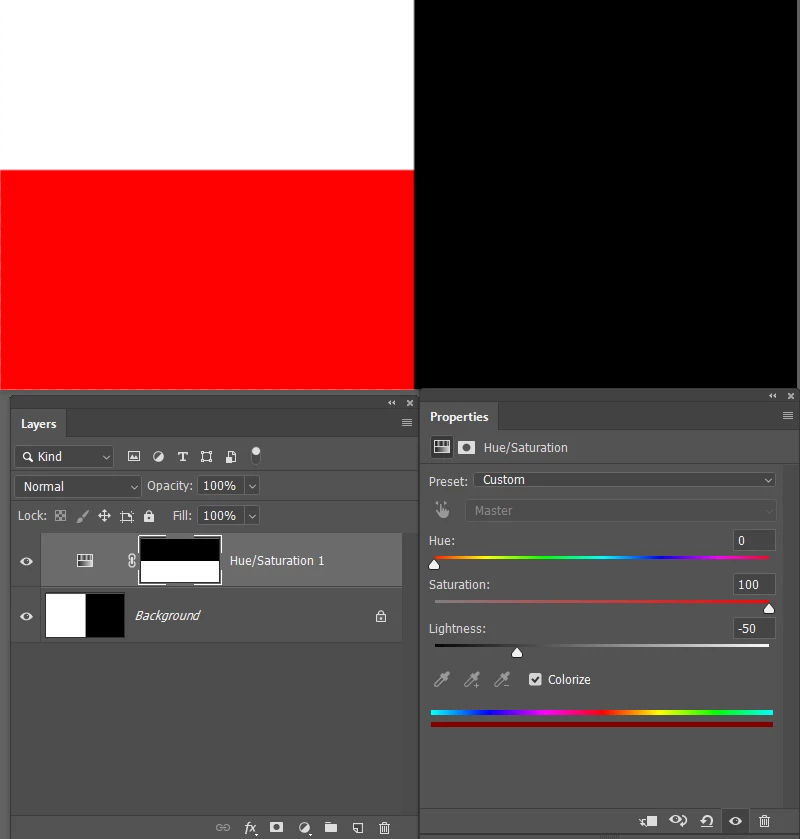
Similarly, moving the lightness slider half way to the left, to darken the white to grey, it takes on the red.
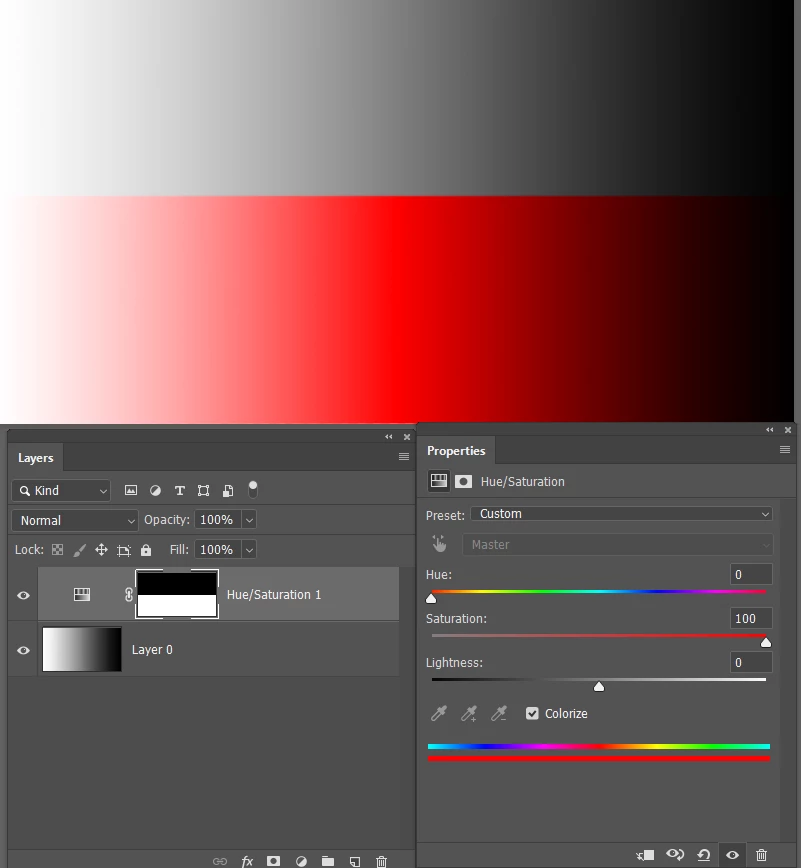
This white to black gradient demonstrates how it works.  50% grey takes the colour best fading out the nearer it gets to full black, or full white.
3 replies

Trevor.Dennis
Community Expert
Trevor.DennisCommunity ExpertCorrect answer
Community Expert
October 21, 2018

Full black, and full white, will neither take a colour.  The screen shot below shows a Hue/Sat layer set to Colorize, and with the saturation slider moved all the way right, the white has become slightly pink, but the black is still black. Note I have masked out half the Hue/Sat layer to demonstrate the before and after.

If I move the Lightness slider half way to the right, to make the black become grey, it takes the colour.

Similarly, moving the lightness slider half way to the left, to darken the white to grey, it takes on the red.

This white to black gradient demonstrates how it works.  50% grey takes the colour best fading out the nearer it gets to full black, or full white.

amym7624871
Participant
October 22, 2018

Thank you so much that is super helpful:)

I really appreciate it!

JJMack
Community Expert
Community Expert
October 21, 2018

In Raster images when it come to colors it is usual to seen feathering and anti-aliasing where there are color transitions.  So you  neet to take the into consideration.   Here I have a simple BW graphic.   I set the magic want  to point sample no anti-alias not contiguous  tolerance 1 and sampled a black pixel RGB 000000.  To select to select all 100% black pixels.  I added an empty layer and filled the selection  with red pixels RGB FF0000, Deselect and zoomed in 800%  So you can see the feathered and anti-alias areas that were not selected. No quality was lost.  The background layer is intact and not changed but In You opinion  has black been made Red?

JJMack
Chuck Uebele
Community Expert
Community Expert
October 21, 2018

Can you be more specific or post an e ample? Are you talking about shapes, or a pixel based image?