
Participating Frequently
August 3, 2022
Answered

Best way to remove artifacts from old photo

  • August 3, 2022
  • 2 replies
  • 2119 views

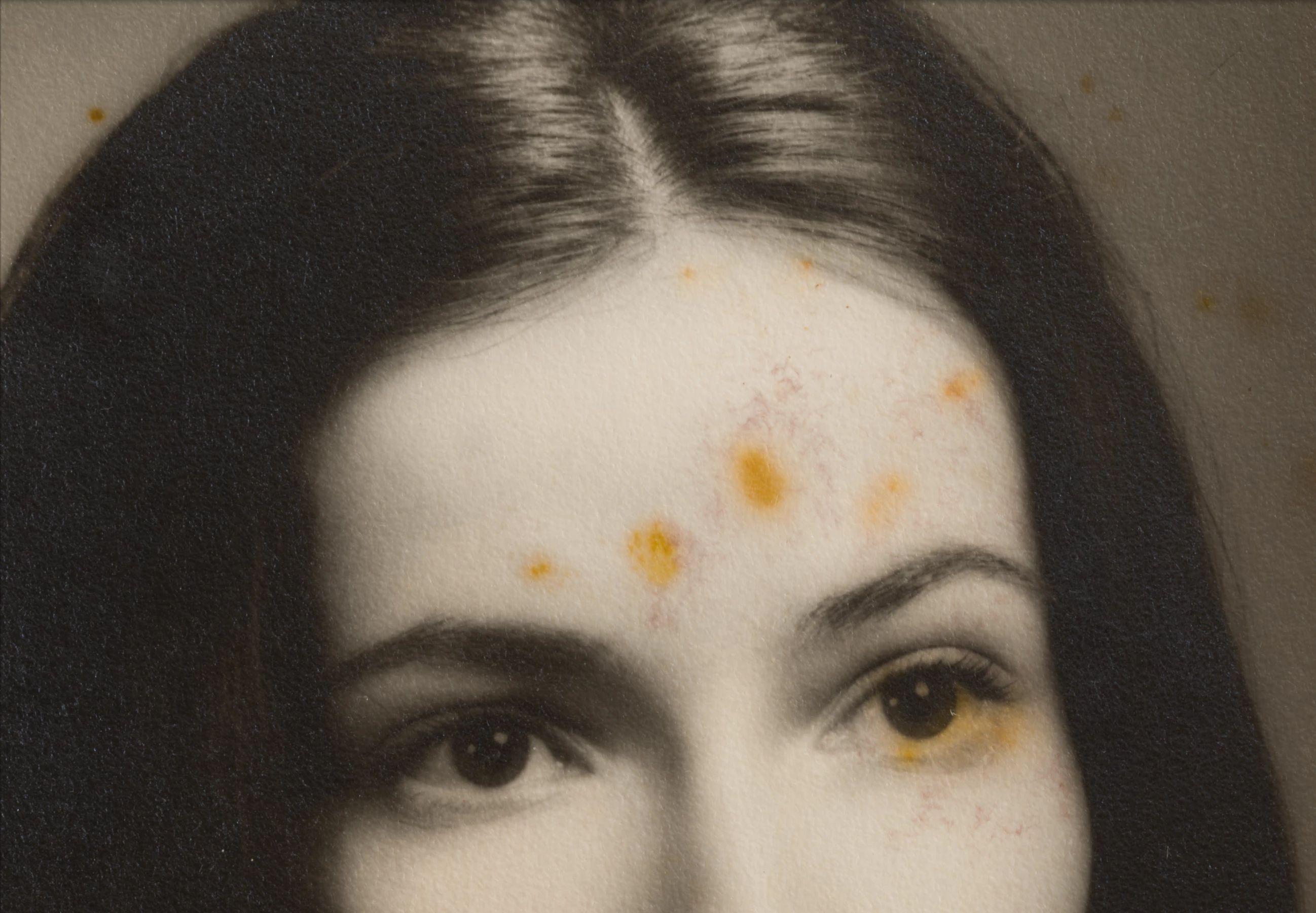
I found an old photo, but it's in a quite bad state... I would like to hear your thoughts on what is the best approach of removing the unwanted artifacts. The only way I know is healing, but this seems to be a big area to apply healing.
 

This topic has been closed for replies.
Correct answer Michael Bullo

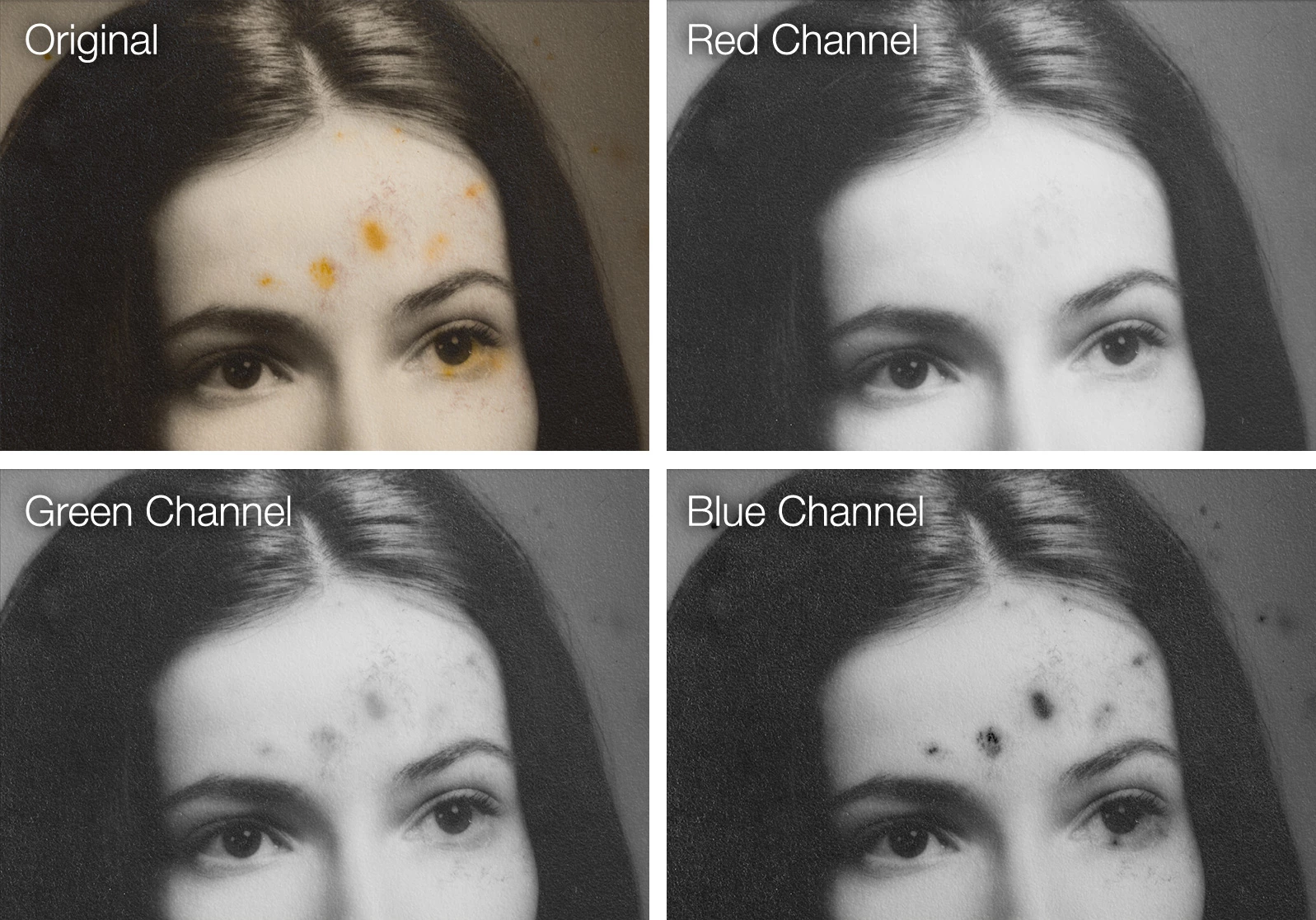
Whenever I'm needing to clean up black and white images I like to review the channels. The Red channel in your image looks remarkably clean. You could easily copy the pixels from the Red channel and paste them as a regular layer. You may still want to do a little retouching.


To make this look like your original you could add a little contrast and a subtle sepia colour.


I've offered here a general strategy. If you have any questions about how to achieve specific steps please don't hesitate to ask.


2 replies

Legend
August 3, 2022
mspyratosAuthor
Participating Frequently
August 3, 2022

I will definitely do! Thank you!

Michael Bullo
Community Expert
Michael BulloCommunity ExpertCorrect answer
Community Expert
August 3, 2022

Whenever I'm needing to clean up black and white images I like to review the channels. The Red channel in your image looks remarkably clean. You could easily copy the pixels from the Red channel and paste them as a regular layer. You may still want to do a little retouching.


To make this look like your original you could add a little contrast and a subtle sepia colour.


I've offered here a general strategy. If you have any questions about how to achieve specific steps please don't hesitate to ask.


D Fosse
Community Expert
Community Expert
August 3, 2022

Yes, "red channel" immediately popped up in my head when I saw this 🙂


Note that if you copy the red cannel to paste back into an original RGB file, you should change your working gray to "Gray Gamma 2.2" first. The reason is that a single channel is treated as a grayscale file in your working gray. The default "Dot gain"-profile will give a very incorrect tone curve and washed out image. Gamma 2.2 should match much better for an sRGB or Adobe RGB file - but use gamma 1.8 if the file is ProPhoto.


Michael Bullo
Community Expert
Community Expert
August 3, 2022

@D Fosse Great call on factoring in the gamma.