pjglad
Inspiring
November 15, 2024
Question

Bigger Flames

  • November 15, 2024
  • 2 replies
  • 406 views

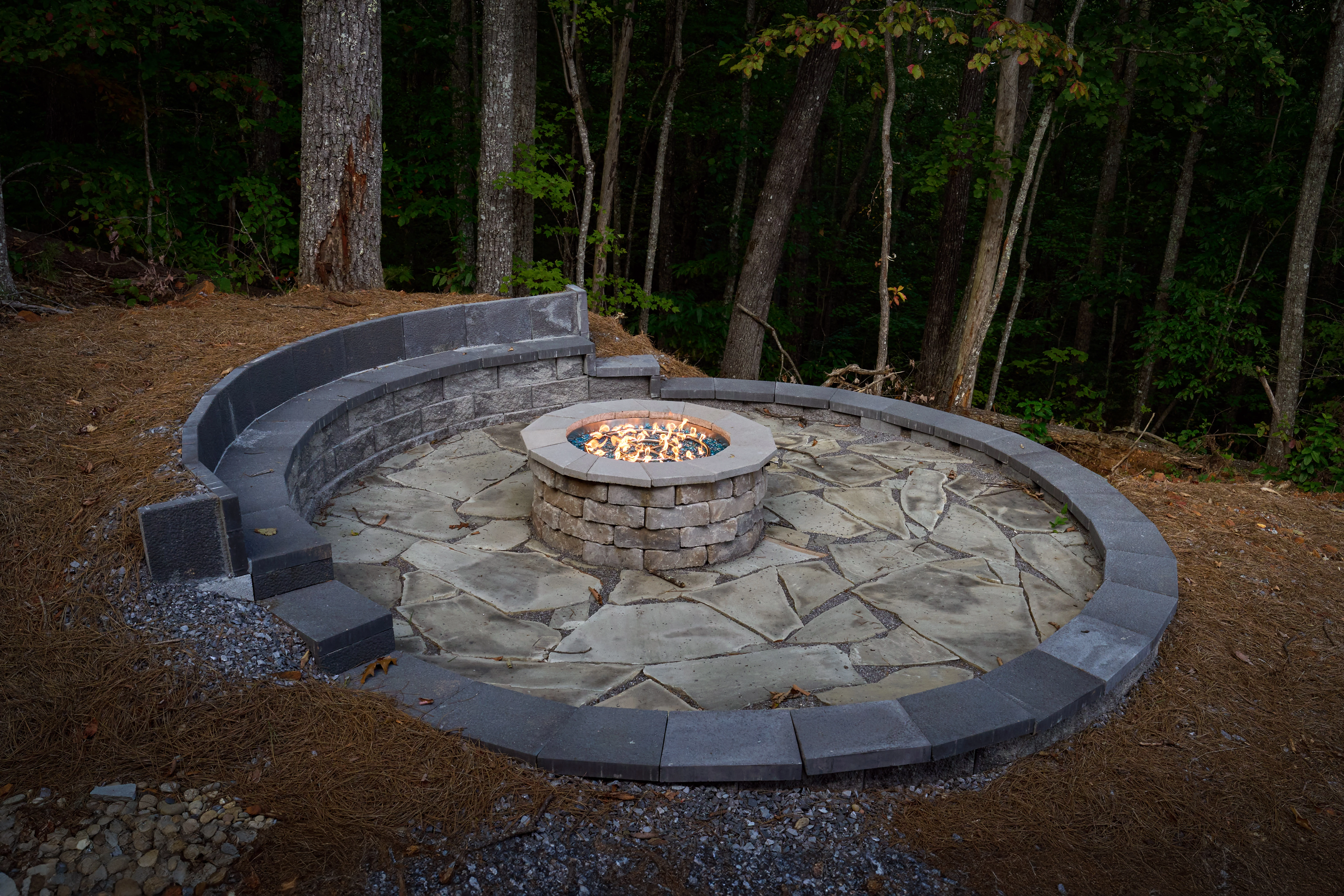
I would like to increase the size of the flames. Any suggestions? Thanks.
 

This topic has been closed for replies.

2 replies

Trevor.Dennis
Community Expert
Community Expert
November 15, 2024

Have a look at Filter > Render Flame and use 3. Multiple Flames One Direction

You need to make a workpath for the filter to use.  You can see the p[ath I used in green.

You can control length, width etc.


It applies the result directly to the layer rather than just the flames (unless I missed something) so copy the area you need to a new layer so you control the result.  I think I went a bit too far with my settings 🙂   It's a useful tool though.

Trevor.Dennis
Community Expert
Community Expert
November 16, 2024

OK, I thought about it some more.  It's a long time since I last used this tool.


It makes a lot more sense to start with an empy layer so you can move the flames without having to worry about any background content.  I did try making the layer a Smaret Object so we could fine tune the settings, and Flames remain greyed out if an SO is selected.


An issue here is that the shape of the fire pit is oval, so the resulting flames follow the ark of the nearer edge. So I copied the Flames layer and moved it behind the orginal flames layer, and used Free Transform > Warp > Arch to shape copied layer to fit the pit.

The nearer flames were nudging over the top of the fire pit, so we used a mask to hide that.


Added a curves layer to try and make the flames look more real, and reduced saturation a touch.

Used the Smudge tool to randomise the darker tips of the nearer flame layer to prevent its shape following the outline of the pit.

CMass
Community Manager
Community Manager
November 15, 2024

Hi @pjglad


Generative Fill might be a suitable tool for this. Here’s an article with more information about the tool and tips on how to use it effectively: https://adobe.ly/40QxnLU

Let us know if you have any questions. ^CM

pjglad
pjgladAuthor
Inspiring
November 16, 2024
Thanks
