
Black level looks different In PS vs Camera raw
Hi, i have a problem with my blacklevel/blackpoint in PS.
In LR and in Camera raw, my unedited photo looks good, but when importing in PS it looks weird in terms of the blacklevel/ shadows.
I export my photos in LR bij cmd+e to PS. Export settings LR is in sRGB to PS, and Photoshop is also set in sRGB working space. I tried both programs set in Adobe rgb, and Prophoto rgb, but no results.
When i import a unedited raw file in Camera raw, it looks good, and then in PS it looks differrent.
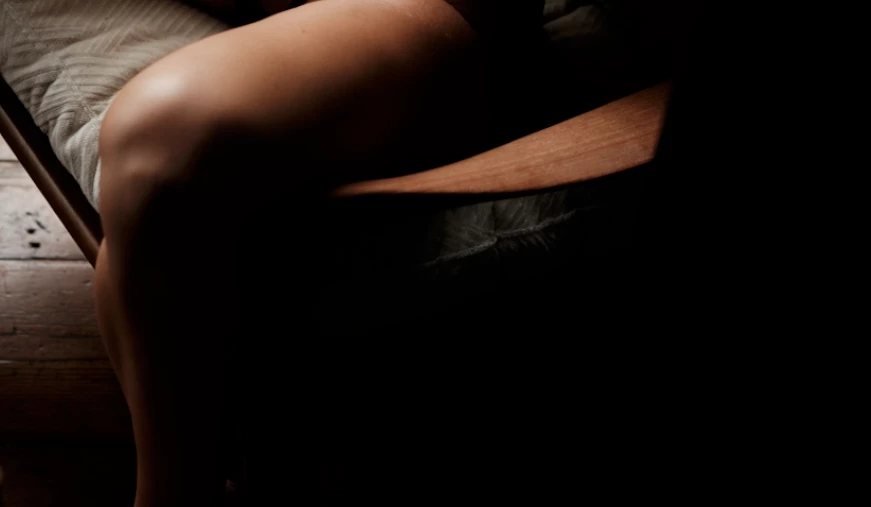
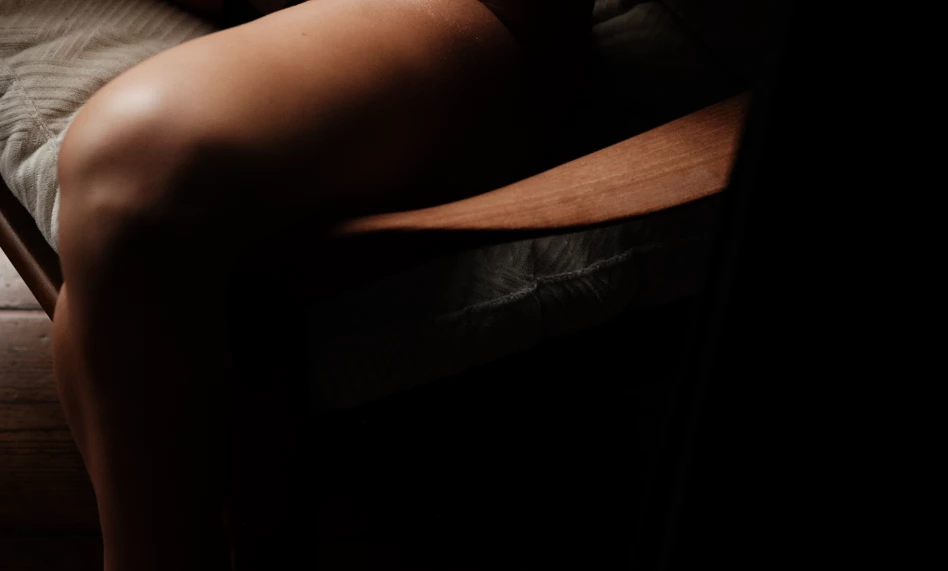
As you can see in the photo examples, one photo looks brighter in the shadows of the pillow of the chair and her leg. This happens in PS.
I use LR version 13.1, PS 25.3.1 and Camera Raw 16.1. MacOs 14.2.1
The thing is when i use the standard sRGB monitor profile. Photoshop and LR/CR looks the same. When i use a calibrated profile, then i have this problem. So thought maybe a currupted monitor profile. I did calibrate my monitor againg using X-rite i1, and also a Spyder X pro. But the problem stays.
So now i'm using a soft proof in PS for every image(the same profile as my monitor), so the image looks closer to the image in LR/CR.
So from Camera raw to PS and then exporting. The unedited Raw file looks the same in Camera raw and the final jpg. Only in PS with no adjustments made it looks different.
I hope you understand my problem, and if anyone can help me it would be great.
 AdChoices