
Known Participant
January 5, 2025
Question

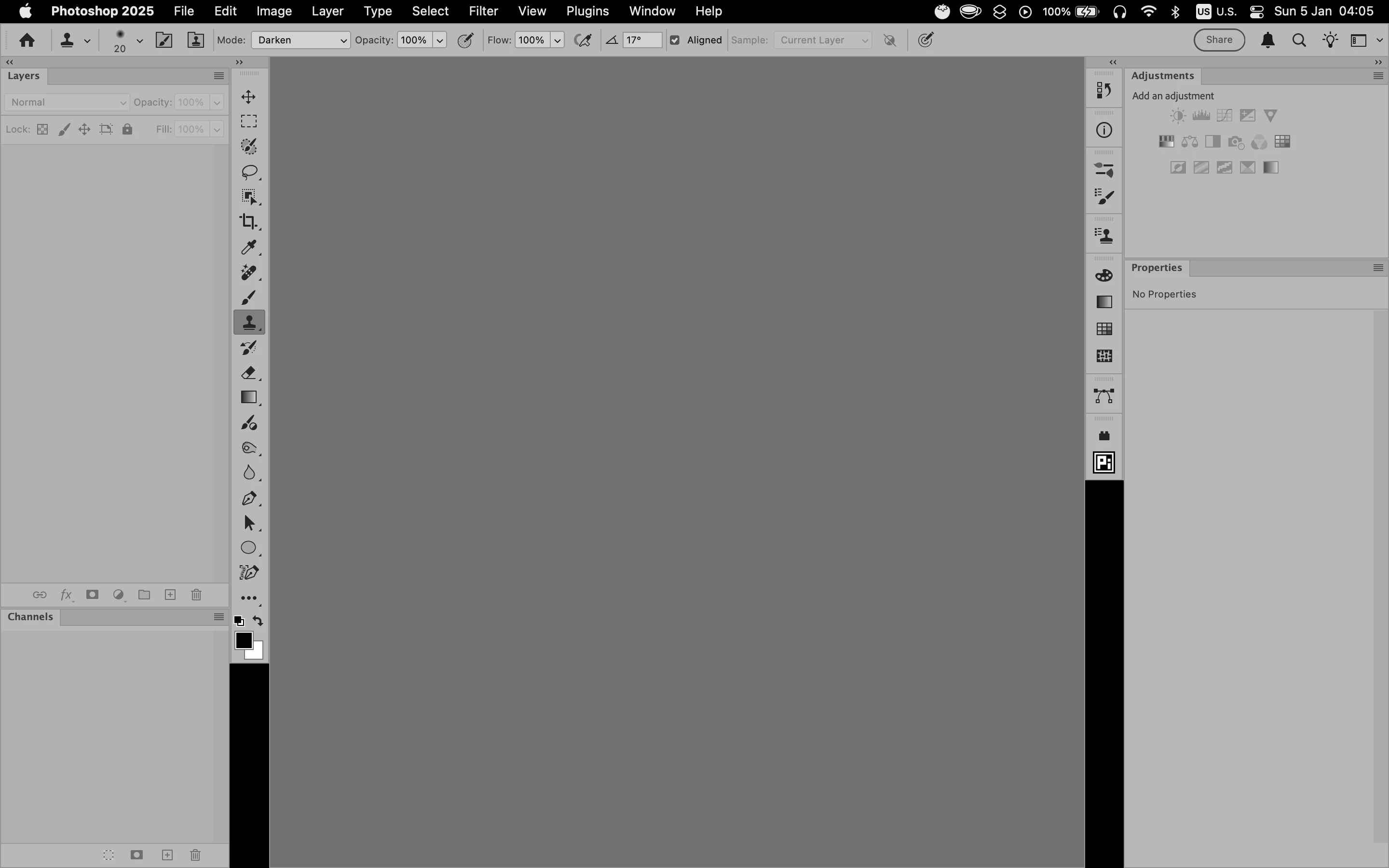
Black vertical areas appear under the panel buttons.

  • January 5, 2025
  • 1 reply
  • 363 views

Occasionally, the empty spaces below the panel buttons turn black for some reason. Exiting full-screen mode temporarily fixes the issue, but it reoccurs after some time.


Photoshop: v. 26.7.0

macOS v. 12.7.6
 

1 reply

BrettN
Community Manager
Community Manager
January 6, 2025

While harmless, it is certainly disconcerting. There isn't a setting in Photoshop that lets you do this on purpose. Most likely there is some issue with rendering this part of the UI. It may arrise from a conflict on the system. Can you send the System Info report from the Help menu? There may be clues in there. 

Known Participant
January 7, 2025

@BrettN Not anymore. I used a free 7-day trial subscription because I was considering switching to Photoshop instead of Affinity Photo, as I was interested in Photoshop's Generative features. Unfortunately, I was extremely disappointed with it. The quality of its output is very low—it's barely usable. I shared some of my feedback here:

https://community.adobe.com/t5/photoshop-ecosystem-bugs/p-the-generative-fill-in-photoshop-26-0-0-is-definitely-worse-than-in-previous-versions/idi-p/14931200#comments
Additionally, I was highly disappointed by how inconsistent the Photoshop interface is. I shared more feedback here:

https://community.adobe.com/t5/photoshop-ecosystem-bugs/scrubby-zoom-overscroll-and-zoom-to-cursor-don-t-work-in-the-liquify-filter/idc-p/15072663#M117104
Since the Generative features output low quality results and the interface is inconsistent and unpleasant to use, I decided to cancel my subscription and return to using Affinity Photo.

I hope you'll learn from your mistakes and fix the aforementioned issues.