ReinShen
Inspiring
February 17, 2024
Question

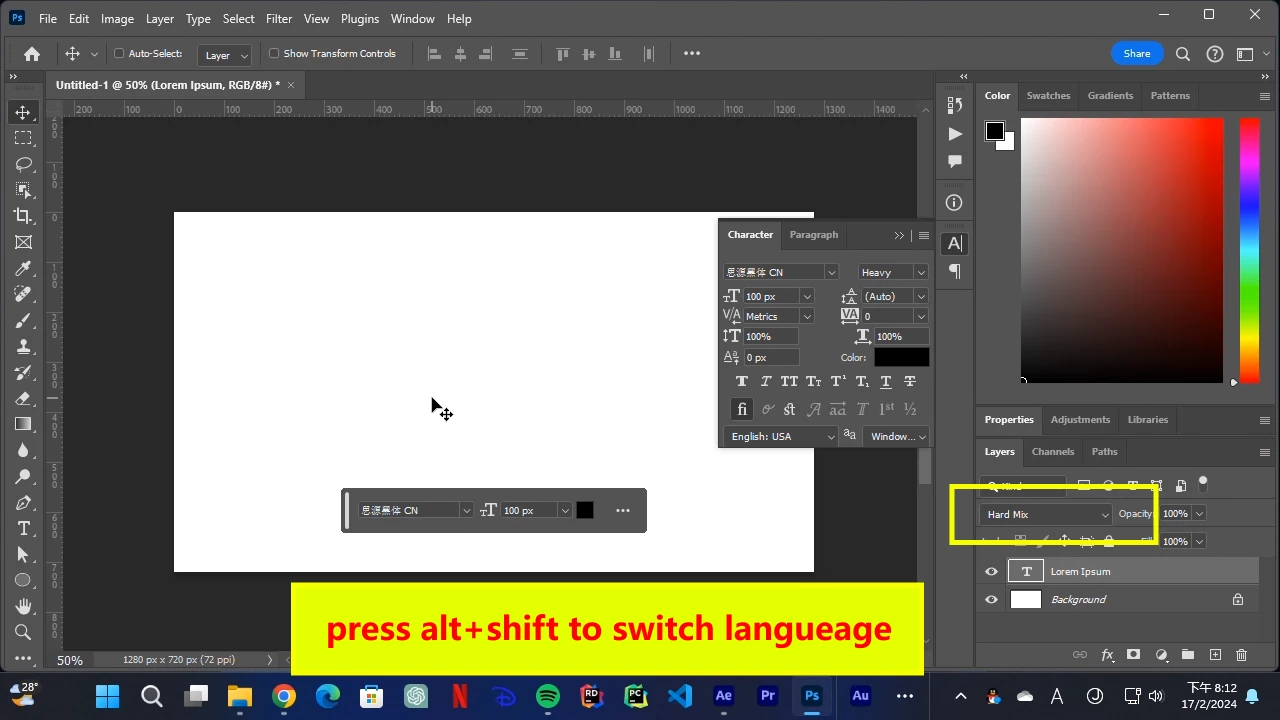
Blend mode change to Hard Mix unexpectedly when switch from Chinese to any other language

  • February 17, 2024
  • 3 replies
  • 572 views

This bug is about switching languages on Windows.


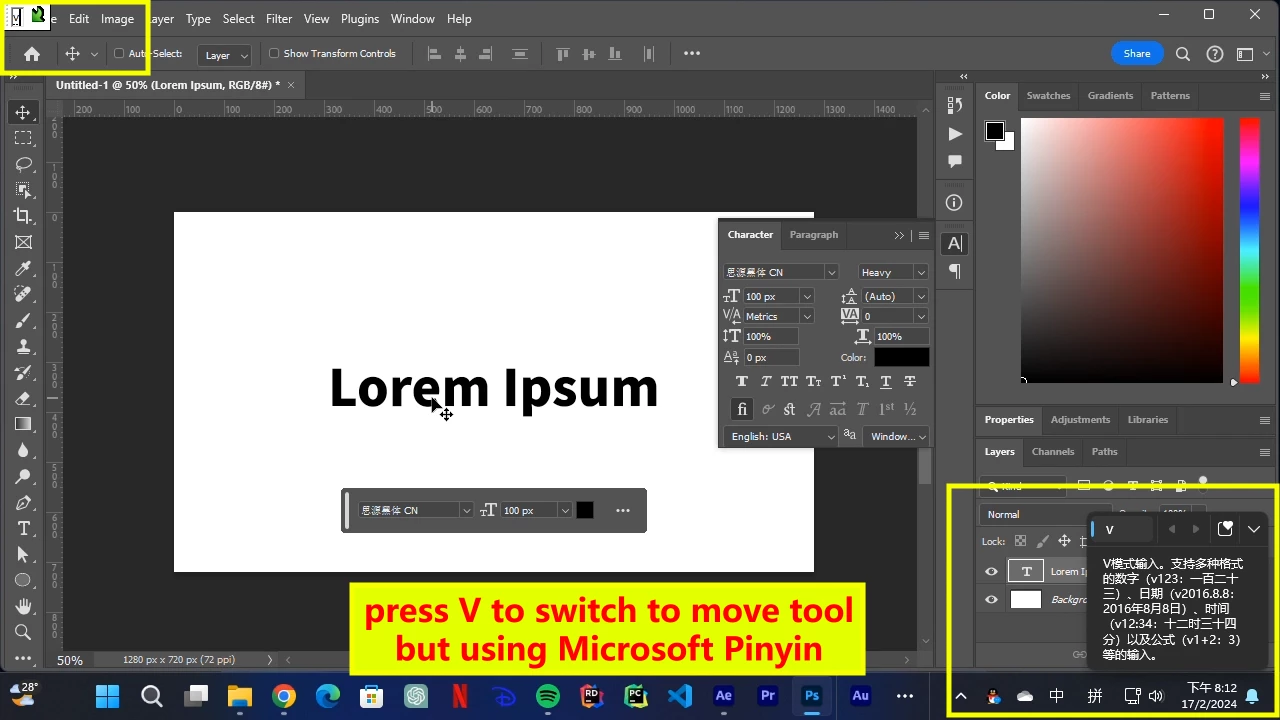
when using Microsoft Pinyin (Simplified Chinese input method), input any character (like "v" to switch to move tool), then press alt+shift to switch languages, blend mode of current layer is changed to Hard Mix.


OS: Windows 11 22H2

Photoshop version: 25.4.0

Screenshot:
 

3 replies

ReinShen
ReinShenAuthor
Inspiring
February 17, 2024

I know the shortcut is Alt + Shift + L. I can't find shortcut of blend mode at all, I've been finding shortcuts for blend modes for one hour, there's even no searching method.

Participant
April 11, 2025

same here. it's super annonying and very difficulty to find the solution. every single video or article gives you a list of the shortcuts. 


I [cursing removed] KNOW THE SHORTCUTS. 

I WANT TO KNOW WHERE TO DISABLE THEM!


nobody knows. lol

jane-e
Community Expert
Community Expert
February 17, 2024

@ReinShen 


I don't know if this will help or not.


All blending modes have shortcuts. The shortcut for Hard Mix is: 

Hard Mix

Shift + Alt + L

Shift + Option + L


I wonder if it would work to disable the blending mode shortcuts in Edit > Keyboard Shortcuts?


Jane

ReinShen
ReinShenAuthor
Inspiring
February 17, 2024

When using Japanese input method Microsoft IME, switching language causes windows system beep.