Inspiring
September 2, 2021
Answered

blue border surrounding files - why?

  • September 2, 2021
  • 5 replies
  • 5994 views

I don't know what key I may have hit by mistake, but in Photoshop CC, a light blue border appeared around the image file I was on, and subsequently all files opened show this also. How do I undo?

This topic has been closed for replies.
Correct answer c.pfaffenbichler

While the foreground color shows blue at the left now, it did not at the time the blue border appeared.  I think it became that color when I clicked on the border later.  but clicking on the border and choosing default changed it to black.  I couldn't remember what it was like before the blue and wanted to do the other suggestion of setting to standard mode but am not finding in preferences.  Where is that?


»am not finding in preferences.  Where is that?«
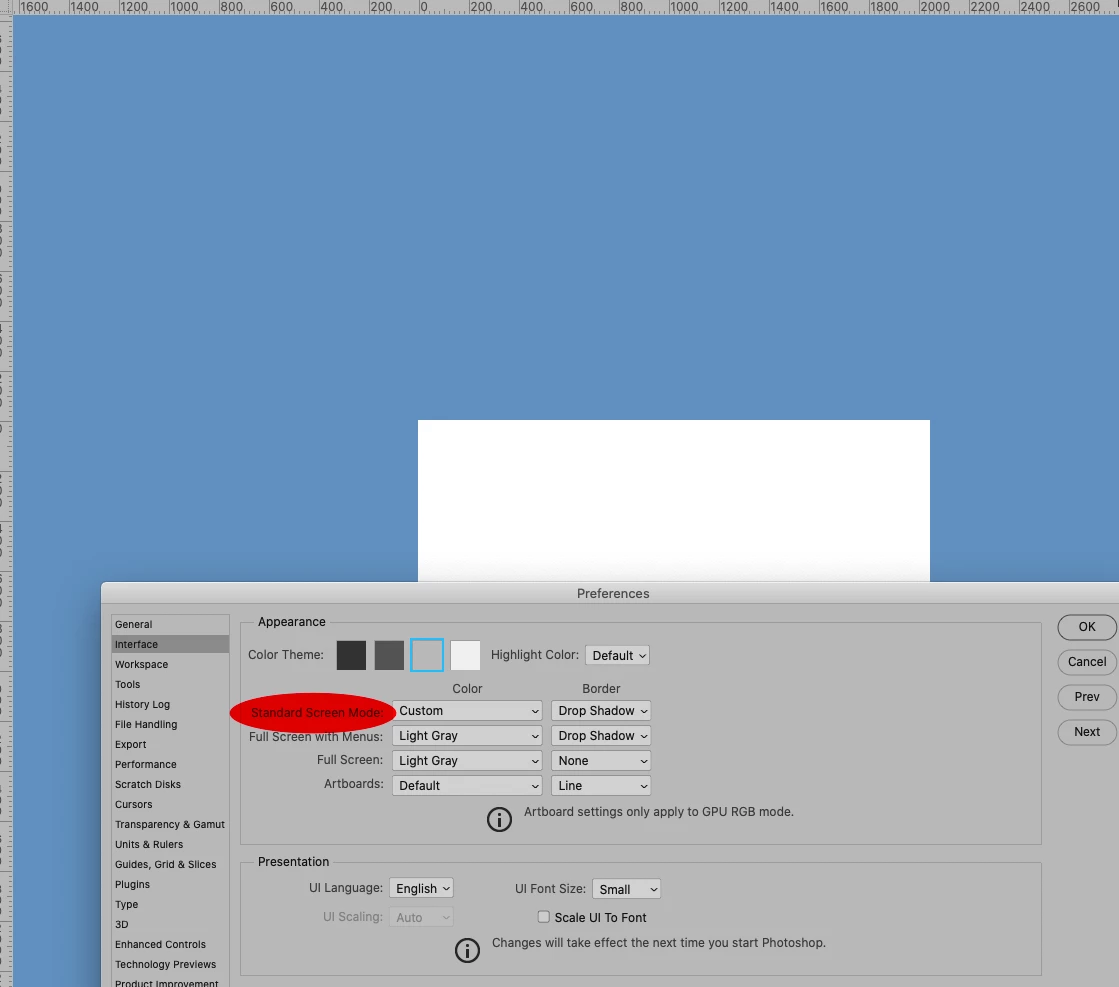
5 replies

c.pfaffenbichler
Community Expert
Community Expert
September 3, 2021

Screenshots would indeed seem helpful. 


What are the Interface Perferences settings? 

Inspiring
September 3, 2021

scrrenshot & interface settings

gener7
Community Expert
Community Expert
September 3, 2021

What’s the area called anyway? 

In some applications I think it is called Pasteboard, but in Photoshop? 


Chris Cox let out the exact term, but it's kind of abstract and I forgot it. Some call it the "pasteboard" which isn't correct, but it is relateable. You can drag notes into that area, but I think that's about it.

Jeff Arola
Community Expert
Community Expert
September 3, 2021

Can you post a screenshot of what your seeing?

Jeff Arola
Community Expert
Community Expert
September 3, 2021

Could also be View>Show>Layer Edges

Inspiring
September 3, 2021

neither slices nor layer edges was checked.

Stephen Marsh
Community Expert
Community Expert
September 3, 2021

@robirdman1 


If the reply from @Mylenium fixed your issue, please mark that reply as the correct answer so that others in the same position know that there is a "fix".

Mylenium
Legend
September 2, 2021

Chances are you enabled the slices preview for web output by using an associated tool liek the knife. Turn it off in the View menu.


Mylenium