
Participant
March 14, 2025
Answered

Blueish tone

  • March 14, 2025
  • 2 replies
  • 226 views

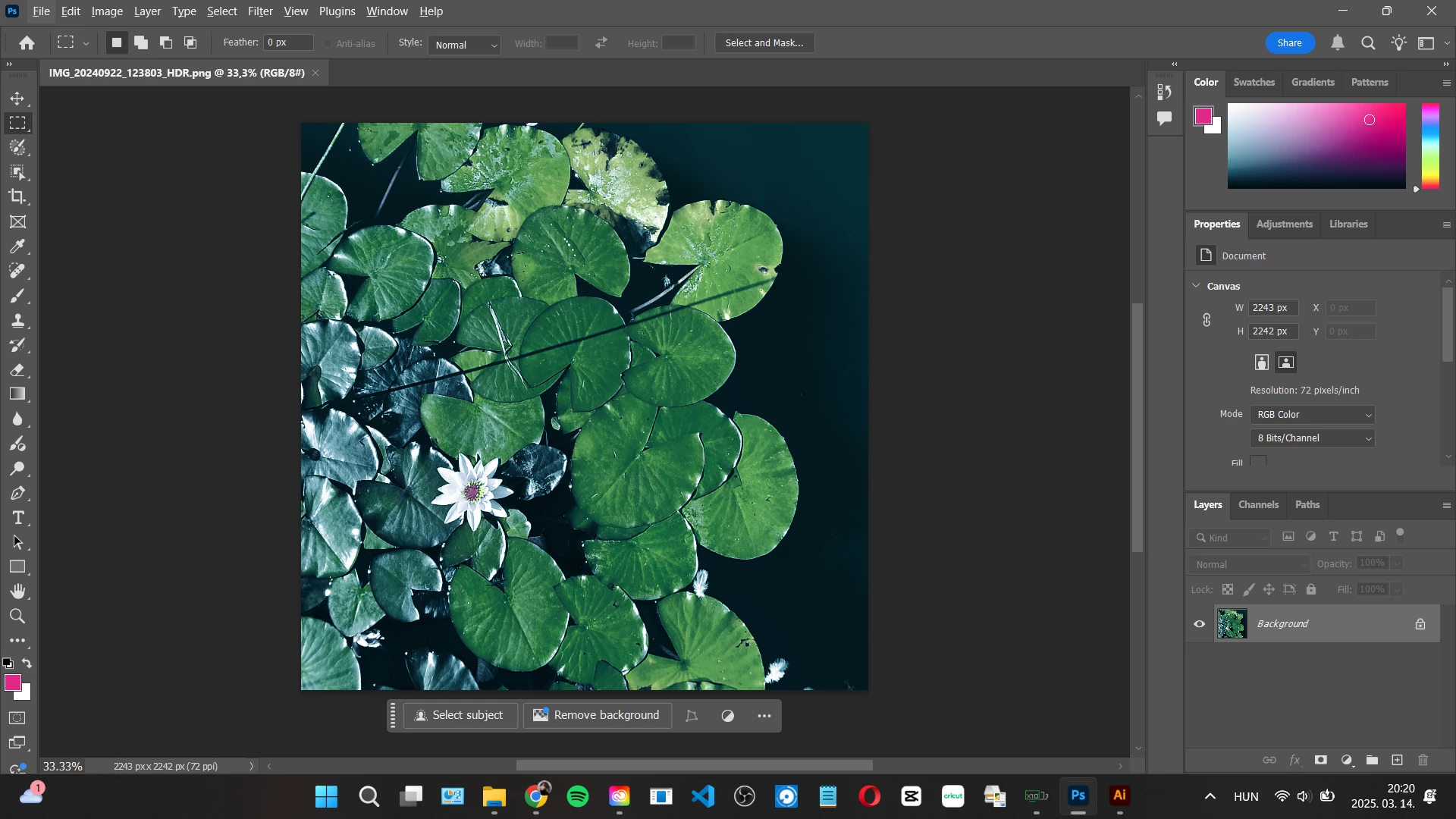
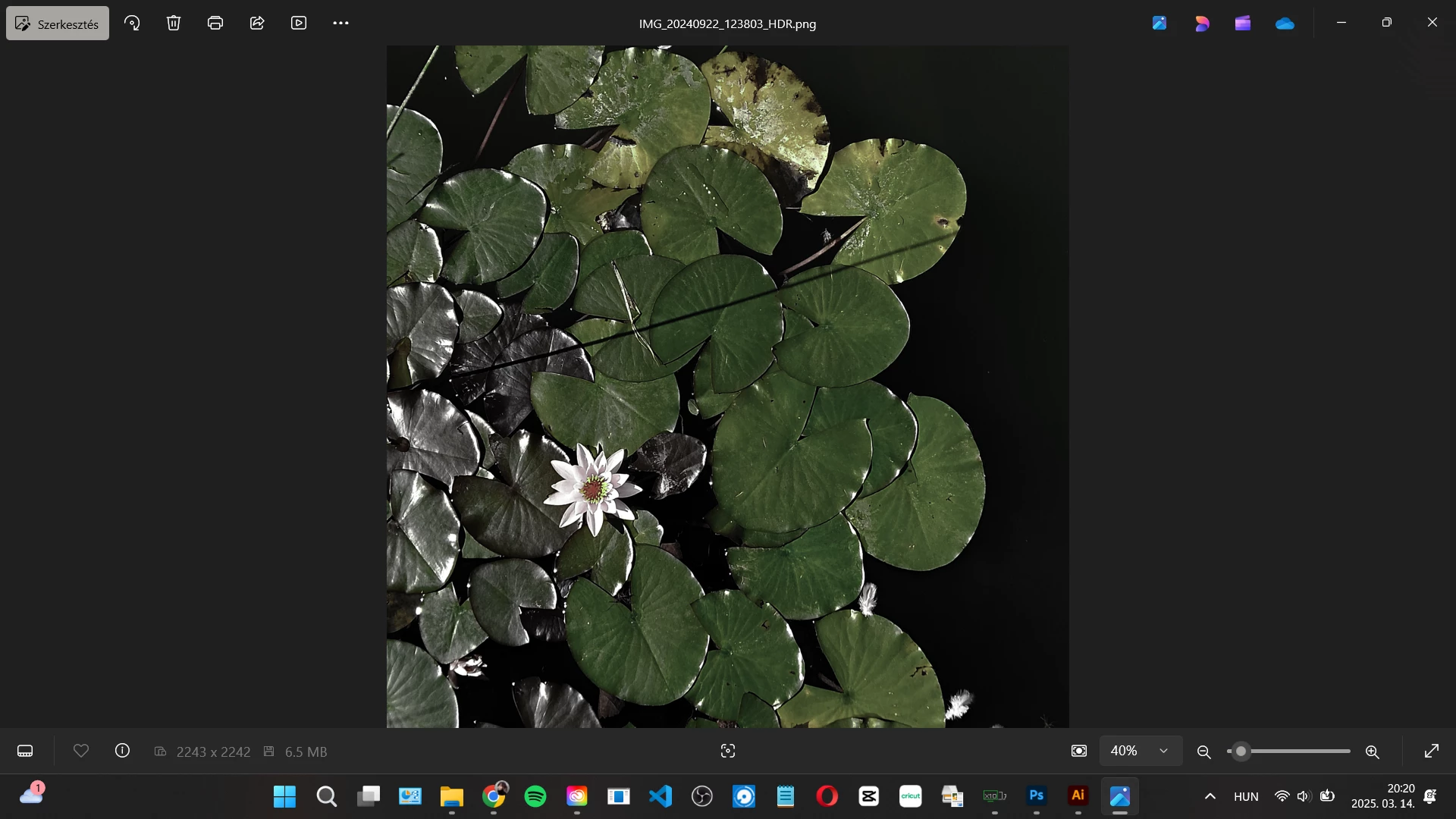
Hi! I have a blueish tone problem on my pictures. When I open a picture it is getting a blueish tone. These two picture below is the same...at leas they should be. I have made a restart, update, everything but it is still a problem. I have the 3rd reinstall in this week so it is start to getting ridiculous. Anybody please help! Thank You!
Correct answer Ged_Traynor

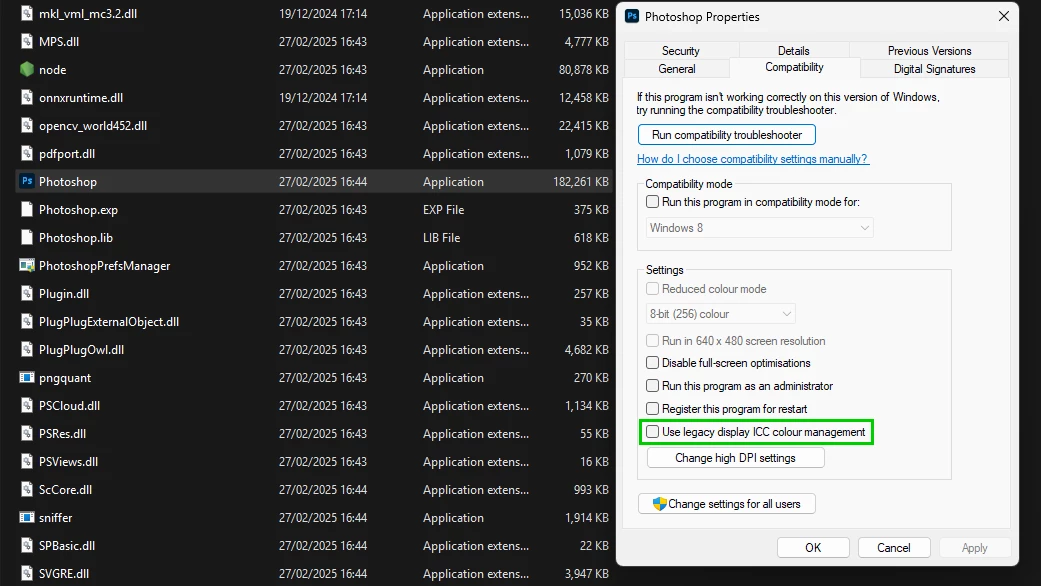
@VivienneWynthorn looks like you have HDR enabled on Windows 11, right-click on the Photoshop.exe or shortcut and go to the compatibility tab and enable this option

2 replies

Ged_Traynor
Community Expert
Ged_TraynorCommunity ExpertCorrect answer
Community Expert
March 15, 2025

@VivienneWynthorn looks like you have HDR enabled on Windows 11, right-click on the Photoshop.exe or shortcut and go to the compatibility tab and enable this option

Semaphoric
Community Expert
Community Expert
March 15, 2025

What app is the second picture?