
Participant
December 19, 2023
Question

blur gallery greyed out [.ARW File Format]

  • December 19, 2023
  • 3 replies
  • 425 views

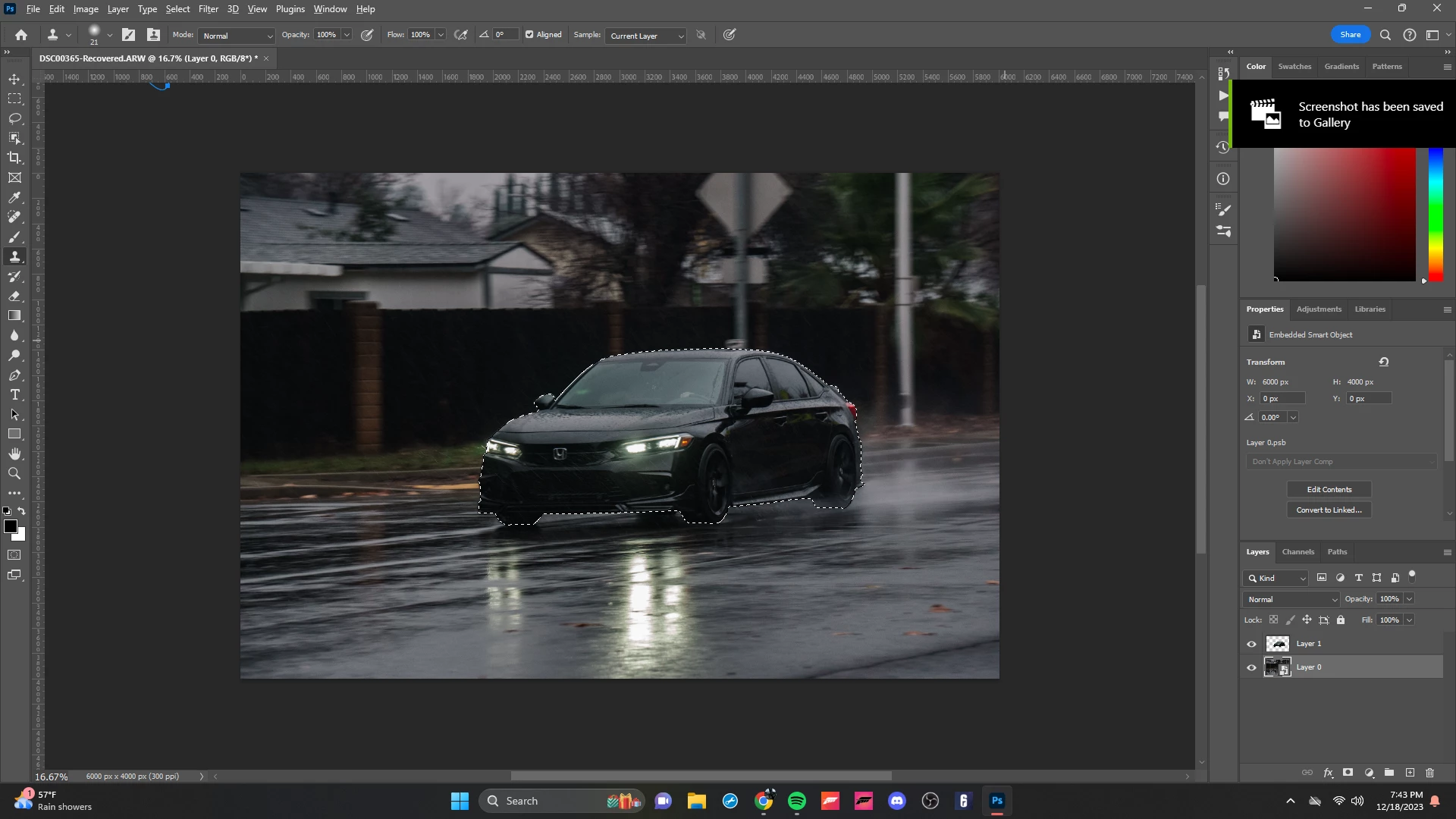
ive been trying to learn photoshop all day and having nonstop issues had lightroom previously worked amazing for everything, currently my issue is ive looked up many times diffrent ways to fux my blur gallery being greyed out i switched to 8 bit i converted for smart filters and thats all i can really find, any other ideas?
This topic has been closed for replies.

3 replies

Bojan Živković11378569
Community Expert
Community Expert
December 19, 2023

Can you post screenshot of entire window with greyed menu items expanded and visible?


c.pfaffenbichler
Community Expert
Community Expert
December 19, 2023

Is Blur Gallery available for a newly generated RGB image or a flattened copy of the image? 

Your screenshot seems to indicate as much but could you check that the composite Channel is active in the Channels Panel? 


What have you done for all-purpose trouble-shooting so far?
Restoring Preferences after making sure all customized presets like Actions, Patterns, Brushes etc. have been saved might be a good starting point:
https://helpx.adobe.com/photoshop/using/preferences.html
https://helpx.adobe.com/photoshop/kb/basic-trouble-shooting-steps.html
https://helpx.adobe.com/photoshop/kb/troubleshoot-gpu-graphics-card.html

Trevor.Dennis
Community Expert
Community Expert
December 19, 2023

I'm wondering about that .ARW file format.  Did it open as normal with ACR?    It seems to me that the bottom line is that it has loaded, and is now just pixels with an 8 bit depth, so should surely work like any other image.


What is your experience with ARW files?
Have they previously worked OK?

Do you have JPG files you can open and test?


I would be wanting to eliminate that aspect before looked elsewherew for the issue here.

D Fosse
Community Expert
Community Expert
December 19, 2023

ARW is just a Sony raw file.


No reason I can think of why it shouldn't work.


Whether it's .ARW, .NEF or .CR3 is moot once it's open in Photoshop. Then it's just RGB data sitting in memory.

Participant
December 19, 2023

i see after readin the other cpmment what arw file format is but yeah i use the sony camera but like u said its just a rgb data after its prossesed into photoshop so what can be other issues?