Something I suspect a lot of people overlook is that we can choose any brush preset with any of the tools, so check that you have a hard round brush selected.
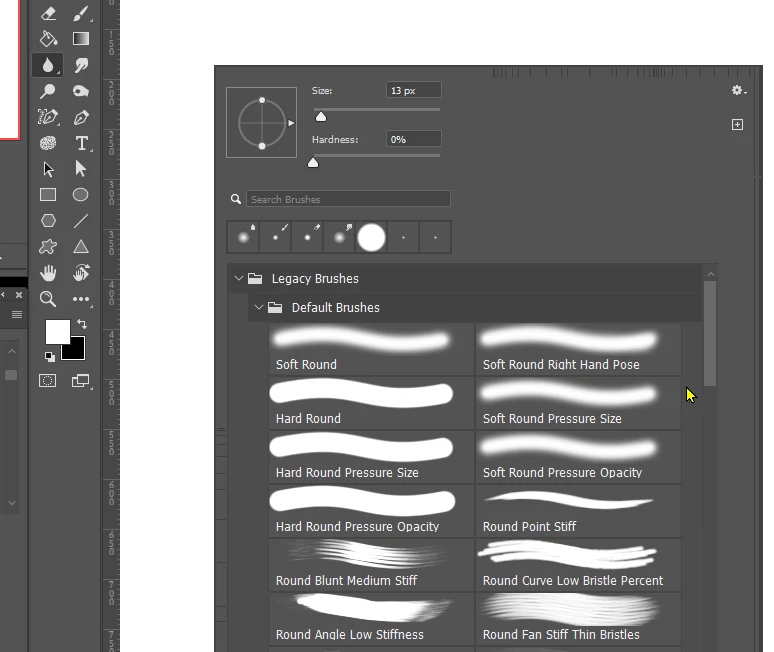
If you are trying to soften the intersection of a composited element, it gennerally works better to blur both the outling of the composite layer and the layer beneath it, so check Select all layers in the Options bar.
A trick I like to use is to stroke a path with the blur tool. You don't need a super accurate path, so might get away with Ctrl clicking to select, and making the selection into a workpath
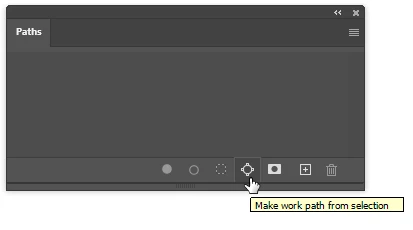
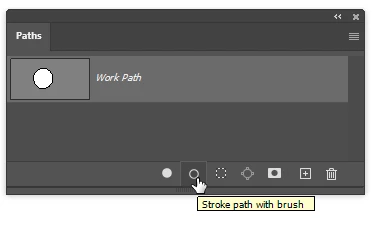
This also makes it easy to repeatedly blur the outline by clicking the stroke path icon. Note: I do have it set to use the blur tool respite it say Brush

 AdChoices