

Booleans for clipping masks?
I'm curious if this exists within Photoshop or not. Let's say you have multiple clipping masks all masked to one layer and you'd like to save some time, so when coloring you get "sloppy" and let the color get underneath which ever layer you are coloring on's top most layer. Later down the line you decide to move these clipping masks order around, but by doing this some unwanted parts are being covered up. You then find this amazing tool called a boolean and it can subtract the front most shape. Unfortunatly, this can only be achieved within one layer and through shape tools. You'd like to keep the clipping masks separate and not have to remake the shapes with the tool. Is there any way to get the result I am looking for or will I have to manually erase the parts that are covering up undesired areas? I am willing to use another software that might have what I am looking for. Please look at the Layers window to see what I mean.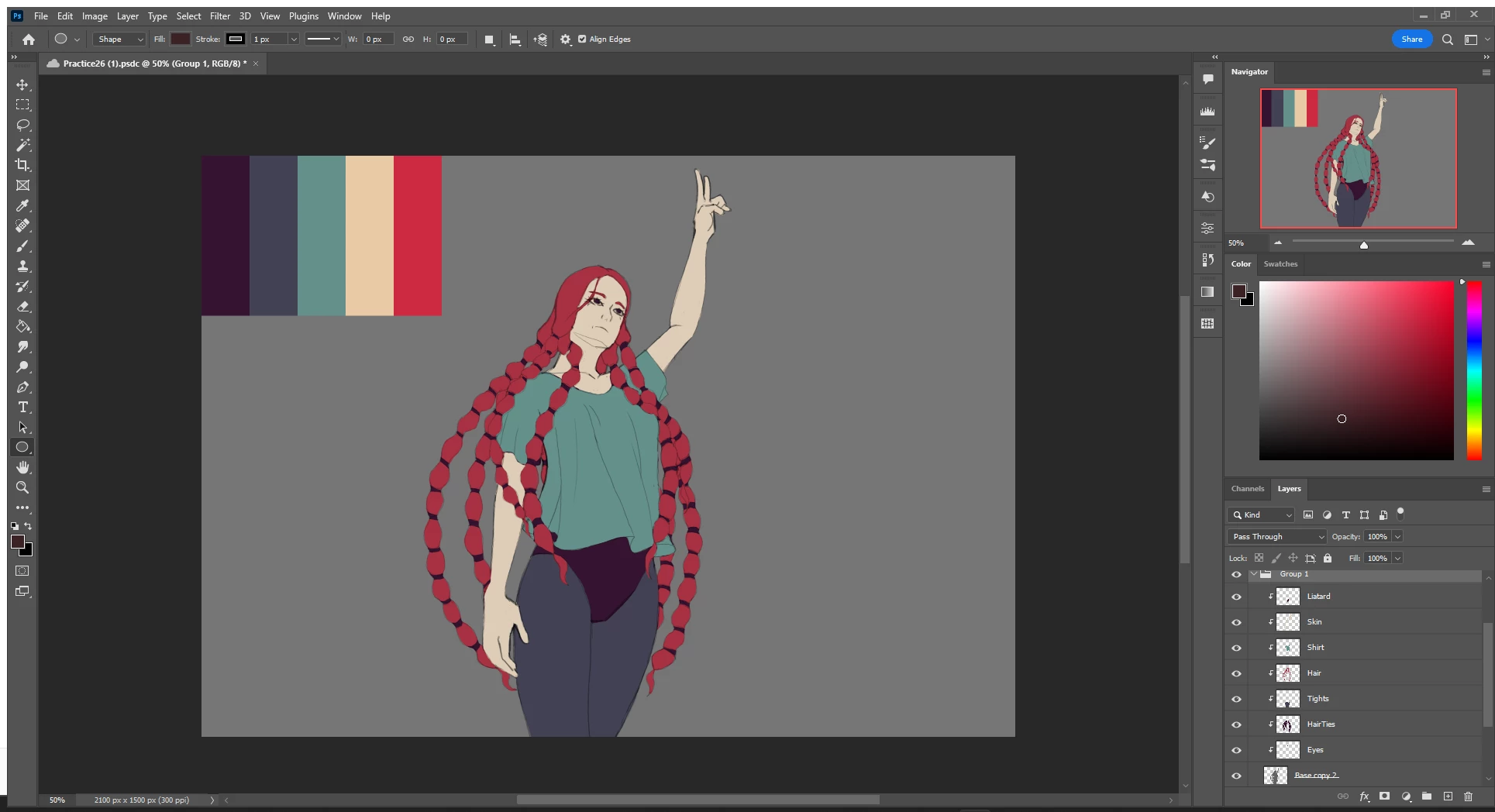
 AdChoices