
Legend
December 17, 2024
Answered

Bounding Box Constantly In The Way - How To Remove?

  • December 17, 2024
  • 1 reply
  • 771 views

Hi There,


There seems to be a trend to create UI that covers the thing you're working on (like the task bar) with the latest being the bounding box that always appears (at least it does for me).


I've found answers but can't get back to the more useful, previous behaviour which was...

- Show bounding box only while transforming

- No bounding box when not transforming
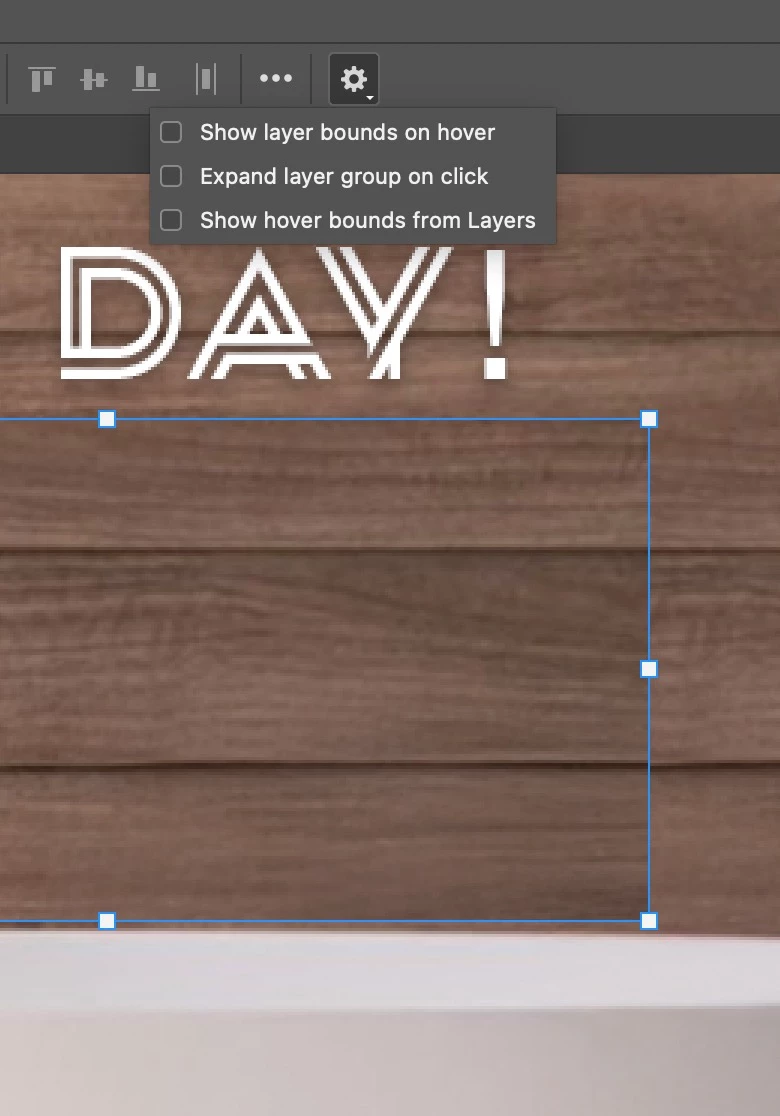


Sorry if missing something basic here but does anyone know how to stop this UI getting in the way of your work?


Cheers, Ben

This topic has been closed for replies.
Correct answer csscms

OK, it seems the specific option has now been moved from under the cog, untick it from here...

Counterintuitively, when you Transform, it still shows the transform control box even though 'Show Transform Controls' is now unchecked. Does logic exist anymore or am I missing something basic here?


1 reply

csscmsAuthorCorrect answer
Legend
December 17, 2024

OK, it seems the specific option has now been moved from under the cog, untick it from here...

Counterintuitively, when you Transform, it still shows the transform control box even though 'Show Transform Controls' is now unchecked. Does logic exist anymore or am I missing something basic here?


Stephen Marsh
Community Expert
Community Expert
December 17, 2024

@csscms 


The checkbox was historically located in the options bar, was then briefly moved/hidden under the gear/cog and then relocated back to where it always has been after many complaints.


By design, it's active while transforming, despite the checkbox. The checkbox is controlling the visibility of the transform box when the layer is selected/targeted/active when one is not transforming.

Stephen Marsh
Community Expert
Community Expert
December 18, 2024

@Stephen Marsh I became familair with it when it was in the cog, hence the initial comment.

quote

By design, it's active while transforming, despite the checkbox. The checkbox is controlling the visibility of the transform box when the layer is selected/targeted/active when one is not transforming.


By @Stephen Marsh


The checkbox labelled 'Show Transform Controls' has no effect while transforming? It's insane!


quote

The checkbox labelled 'Show Transform Controls' has no effect while transforming? It's insane!


By @csscms


That's opposite to what I wrote.