

Bounding box nightmare, please help. PSD 2021
Hi all.
Since the last update, I've had issues regarding shapes with the move tool, the path selection tool, and the shape tool (I've noticed only those for now).
1 - The path selection tool (black) usually shows the path around the shape (or selected shape if there are many) only. Now it's also showing a bounding box and a reference point.
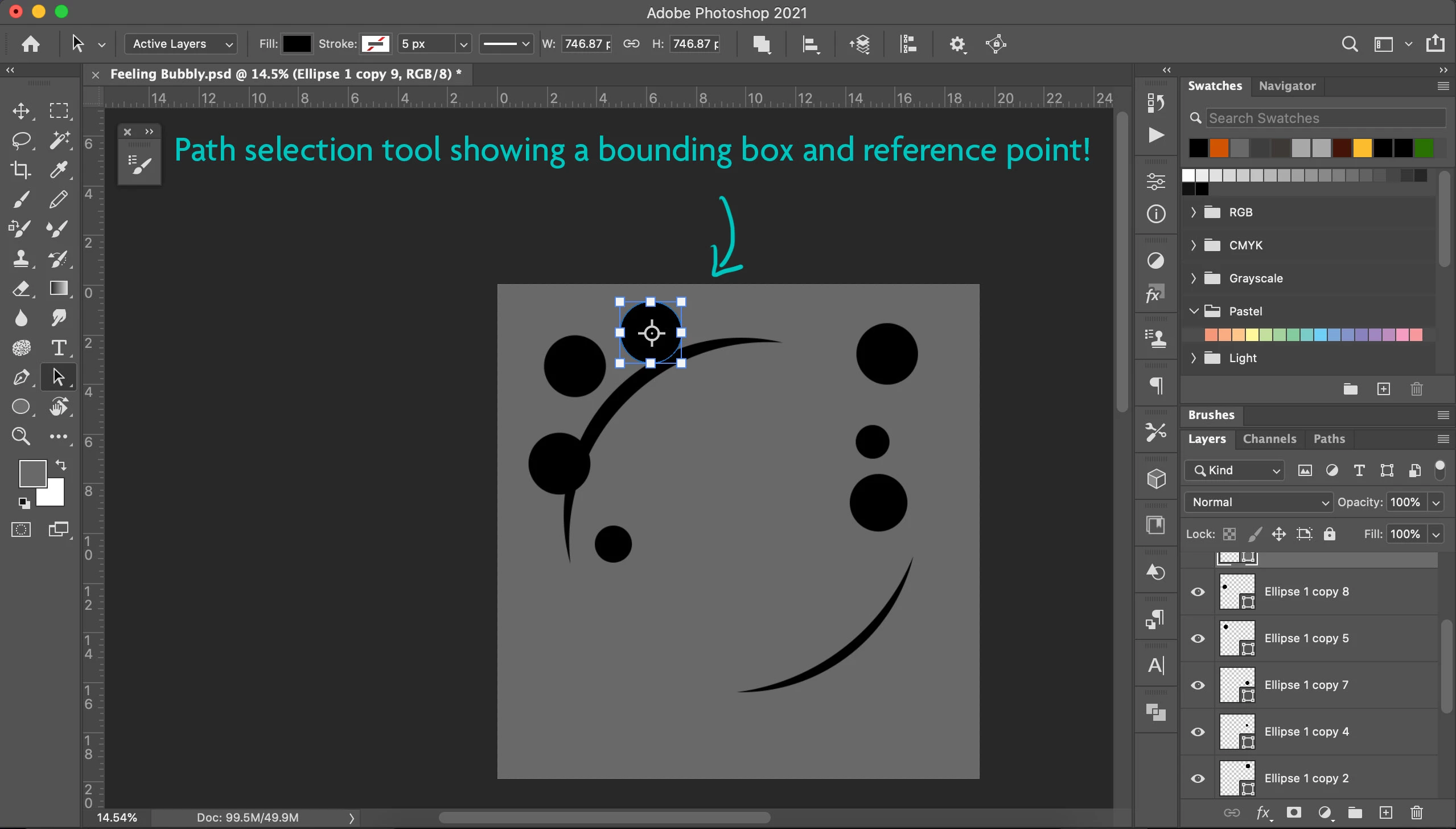
2 - If I'm on a shape layer, usually with the move tool I don't see the path outline or a bounding box - just the "image". Now there is a bounding box (without reference point).
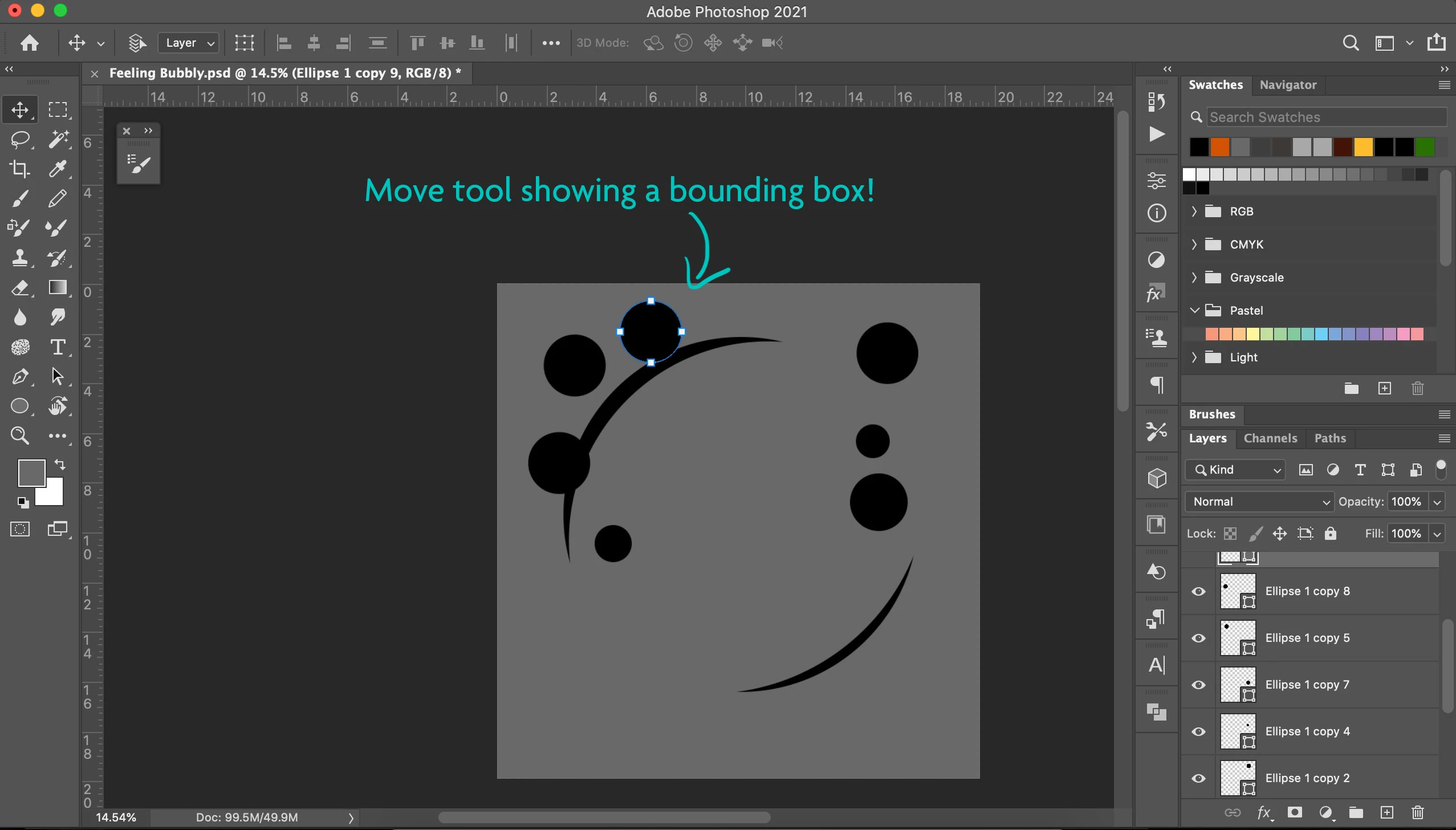
3 - The shape tool behaves like the path selection tool - instead of showing only the thin blue path around the shapes, it shows a bounding box and a reference point.
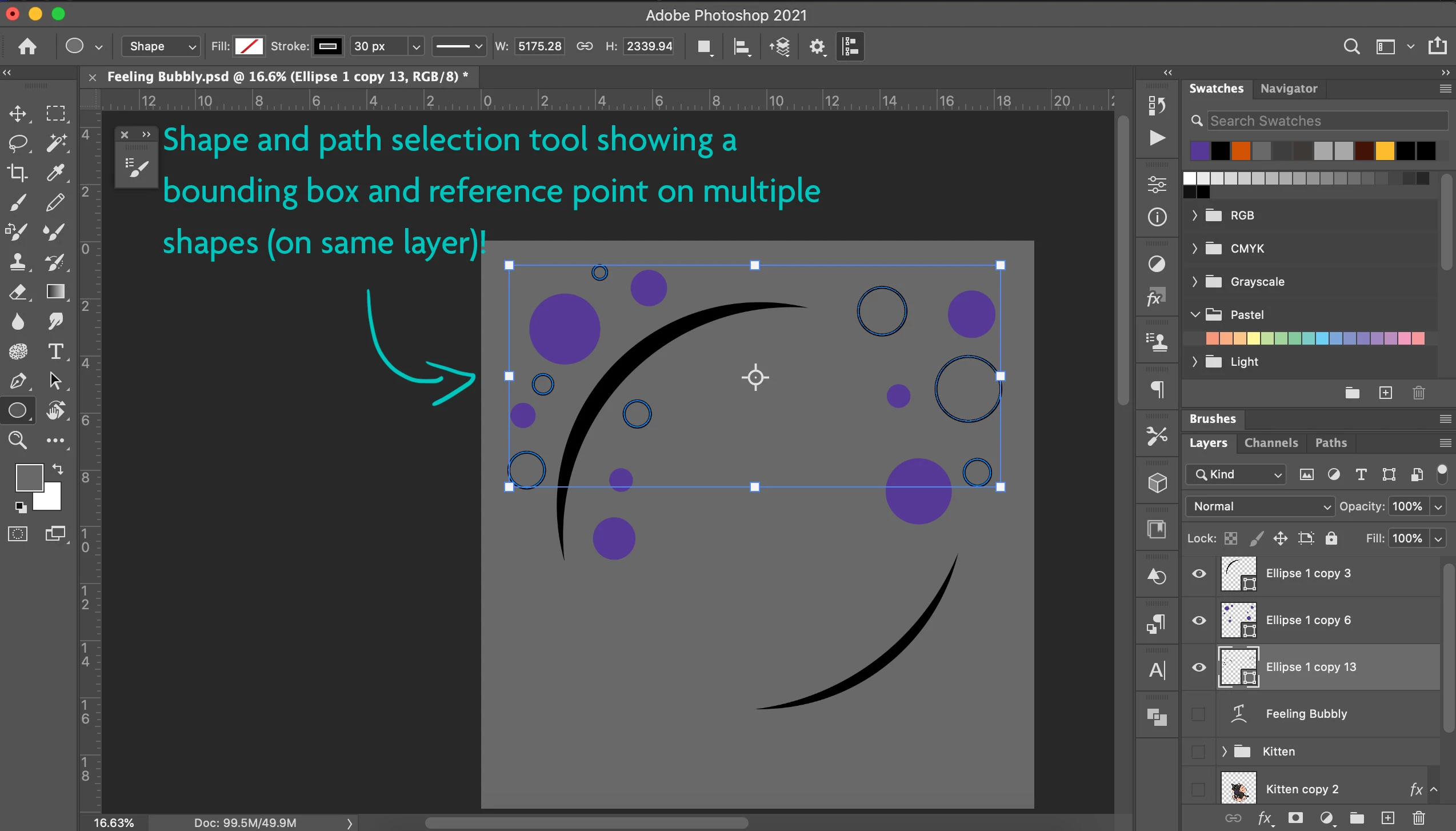
I did not activate the transform tool. In my "View", only Smart Guides and UV Overlay are selected in the Extras. This is a nightmare and it slows my work horribly since I use shapes all the time. I've never had such a problem before. Can anyone enlighten me on this?
 AdChoices