

Todd Shaner
Legend
June 5, 2018
Question

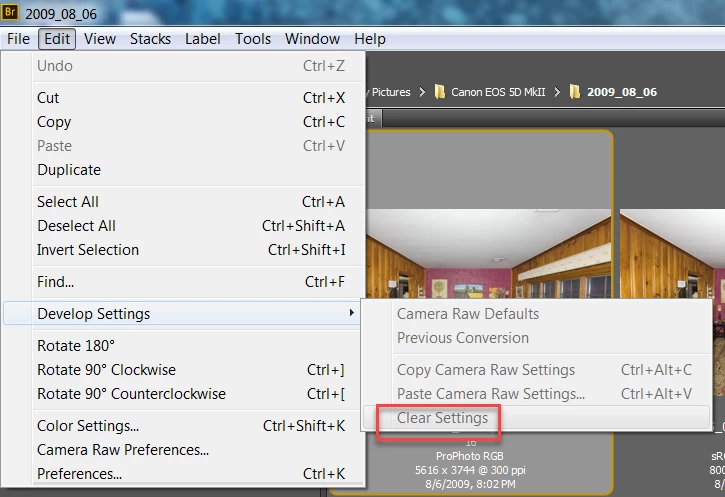
Bridge Clear Settings does not work with PSD FIles

  • June 5, 2018
  • 1 reply
  • 905 views

When trying to use Bridge menu Edit> Develop Settings> Clear Settings with a PSD file that selection is grayed out and not usable. It works with all other file formats (raw, JPEG, TIFF), but not PSD even with 'Maximize Compatibilty' applied.

Bridge 8.0.1.282, Camera Raw 10.3, PS 19.1.4, Windows 7
    This topic has been closed for replies.

    1 reply

    JJMack
    Community Expert
    Community Expert
    June 6, 2018

    As far as I know the only Image files types you can set ACR to open are RAW, Jpeg and Tiff images file types not any other image file types layer or not. Only RAW filehave Raw file have RAW sensor data that can be processed from scratch.  Jpeg and Tiff has a previous processed RGB Image.  I also do not know how or if ACR processes layered Tiff files for Tiff supports layers. I would not think that ACR would support layers. It may just generate Pixels for the composite image like a smart object and converts those pixels. 

    JJMack
    Todd Shaner
    Legend
    June 6, 2018

    Lightroom can import and process raw, DNG, JPEG, PNG, PSD, and TIFF files including layered files in both RGB and CMYK file format. In the case of layered PSD files they must be saved with 'Maximize Compatibility' checked. All of these file formats can have their LR Develop settings saved to XMP metadata in the file with exception of raw files, which use XMP sidecars.

    It appears the Adobe Camera Raw Plugin and Bridge can only apply and clear XMP Develop settings in raw, DNG, JPEG, and TIFF file formats. PSD and PNG file format are not supported. The question is why the difference?

    I've reported this issue at the Photoshop Family forum as it appears to be a bug or "difference" in the file handling capability of ACR and Bridge versus Lightroom. Please add any further comments at the below post to prevent fragmentation of the discussion. Thank you!

    Manage Workspace - Get Satisfaction

    JJMack
    Community Expert
    Community Expert
    June 6, 2018

    May be because there is no Develop Plug-in for Photoshop.

    Lightroom only has support a layered files composite image.  Lightroom does not support layers its does not support PSD file properly. Lightroom also has no develop plug-in for Photoshop so one must use ACR RAW interface Photoshop.  I also do not need Lihtrooms Library system  to manage image files for a busness. So I do not install Lightroom one less Adobe application to maintaine.   I'm quite sure many do not need Photoshop and may only install Lightroom.  They will not have PSD files or layered Tiff files..

    The link you posted seem to do some strange things Manage Workspace - Get Satisfaction

    JJMack