
Brush Issues with Eraser and Shape Dynamics Control Pen Pressure
Brush-Eraser Toggling Issue: I had previously reported that in the last version when the Brush tool is used, it will not toggle with the Eraser Tool when E is held down while erasing - it sticks on the Eraser. You have to click the B shortcut key to get back to painting. It has not been fixed and I use this shortcut all the time. It still works properly in the Beta Version. I do not believe it is my computer my computer issue as it is still working properly in the Beta version 26.3. (https://community.adobe.com/t5/photoshop-ecosystem-discussions/photoshop-2025-eraser-key-sticking-and-does-not-toggle-with-brush-key/m-p/14939977#M835772 - And yes, my Spring-loaded Keyboard Shortcuts option is enabled in PS 2025). No one has replied back to me so far.
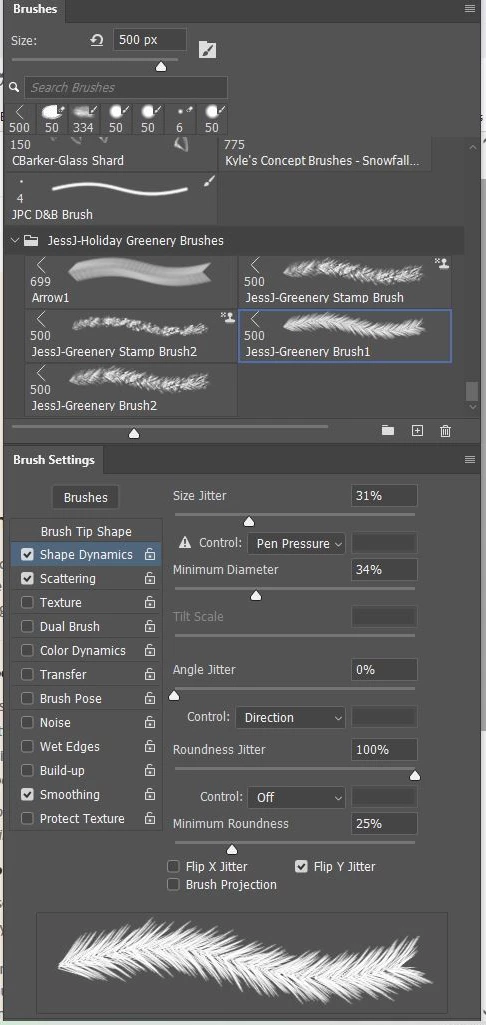
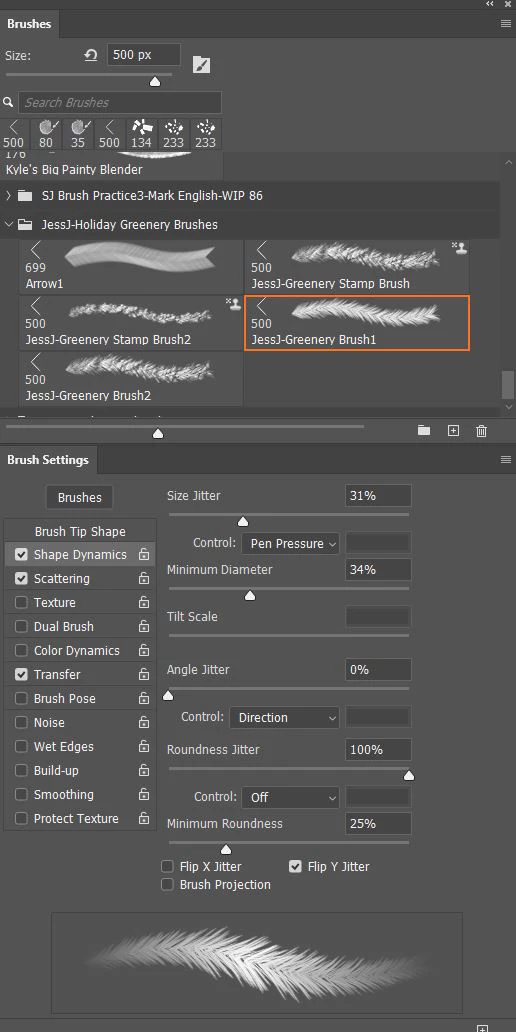
Brush Settings Panel Issue: When using my Wacom Tablet (with its new driver just released today applied) and the Photoshop 2025-Ver 6.2.0 update, I have noticed that if the Brush Panel Shape Dynamics Jitter Control dropdown is set to Pen Pressure, it will no longer create a point on the ends of the stroke. All my other brushes with the Shape Dynamics Jitter Control set to Pen Pressure also no longer show pointed ends either. Note that there is a warning saying a Pressure Sensitive tablet needs to be used, which I was using. This is still working correctly in Photoshop Beta 26.3. I paint a lot. This is a real problem when the brushes are not working correctly because of an update. As far as I can tell, Photoshop has not made any major changes in the Brush Engine in several years so I do not get what is going on. Below the stroke differences can be seen in the Preview field - top image is from Photoshop 2025-Ver 6.2.0 and bottom image from Photoshop Beta Ver 26.3.
Please check on this. Thank you.
 AdChoices