
Question
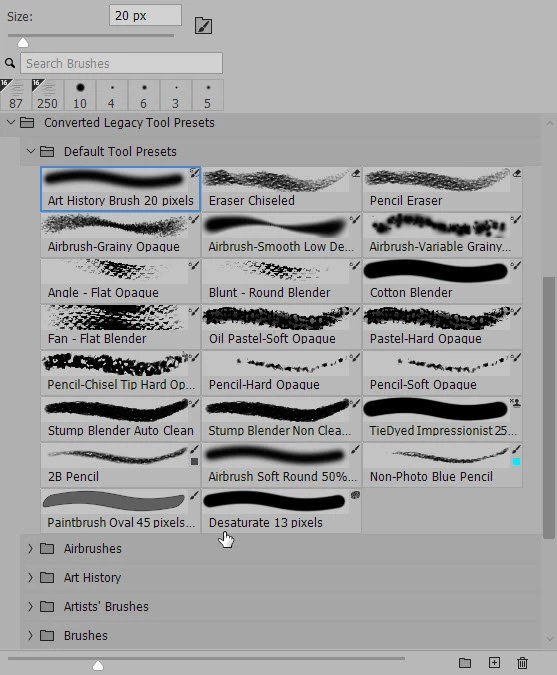
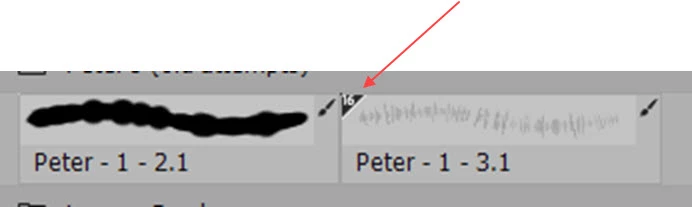
Brush Panel question - what do these little symbols mean?
Brush settings confound me, and when I go looking for documentation I never seem to find what I am lookign for.
See below, the Photoshop Brushes panel. I wonder if someone could tell me a) what the small symbols that appear in the upper right corner of each brush stroke preview mean and b) where I could find some Adobe supporting documentation for this information (and other useful explanation of the Briseh setting. It seems to me that current online Adobe Photpshop User Guide/Reference is not up to date.
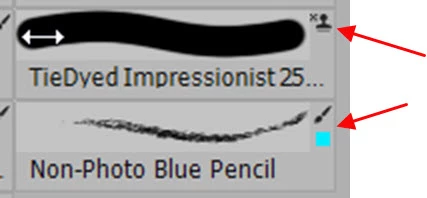
and this too...
Thanks,
Peter
 AdChoices