
kushtrimkunushevci
Participant
April 26, 2023
Question

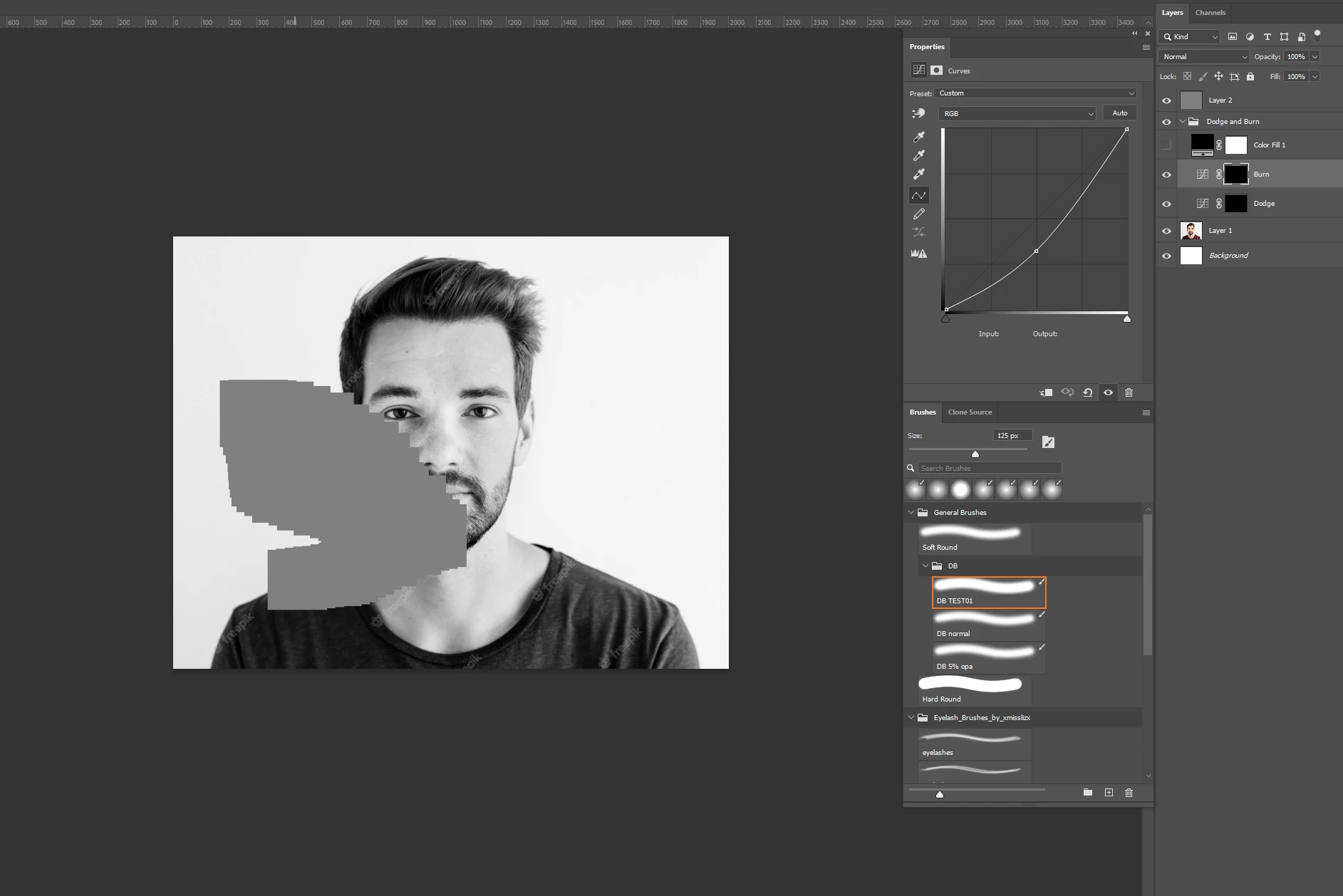
Brush problem is showing gray square while drawing!!!

  • April 26, 2023
  • 7 replies
  • 3338 views

Hi,


Im having lately a big problem with my brush everytime i start drawing on photosoph and i put a help layer for a example a gray 50% on top of my layers or a solid color on color mode, photoshop shows this square error while i draw dont know what to do please advise.


Would appricait every helping.
 

This topic has been closed for replies.

7 replies

kushtrimkunushevci
Participant
May 3, 2023

Hey Cory,


Thank you so much!

I actually have unistilled and installed again and it worked again good sometimes it appears when i zoom in our zoom out is wired in some pictures it happens, but now im gone try this method you showed me and will let you know if it works.

Thank you so much again!


-K 

Cory Propp
Participant
May 3, 2023

@CShubert ,

Thank you so much. I appreciate your help.

CShubert
Community Manager
Community Manager
May 3, 2023

Agreed @Cory Propp.

My answer was for @kushtrimkunushevci as that solution is only a Win one... I must have been confused and didn't see you were Mac OS...  for you select the Deativate Native Canvas, restart and see if that solves this.


khoibpham
Participant
November 10, 2023

Hi @CShubert,


I'm currently using Photoshop 2024 and having the same grey square issues when brushing. 


When I go to Preferences > Technology Previews, I don't have the "Deativate Native Canvas" option. Can you help?


Thank you

Cory Propp
Participant
May 3, 2023

Hi, Cory (Great name, by the way!)

Here is what I have.  I am on a Mac.

Thanks! Cory

CShubert
Community Manager
Community Manager
May 3, 2023

It can be found here:


Cory Propp
Participant
May 3, 2023

Hi, @CShubert and @kushtrimkunushevci ,

I am having the exact same problem.  I have deleted and imported my brushes several times, but they keep slowly changing to the gray square.  

I could not find the "Older GPU mode (pre 2016) in the Technology Previews.  I have gone through all the settings, but cannot find anything.  

I would really appreciate any assistance.

Cory

CShubert
Community Manager
Community Manager
April 26, 2023

Hi @kushtrimkunushevci 

Go to Preferences > Technology Previews... and enable “Older GPU mode (pre 2016)” - Restart Photoshop. Does the problem persist?


Participant
December 15, 2024

thankyou so much, this fixed the problem