
Participant
February 13, 2020
Answered

Brush settings is affecting all brushes!

  • February 13, 2020
  • 2 replies
  • 11837 views

Hi everyone,

I have a problem with my brush settings.

Since yesterday all my brushes have the same settings. If I am making a change on one brush the next brush will have the same setting, even when the locks are unchecked.
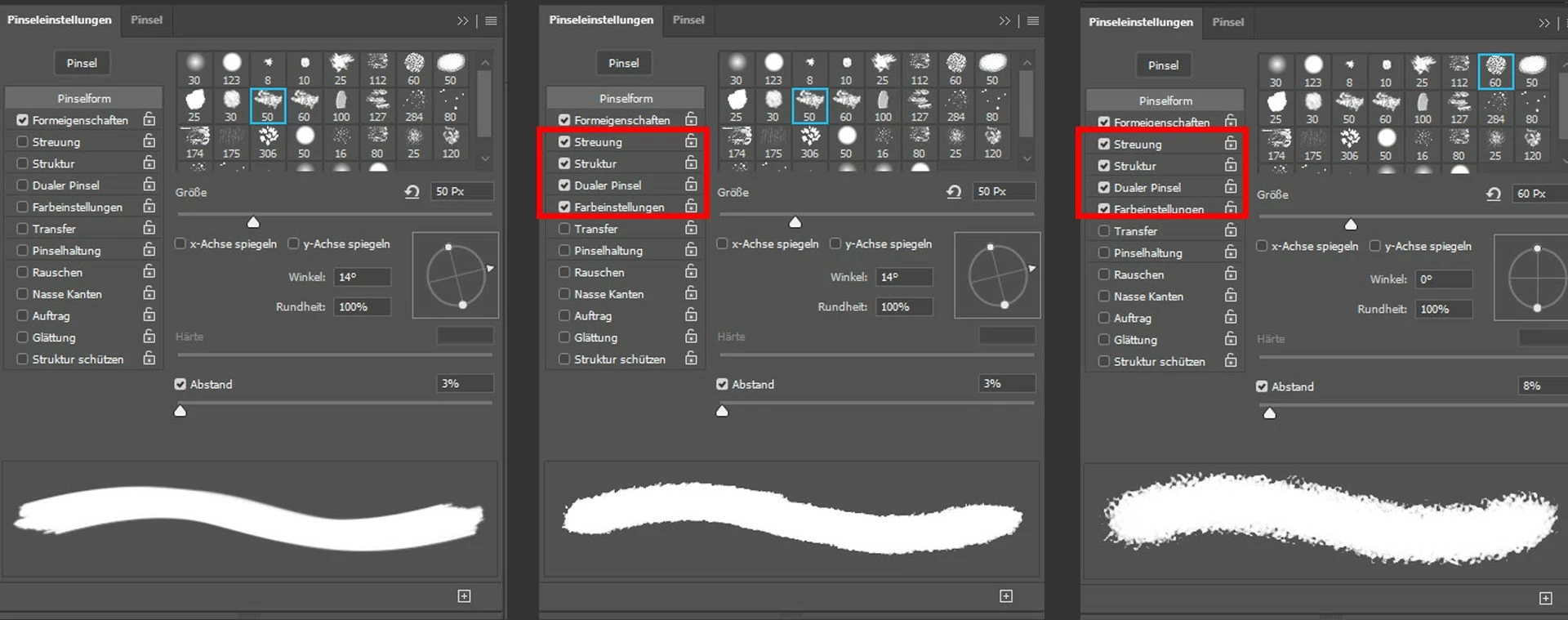
I can not find a way to solve this issue, so that every brush has their own settings again without affecting each other.

Does someone have an answere for this problem?

Correct answer c.pfaffenbichler

Did you actually select the different Brushes in the Brushes Panel? 

Because selecting a Brush tip in the Brush Settings Panel is not the same thing as that. 

2 replies

Participating Frequently
May 4, 2020

I feel really silly for not comprehending this, but where I do select the brush tip as opposed to selecting brushes in the Brushes Panel? I'm having this exact same problem but I can't visualize how to fix it ^^

c.pfaffenbichler
Community Expert
Community Expert
May 4, 2020

In the Brush Settings Panel one can change the Brush tip without affecting other settings. 

Participating Frequently
May 4, 2020

Ah okay, I see now! Thank you! 


c.pfaffenbichler
Community Expert
c.pfaffenbichlerCommunity ExpertCorrect answer
Community Expert
February 13, 2020

Did you actually select the different Brushes in the Brushes Panel? 

Because selecting a Brush tip in the Brush Settings Panel is not the same thing as that. 

Participant
February 13, 2020

Thank you, that works!

for some reason it used to work for me to just select the brush tip until yesterday 🙂