Participant
February 13, 2020
Answered

Brush settings is affecting all brushes!

  • February 13, 2020
  • 2 replies
  • 11833 views

Hi everyone,

I have a problem with my brush settings.

Since yesterday all my brushes have the same settings. If I am making a change on one brush the next brush will have the same setting, even when the locks are unchecked.
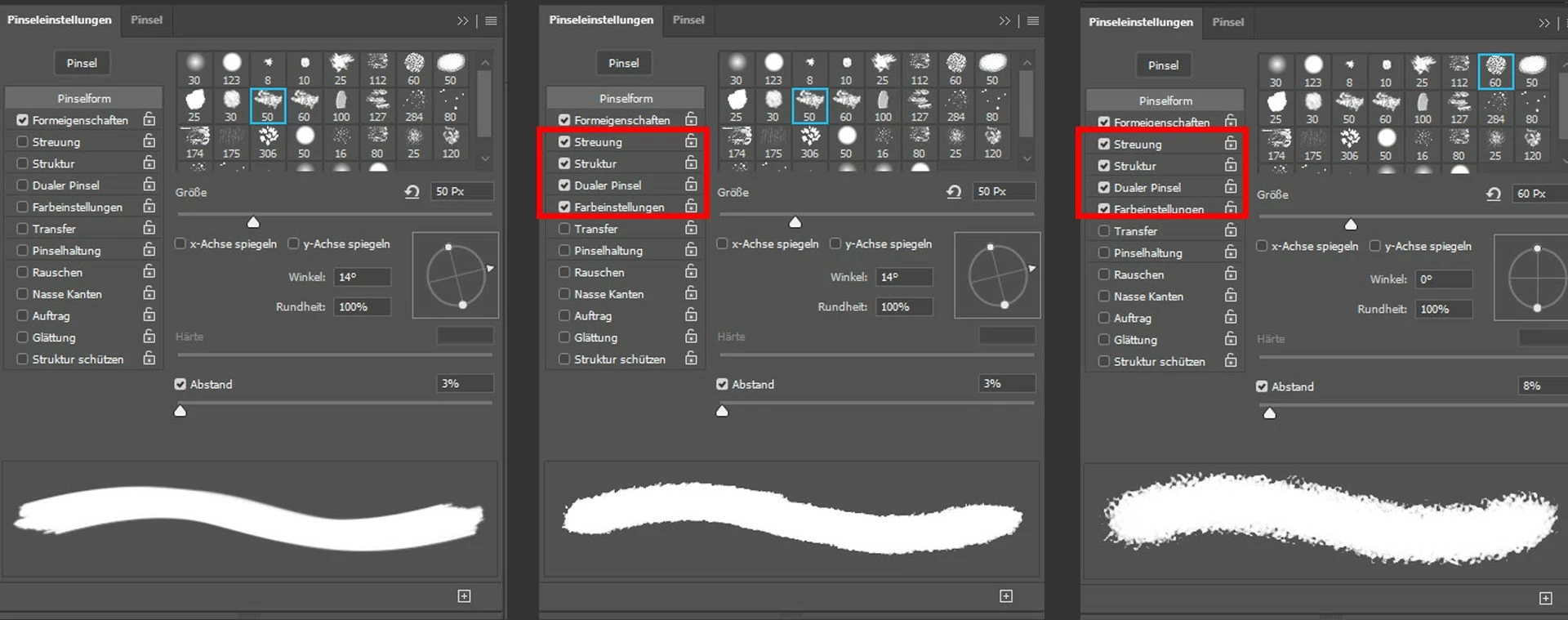
I can not find a way to solve this issue, so that every brush has their own settings again without affecting each other.

Does someone have an answere for this problem?

Correct answer c.pfaffenbichler

Did you actually select the different Brushes in the Brushes Panel? 

Because selecting a Brush tip in the Brush Settings Panel is not the same thing as that. 

2 replies

Participating Frequently
May 4, 2020

I feel really silly for not comprehending this, but where I do select the brush tip as opposed to selecting brushes in the Brushes Panel? I'm having this exact same problem but I can't visualize how to fix it ^^

c.pfaffenbichler
Community Expert
Community Expert
May 4, 2020

In the Brush Settings Panel one can change the Brush tip without affecting other settings. 

Participating Frequently
May 4, 2020

Ah okay, I see now! Thank you! 


c.pfaffenbichler
Community Expert
c.pfaffenbichlerCommunity ExpertCorrect answer
Community Expert
February 13, 2020

Did you actually select the different Brushes in the Brushes Panel? 

Because selecting a Brush tip in the Brush Settings Panel is not the same thing as that. 

Participant
May 29, 2021

Hello, I have the same problem, but I still can't solve it.

To be more specific : all of a sudden the Pen pressure is affecting all my brushes (even the ones that shouldn't have it). When I try to get it back to normal, it's still there. 

Until the other day everything was ok, but now it's a bummer.

Also, when I change brush and then come back to the General Hard Round (as an example), the settings are like this with the triangle icon next to the pen pressure menu bar.

How can I solve this?

Participant
July 7, 2021

Hi, I had this problem too.

I fixed it by clicking on the top right options menu (the four lines) and pressing 'reset all locked settings'

So I think the idea is that photshop was behaving like I'd presseed the lock icons next to eacg settign type. Perhaps I clicked a couple accidently or something but it seemed to be an issue across the board. The only thing that changed between each brush for me during the issue was tip shapes and whether the borader categroies were ticked (sattering, dual brush)

All other settings wouldn't change. but the reset seeeeems to have worked.

I just thought I'd outline this so someone at Adobe can see it and realise it's been an issue.

Maybe one day the industry will be lead by stable, intuitive software you don't have to pay a subscription for to have it screw up every few weeks.

Thanks adobe.