dzgnr89
Inspiring
July 16, 2019
Answered

Brush single stroke outline instead of multiple ones

  • July 16, 2019
  • 2 replies
  • 1602 views

I'm using Photoshop version 20.0.2 on windows 10. How can I have brush outline instead of repeated strokes in the brush palette?
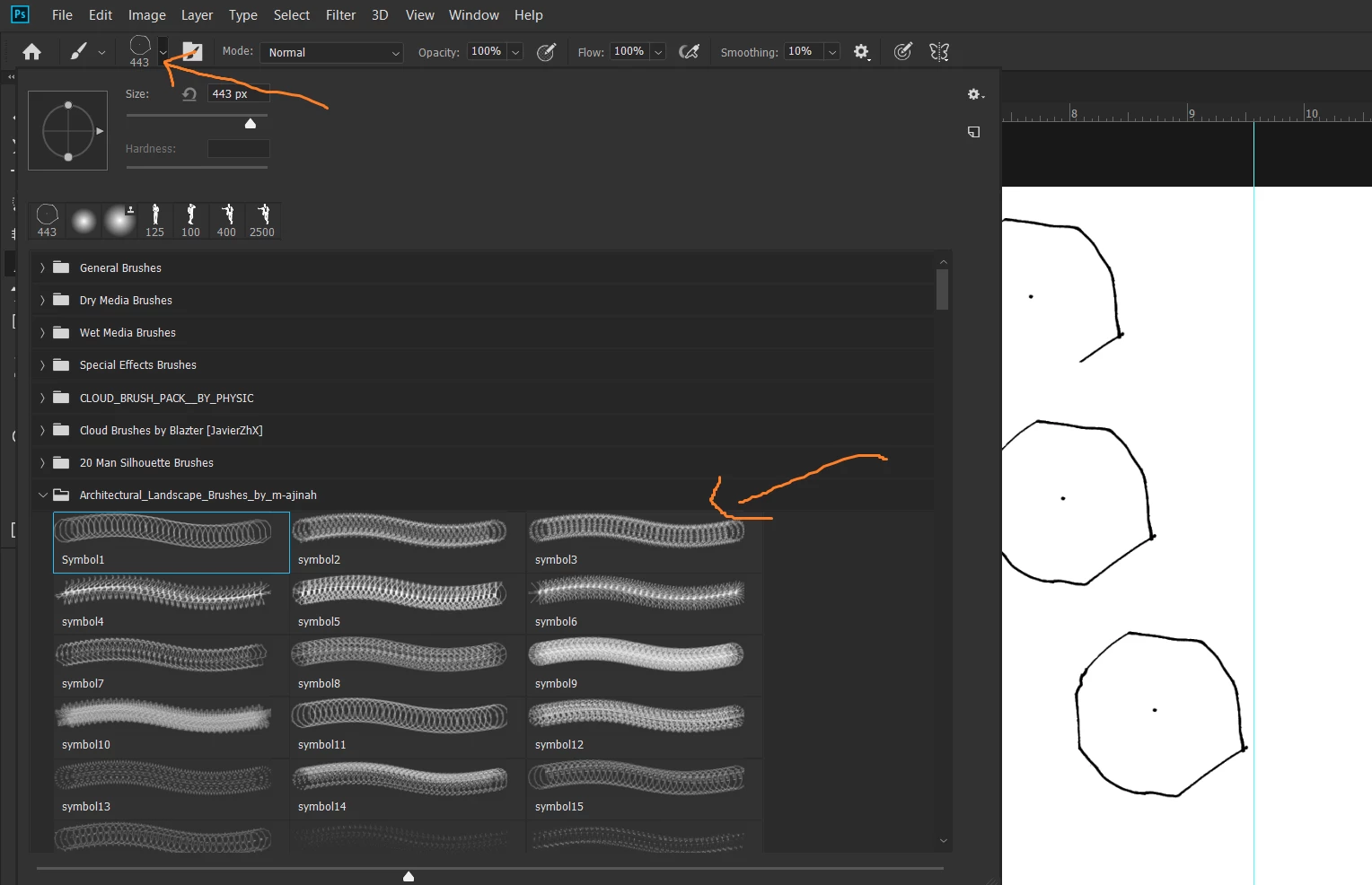

    This topic has been closed for replies.
    Correct answer c.pfaffenbichler

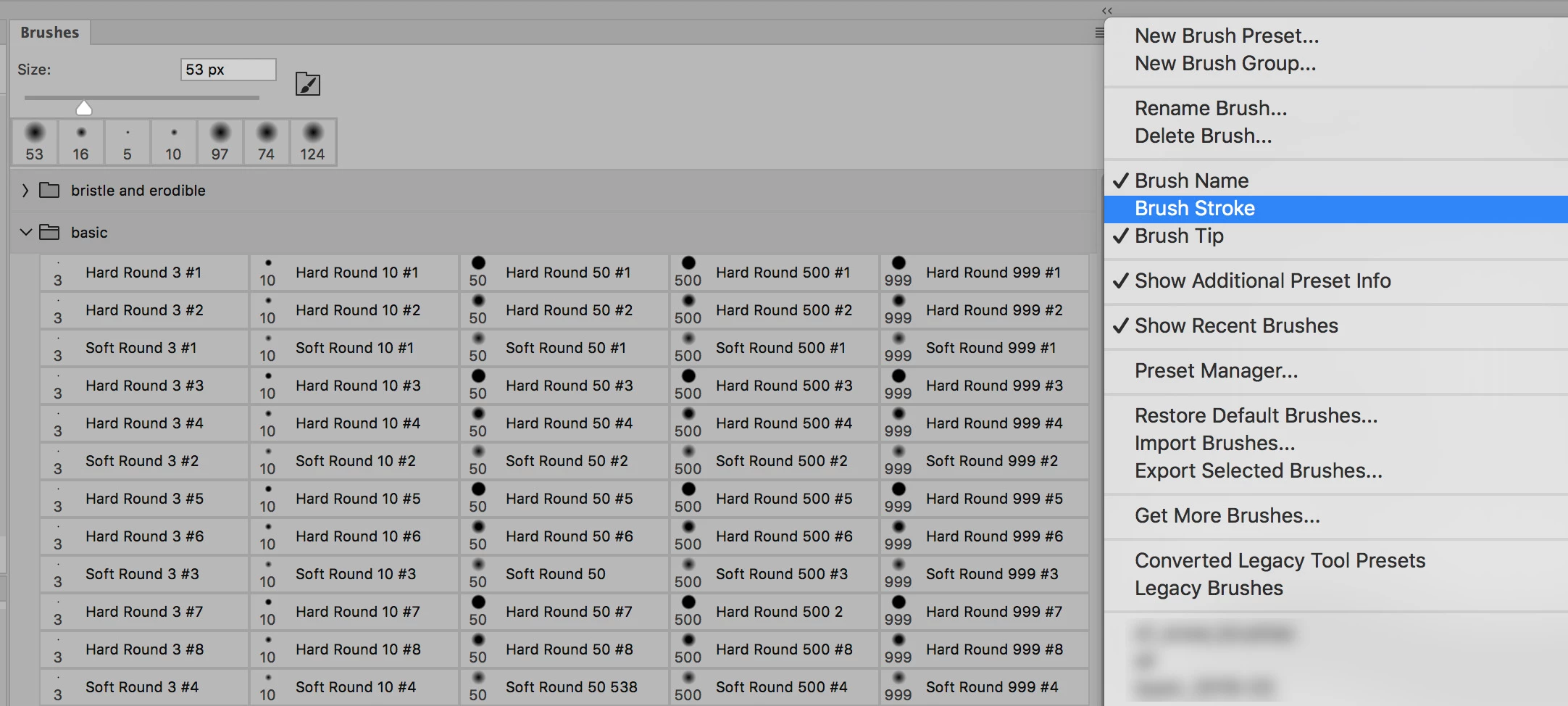
    Have you turned off »Brush Stroke« in the Brushes Panel’s fly-out--menu yet?

    Edit:
    2 replies

    c.pfaffenbichler
    Community Expert
    c.pfaffenbichlerCommunity ExpertCorrect answer
    Community Expert
    July 16, 2019

    Have you turned off »Brush Stroke« in the Brushes Panel’s fly-out--menu yet?

    Edit:

    dzgnr89
    dzgnr89Author
    Inspiring
    July 16, 2019

    OOohh!!! Brush tip was switched off...Brush stroke is turned on as I was getting all those trailing marks!! Thanks for showing the way!

    c.pfaffenbichler
    Community Expert
    Community Expert
    July 16, 2019

    Could you please post a screenshot with the pertinent Panels (Brushes, Brush Settings, Options Bar, …) visible?

    Edit: With one of these Brushes selected that is.