
Inspiring
October 18, 2018
Answered

Brush size/hardness shortcut in PS CC 2019

  • October 18, 2018
  • 2 replies
  • 9399 views

Hi,

When i keep pressed ctrl+option and drad the mouse in PS CC 2018, I could change the brush size and hardness.

I can't find the shortcut in PS CC 2019.

Have someone find the new shortcut or the way to set the shortcut?

P.S. It doesn't work selecting legacy shortcut.

Thanks!
This topic has been closed for replies.
Correct answer gianlucad33284176

Hi

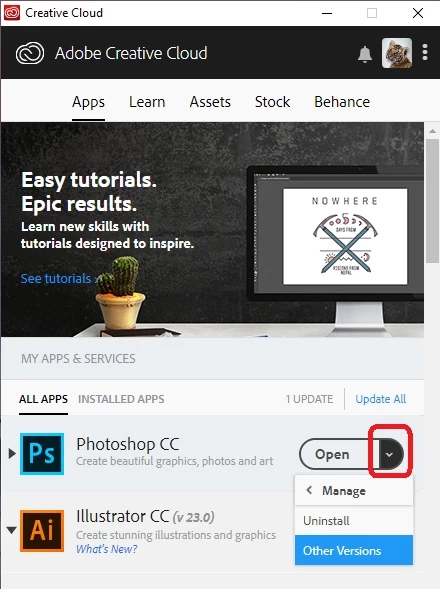
Not seeing the issue on Windows so don't know if it's just related to the MAC, you can revert to CC 2018, just click on the down arrow icon in the Creative Cloud app and select Manage then Other versions


Solved holding down Command, Option, Shift while starting Photoshop

Thanks!

2 replies

October 3, 2019

I have the same issue on ps2019, and resetting the tools doesn’t work

fernandob86377065
Participant
October 11, 2019
On Mac set you pen button to Mac Control (not command) + Alt/option and pen tip clickdrag to scrub hardness and size 🙂 worked for me
October 11, 2019
I am not using a pen
October 18, 2018

Hi

Shouldn't that be ALT + right click on the mouse

Inspiring
October 18, 2018

Nope, I'm talking of this:

October 18, 2018

Yes, sorry I forgot it.

I found it from the web because I can't find it in my Photoshop.


The shortcut hasn't changed in Windows so I would assume it hasn't for the MAC OS either

Have you tried resetting Photoshop preferences