Answered
Brush size thumbnail while drawing
Basically how do I increase or decrease size of thumbnail of my brush while I am drawing. I mean basic brush have 5 size but thumbnail looks like its about 20 size? Saw it in twitch

Basically how do I increase or decrease size of thumbnail of my brush while I am drawing. I mean basic brush have 5 size but thumbnail looks like its about 20 size? Saw it in twitch
Sounds like you might be using a soft brush. Check which cursor you are using in Preferences > Cursors
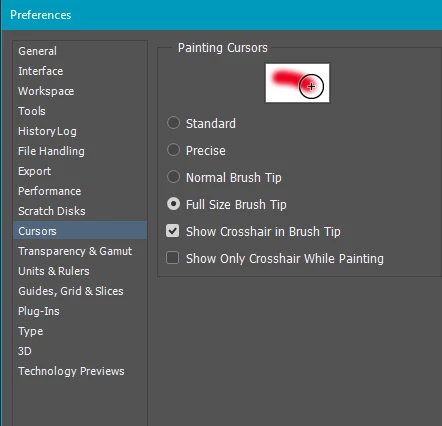
I prefer Full Size and Show Crosshairs which gives me the best of both worlds.
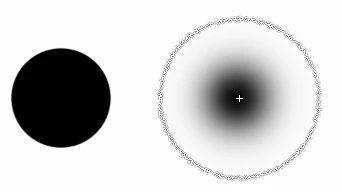
This shows the same brush first fully hard, and then fully soft. In the first case the cursor exactly matched the brush as it stamped down. In the second example, it shows how far the gradient extends
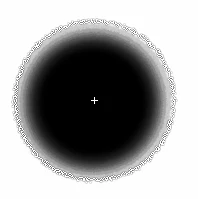
If I copy the layer enough times, it shows how far the pixels had spread — the full extend of the cursor
Already have an account? Login
Enter your E-mail address. We'll send you an e-mail with instructions to reset your password.
 AdChoices