Participant
April 19, 2020
Answered

Brush Spacing

  • April 19, 2020
  • 2 replies
  • 3746 views

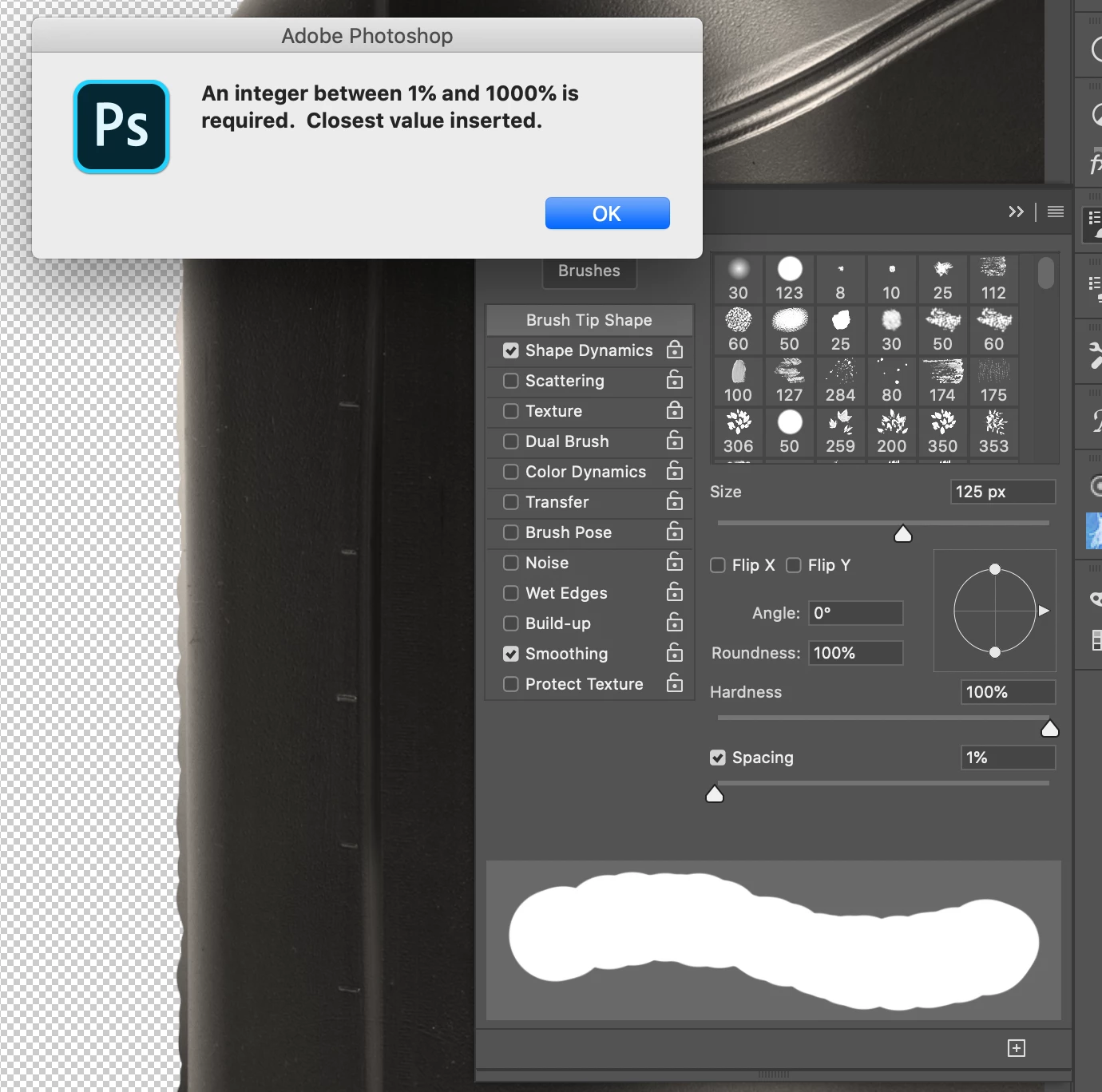
For some reason im unable to set my brush spacing to zero and instead i get these choppy lines when i use a regular hard brush with spacing of 1%. When I try adjusting it to zero i get this messagethanks for the feedback!
This topic has been closed for replies.
Correct answer Bojan Živković11378569

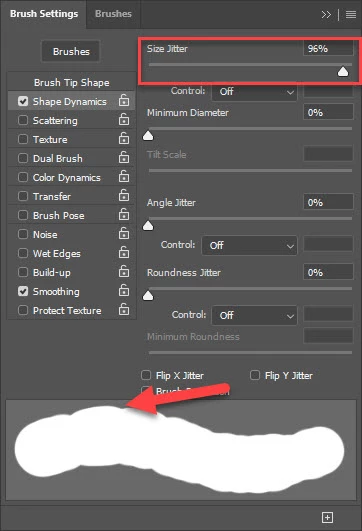
Size Jitter can also affect brush stroke in similar way.
 

2 replies

c.pfaffenbichler
Community Expert
Community Expert
April 20, 2020

I suspect 0% spacing would mean that an infinite number of brush »dabs« would have to be applied at every brush usage – that does not seem to be a meaningful approach. 

Participant
July 26, 2020

I've got a similar problem... I checked all the answers above, but it's not solved.

As you can see, I even unchecked all the options. When I use the brush, it works fine. I can for instance use the round brush and it's a nice round flow. But, I can't see what my brushes actually look like. Can I reset all the brush-info or something?

I've been looking for a solution for several weeks now, I can't seem to solve it on my own...

@moshem: is your problem solved?


Participant
July 26, 2020

Nevermind! I've finally found the solution!


Jeff Arola
Community Expert
Community Expert
April 20, 2020

Yes not being able to enter 0% (zero) for Brush Spacing is the correct behaviour.


However, it seems that perhaps the issue is under Shape Dynamics with the Roundness Jitter being set to something other than 0% (zero) or if you have a pressure tablet, then Pen Pressure is set under Control.


Click on the words Shape Dynamics in order to see the settings.


Bojan Živković11378569
Community Expert
Community Expert
April 20, 2020

Size Jitter can also affect brush stroke in similar way.
