Participant
September 25, 2020
Answered

Brush tool not working on layer mask

  • September 25, 2020
  • 2 replies
  • 7526 views

Hi all, I was hoping that someone could help me out. I am attempting to blend two images - one image is exposed for the foreground and the second for the night sky. However, I have been unable to get the brush tool working for the layer mask.


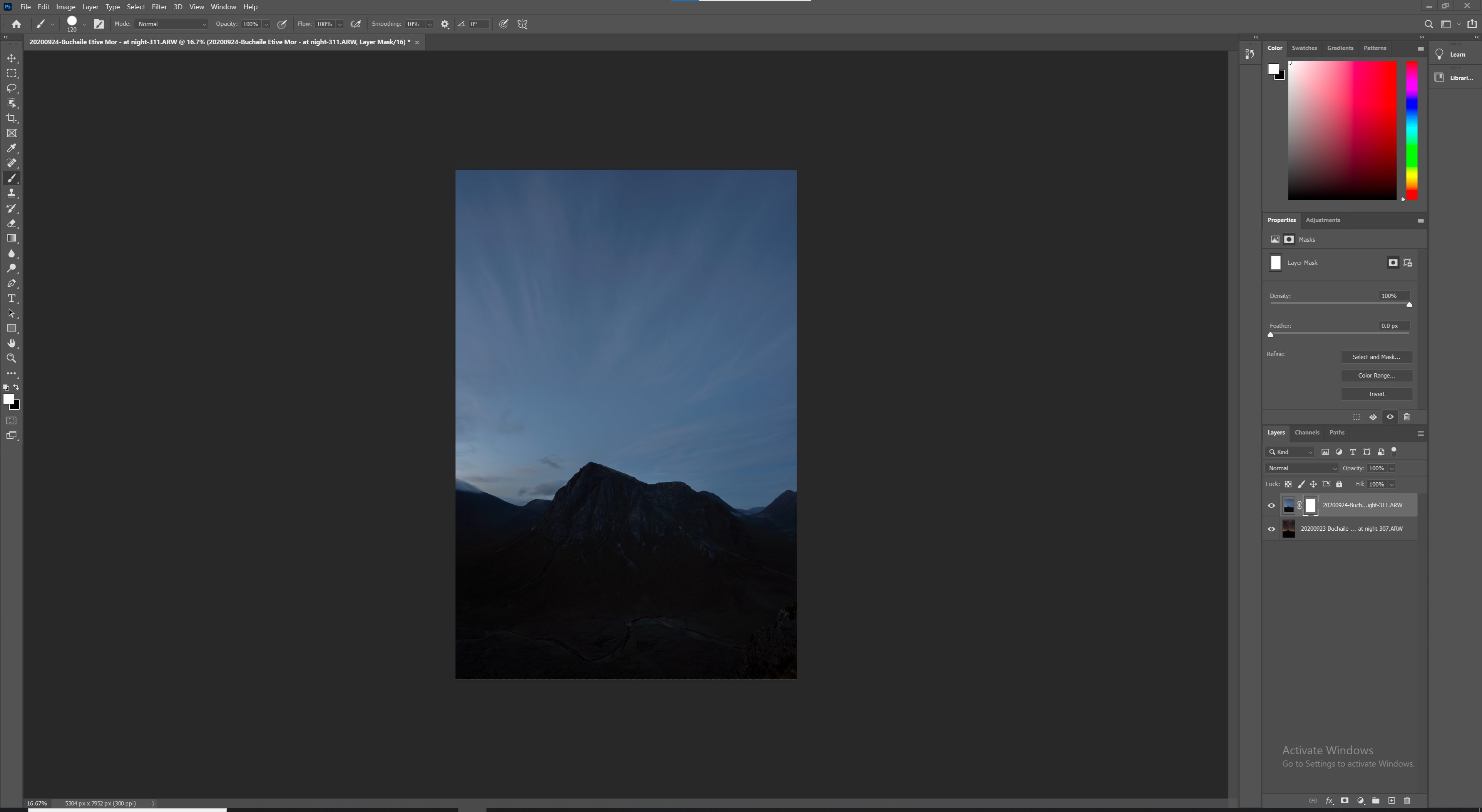
Screenshot attached. I am attempting to brush a mask over the sky on the top layer. As can be seen in the screenshot, the mask is selected, brush mode is set to normal, and opacity and flow are set at 100%. When I 'brush' however, nothing happens. Is there something I'm missing? Help would be very much appreciated.


Thanks,

Adam

This topic has been closed for replies.
Correct answer c.pfaffenbichler

Hitting X switches the Fore- and Background Colors. 

2 replies

c.pfaffenbichler
Community Expert
c.pfaffenbichlerCommunity ExpertCorrect answer
Community Expert
September 25, 2020

Hitting X switches the Fore- and Background Colors. 

Participant
May 9, 2021

I don't know if you're able to help me... But I have done so many troubleshoots and I am having issues still. 

It is literally just painting my image black or white; and not acting as removing or revealing parts of the image. 

I am so stumped - I hope it's as easy as hitting x LOL.

Here's my post: https://community.adobe.com/t5/photoshop/layer-mask-not-working-weaving-text/m-p/12025219#M539062

c.pfaffenbichler
Community Expert
Community Expert
September 25, 2020

PAinting white in white will generally not result in noticable changes.