
Mikedalz
Participant
July 14, 2022
Answered

Brush toolbar keeps resetting when switching brush

  • July 14, 2022
  • 1 reply
  • 1202 views

Hi guys,


Got an issue I'm trying to solve. I'm sure it's probably just a setting somewhere but for the life of me I can't find which one. Any help would be greatly appreciated.


When switching brushes, the main brush toolbar settings keep resetting to their default %'s.

This doesn't happen when changing tools but only when changing brushes. 

Essentially they keep reverting back to 100% opacitiy and 30% flow, here's a screenshot:

 

Thanks, =]
This topic has been closed for replies.
Correct answer c.pfaffenbichler

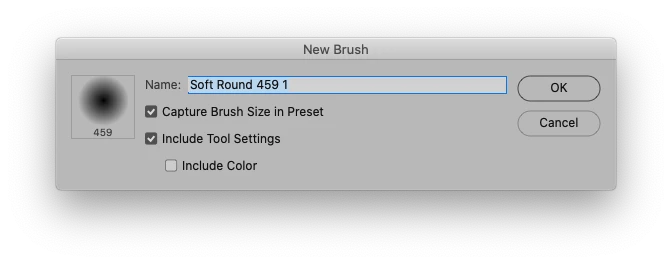
Were the Brushes you select created with »Include Tool Settings« checked? 

1 reply

c.pfaffenbichler
Community Expert
c.pfaffenbichlerCommunity ExpertCorrect answer
Community Expert
July 14, 2022

Were the Brushes you select created with »Include Tool Settings« checked? 

Mikedalz
MikedalzAuthor
Participant
July 14, 2022

And that is my fix =]

Perfect, thank you very much! 

c.pfaffenbichler
Community Expert
Community Expert
July 14, 2022

If I remember correctly one can override those settings by pressing cmd-alt when clicking the Brush in the Brushes Panel.