
Question
brush window--How is it supposed to look?
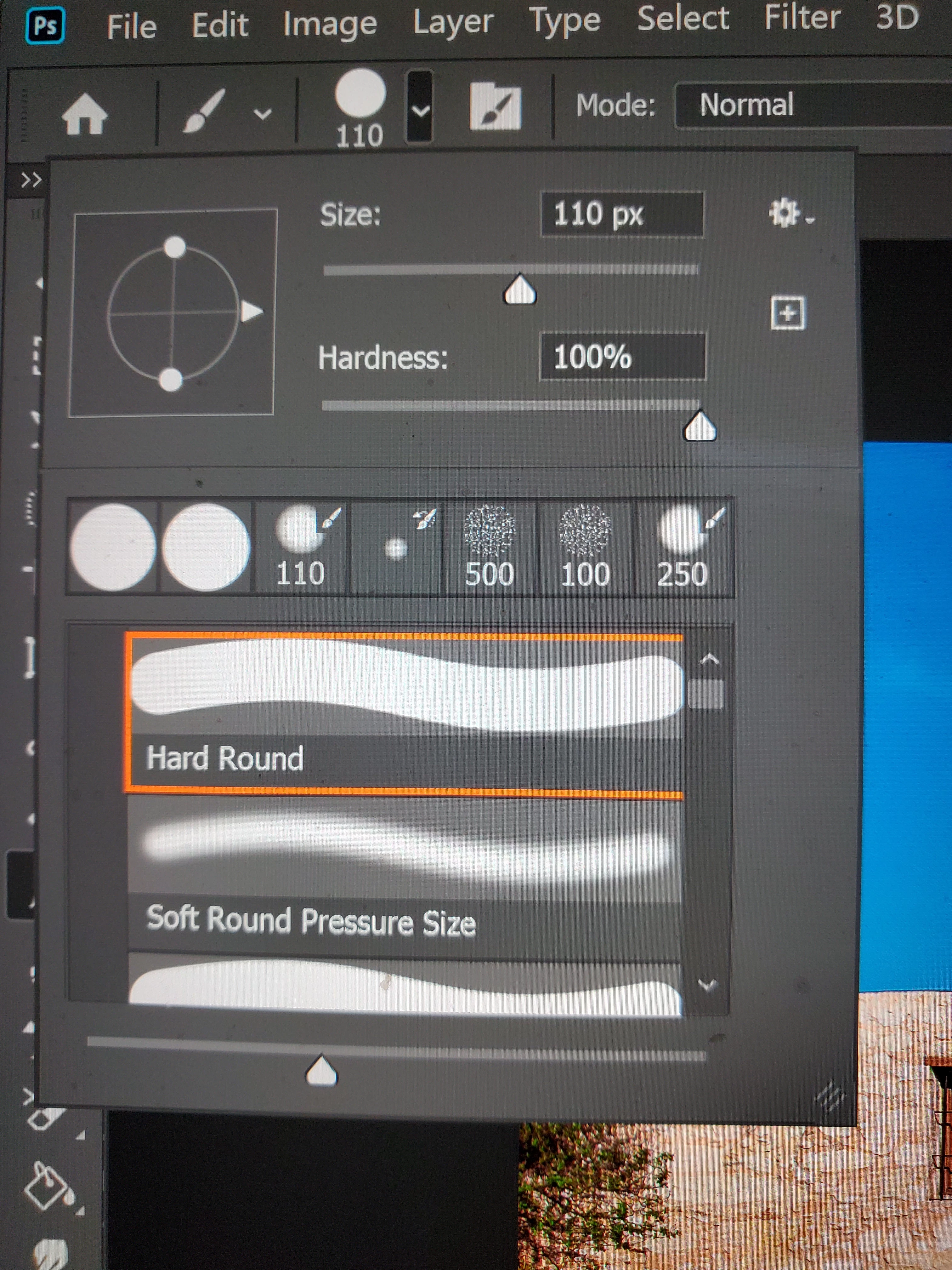
My friend and I are working on Photoshop projects together. We both have PS 2020. His brush panel looks different than mine. I am enclosing images of both brush panels. His shows Size and Tolerance at the bottom. Mine does not. Mine has a settings icon at the upper right-hand corner. His does not. Also, mine has a small square with a plus sign inside of it below the settings icon. When I hover over it it says, "Create a new preset from this brush." My friend does not have the square with the plus sign inside of it. I have tried to Google the answer. No success.
I am grateful for whatever help you can give me. Thank you very much.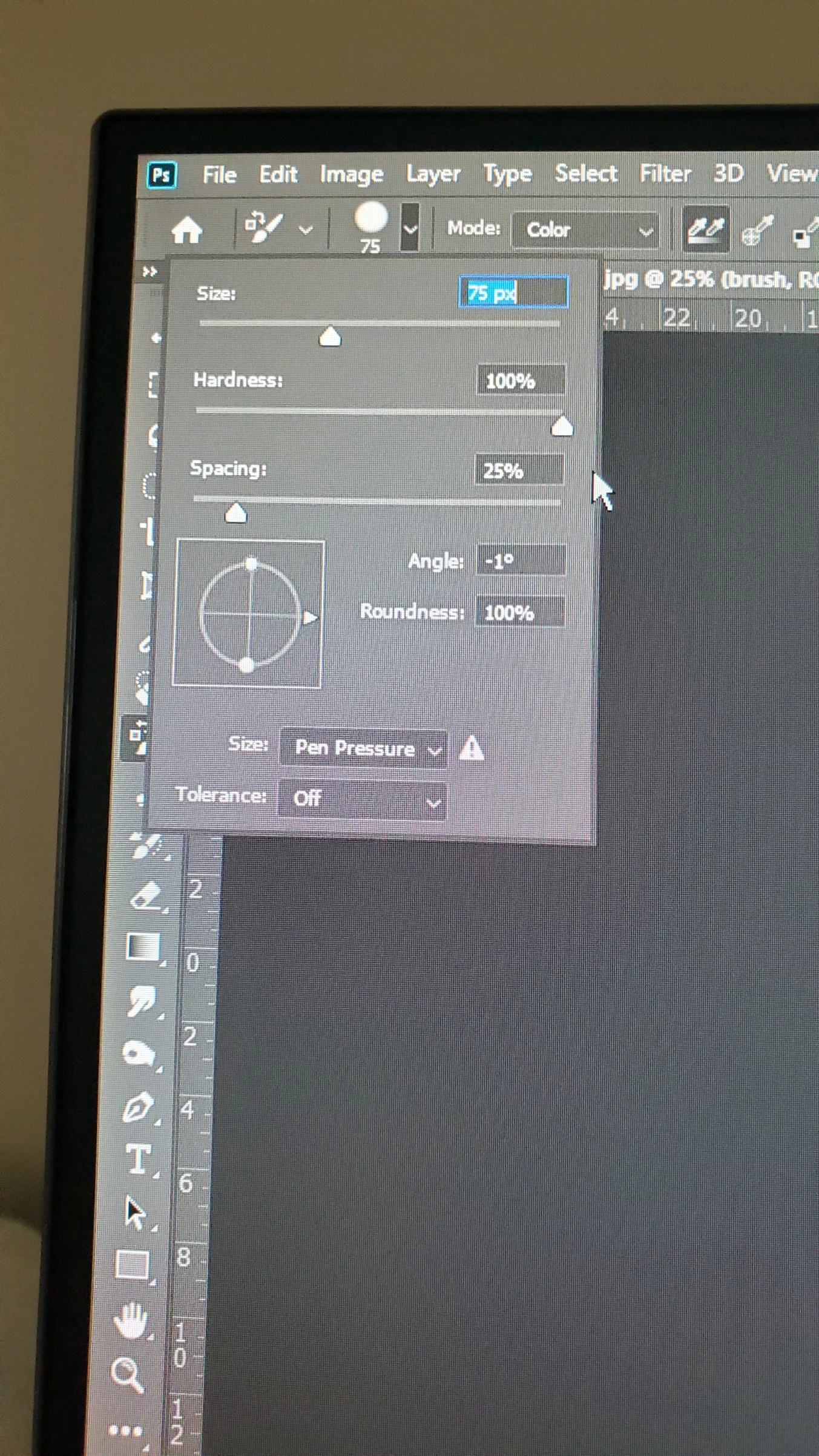
 AdChoices